How to Create Custom 3D Printed Map Tools on Shopify?

Personalization is no longer a side feature in eCommerce; it’s a defining expectation. In the 3D printing sector, this demand is even stronger — 82% of customers now place their orders online and seek tools that give them control and clarity. A custom 3D printed map configurator on Shopify meets that need by connecting GPS route data with real‑time 3D previews, allowing buyers to design, customize, and order with confidence.

Through our expert ecommerce personalization solutions our team built a tool that integrates Strava and GPX file imports, automatically centers maps on user routes, and generates personalized 3D printable terrain models ready for production. By combining advanced mapping technology with automated STL file generation, we reduced manual effort and created a clear, efficient workflow for customers.

This blog explores how the custom 3D printed map tool works, the essential features behind its development, and the advantages it brings to D2C and print‑on‑demand brands. Let’s break it down step by step.

What Is a Custom 3D Printed Map Tool?

A custom 3D printed map tool is a Shopify‑integrated application that transforms outdoor route data into personalized 3D printable terrain models. Instead of static product listings, it gives customers the ability to upload their own data — whether it’s a Strava 3D print of a cycling route or a GPX to 3D map of a hiking trail — and instantly see their journey turned into a physical keepsake. Once the data is uploaded, the tool automatically converts the route into a detailed 3D terrain model, ready to be visualized and customized.

Watch the video below to see how a digital route evolves into a handcrafted 3D wooden map — bringing every adventure to life.

How the Tool Works:

To see the whole process in action, here’s a walkthrough video that demonstrates how the tool works.

  • Upload route data: Customers can import activity files directly from Strava or upload a GPX file to begin.
  • Auto‑center the map: The tool automatically focuses on the selected trail or cycling path, ensuring the 3D printable terrain models are aligned with the route.
  • Preview the terrain in 3D: A live visualization displays accurate elevation data, allowing users to see Strava 3D print map before ordering.
  • Customize the model: Options include size, shape, material, and engraving, giving full control over the final 3D printable terrain models.
  • Place the order: Once the design is finalized, customers complete their purchase through Shopify checkout. A separate confirmation message is sent with details, and the STL file is automatically prepared for production of their custom 3D printed map.

What key features should a Shopify app include for a custom 3D printed map?

Building a custom 3D printed map tool requires a balance of technical precision and user‑friendly design. Each feature should clearly show how it supports the journey from Strava 3D print or GPX to 3D map upload to a personalized 3D printable terrain models.
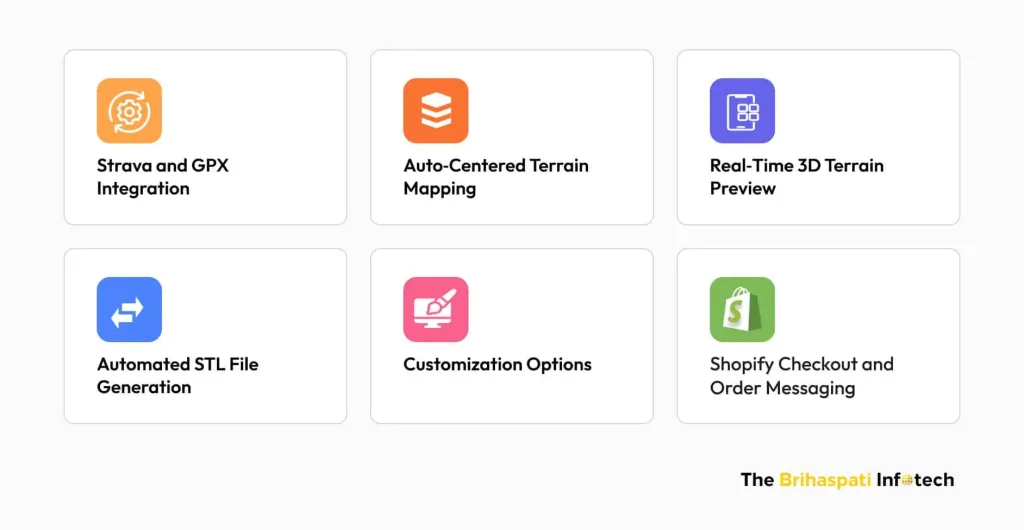
Key features of Shopify app for custom 3D printed map

Strava and GPX Integration

Enable customers to bring in their own route data.
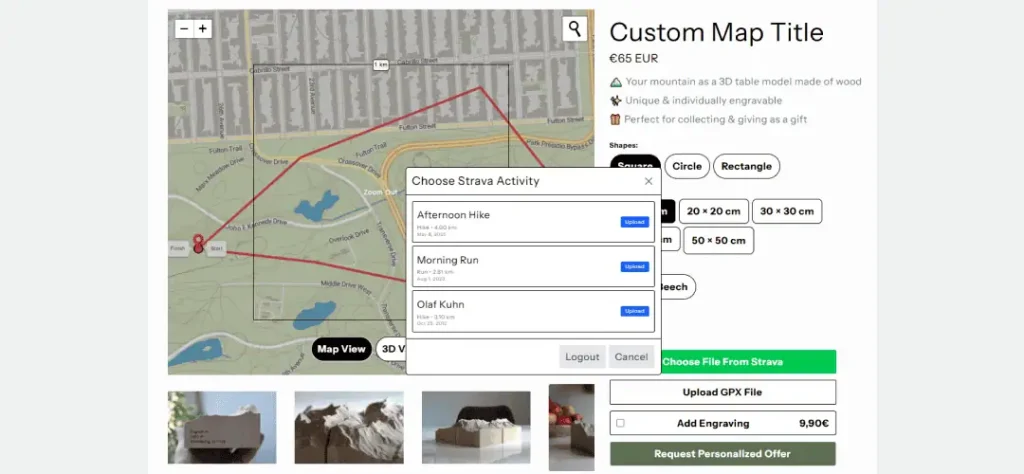
Strava and GPX Integration
  • Direct Strava connection: Import cycling or hiking routes instantly.
  • GPX file upload: Support for universal activity files.
  • Personalization foundation: Every Strava 3D print or GPX to 3D map starts here.

Auto‑Centered Terrain Mapping

Ensure the terrain preview focuses on the right area.
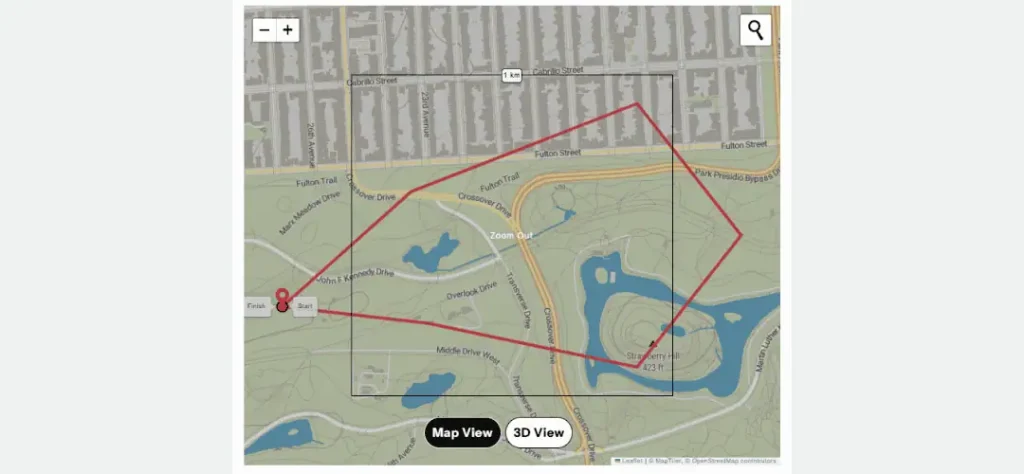
Auto‑Centered Terrain Mapping in custom 3D printed map Shopify app
  • Automatic centering: No manual dragging or resizing needed.
  • Precision mapping: Keeps the route aligned with the terrain contours.
  • Customer clarity: Users see exactly the section they care about.

We’ve previously implemented similar auto-centering and location mapping logic in a custom map printing WordPress plugin, proving its flexibility across platforms.

Real‑Time 3D Terrain Preview

Show customers what their model will look like before checkout.
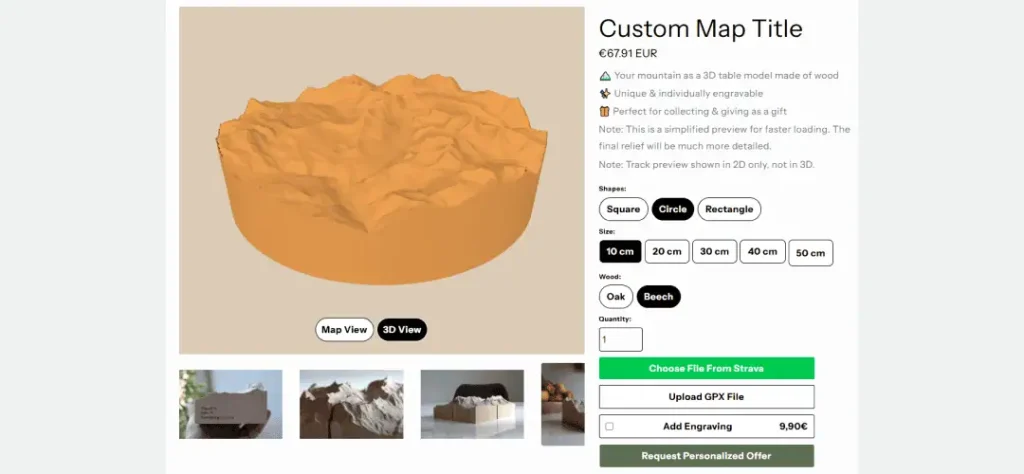
Real‑Time 3D Terrain Preview in custom 3D printed map Shopify app
  • Elevation visualization: Accurate 3D print elevation map rendering.
  • Interactive preview: Rotate, zoom, and explore terrain details.
  • Decision support: Builds confidence in customization choices.

Real-time 3D previews like this are a cornerstone of advanced configurators we’ve built, including enterprise solutions for visualizing complex agricultural machinery (trailers, sprayers, and attachments) with seamless updates and optimized performance. For a detailed case on scaling interactive 3D to heavy-equipment customization on Shopify Plus: How to Build a 3D Agricultural Configurator.

Automated STL File Generation of Custom 3D Printed Map

Convert terrain data into production‑ready files.

  • Instant STL output: No manual modeling required.
  • Consistency: Every order is generated with the same accuracy.
  • Scalability: Supports higher-order volumes without extra overhead.

Customization Options for 3D Printable Terrain Models

Give customers control over the final product.
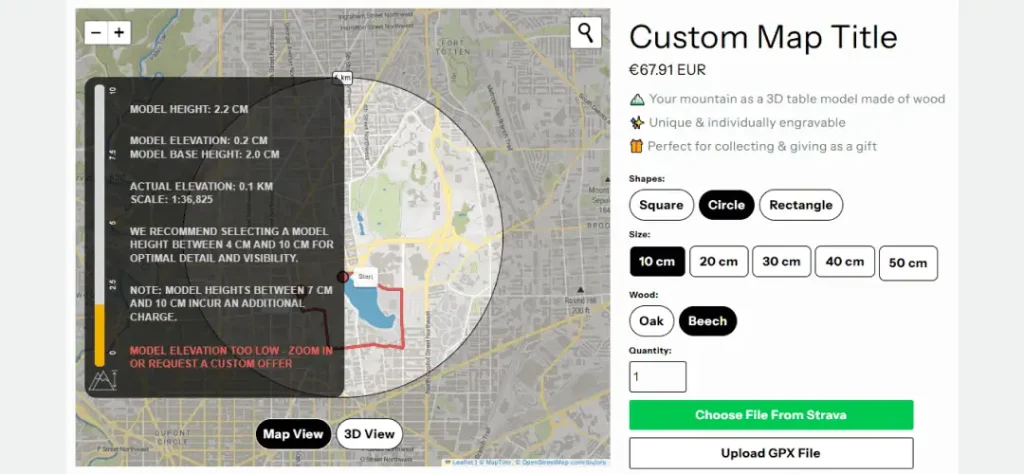
Customization Options for 3D Printable Terrain Models
  • Shapes and sizes: Square, circle, rectangle; multiple dimensions.
  • Materials: Options like oak or beech for different finishes.
  • Engraving: Add names, dates, or summit markers for personalization.

We’ve implemented similar customization experiences in other POD tools as well — such as the custom Wall Art Design Tool we built for Shopify stores — where shoppers personalize designs from scratch and preview their final artwork before purchase.

Shopify Checkout and Order Messaging for Custom 3D Printed Map

Close the loop with smooth purchasing and communication.

  • Integrated checkout: Directly tied to Shopify’s native flow.
  • Automatic STL generation: Triggered after purchase.
  • Separate confirmation message: Keeps customers informed post‑order.

We applied a similar, Shopify‑native order processing flow in our Custom Shipping Label App — ensuring that, from checkout to fulfillment and label generation, everything stays automated and seamless.

How to develop a Shopify app for a custom 3D Printed Map Tool?

At The Brihaspati Infotech, our team developed a custom Shopify app for a 3D printed map that transforms outdoor route data into personalized 3d printable terrain models. 

By integrating Mapbox and Strava, we replaced manual modeling with real‑time terrain visualization directly inside Shopify. Route data is processed securely, converted into watertight STL files through a Python microservice, and previewed in a React‑based extension. This architecture ensures compatibility across platforms, smooth checkout, and flexible use cases ranging from cycling routes to hiking trails.
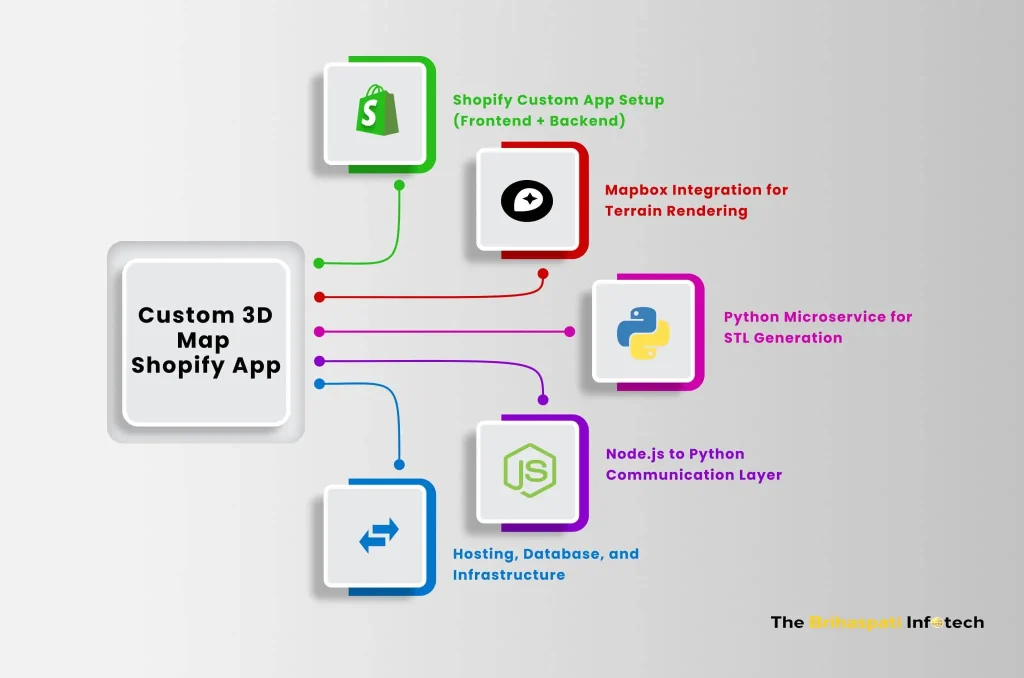
How to develop a Shopify app for a custom 3D Printed Map Tool

Below is a breakdown of how we built and delivered this Shopify app for a custom 3D printed map:

1. Shopify Custom App Setup (Frontend + Backend)

  • Frontend (React.js & Shopify Polaris): Built the interactive extension where users upload GPX files or connect to Strava, preview maps, and customize options.
  • Backend (Node.js + Express.js): Managed authentication, API requests, and session handling. Integrated with Shopify REST + GraphQL APIs for product, order, and shop data.
  • Shopify App Bridge React: Enabled seamless communication between the embedded app and Shopify Admin.

2. Mapbox Integration for Terrain Rendering

  • Mapbox GL JS + Terrain‑RGB API: Fetched elevation data and rendered dynamic 2D/3D maps.
  • GPX & Strava Data Parsing: Converted uploaded routes into GeoJSON for accurate visualization.
  • Interactive Preview: Allowed users to toggle between map view and 3D view, ensuring clarity before purchase.

3. Python Microservice for STL Generation

  • Flask API: Served as a lightweight microservice dedicated to STL generation.
  • NumPy + Rasterio + Pillow: Processed elevation rasters and terrain data.
  • Trimesh + STLWriter: Generated watertight 3D terrain STL files ready for printing.
  • Optimizations: Mesh simplification, caching, and asynchronous processing improved performance and scalability.

4. Node.js to Python Communication Layer

  • Custom Endpoints: Node.js backend sent route/elevation data to the Python service.
  • Async Queues: Ensured stable communication and minimized API delays.
  • Mesh Validation: Guaranteed STL outputs were optimized and error‑free.

5. Hosting, Database, and Infrastructure

  • Database (MySQL + Sequelize ORM): Stored user sessions, route metadata, and product customization details.
  • Hosting (AWS + NGINX): Deployed Node.js backend, Python microservice, and database with SSL and reverse proxy.
  • Process Management (PM2): Ensured auto‑restart and uptime for Node.js services.
  • Caching (Redis + API batching): Reduced Mapbox rate‑limit issues and improved rendering speed.

What are the Benefits of a custom 3D Printed Map Tool for POD and D2C brands?

Developing a Shopify app for custom 3D printed maps doesn’t just enhance user experience — it creates tangible business advantages for print‑on‑demand (POD) providers and direct‑to‑consumer (D2C) brands.
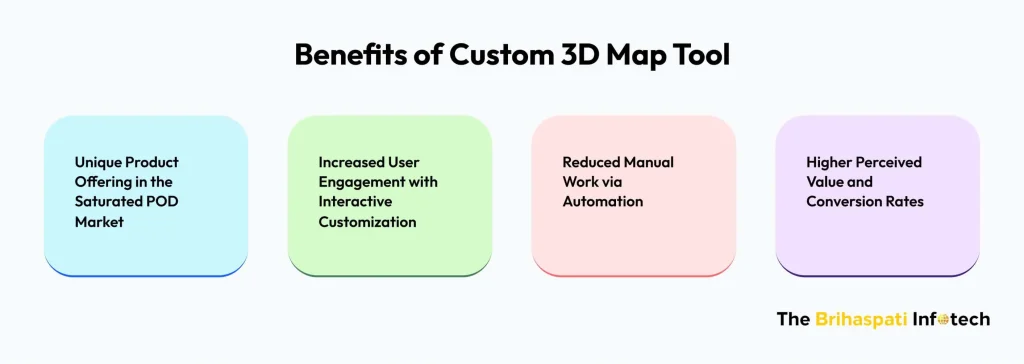
Benefits of a custom 3D Printed Map Tool

Unique Product Offering in the Saturated POD Market

  • Differentiation: While most POD stores focus on apparel, mugs, or posters, offering custom 3D printed map introduces a niche product category that stands out.
  • Personalization edge: Customers can tie the product to personal achievements (a marathon route, a mountain climb), making it more meaningful than generic merchandise.
  • Market expansion: Appeals to outdoor enthusiasts, athletes, and collectors — audiences often underserved in POD.

Increased User Engagement with Interactive Customization

  • Interactive previews: Real‑time terrain visualization keeps users engaged longer on product pages.
  • Ownership of design: Customers feel invested when they upload Strava or GPX data and see it transformed into a personalized 3D printable terrain models.
  • Social sharing: Unique designs encourage customers to share their creations, driving organic brand visibility.

Reduced Manual Work via Automation

  • STL generation pipeline: Automated conversion of terrain data into watertight STL files eliminates manual modeling.
  • Streamlined workflow: Orders move directly from customization to production without human intervention with 3D printable terrain models.
  • Scalability: Brands can handle higher order volumes without increasing operational overhead.

As automation reduces manual effort and boosts fulfillment speed, it becomes a key pillar in scaling efficiently. For more ideas on streamlining and growing your POD brand, check out our insights on how to scale a print-on-demand business in 2025.

Higher Perceived Value and Conversion Rates

  • Premium positioning: A custom 3D printed map tool elevates the product beyond standard POD items, justifying higher price points.
  • Confidence through previews: Customers are more likely to convert when they can visualize the final product before checkout.
  • Emotional connection: Personalized terrain models tied to real experiences increase willingness to purchase and reduce cart abandonment.

Who can Leverage a Custom 3D Printed Map Tool?

This custom 3D printed map app usage goes beyond technical innovation — it opens new revenue streams for niche eCommerce players. Whether you’re a print‑on‑demand entrepreneur or a direct‑to‑consumer brand, it opens opportunity for personalization.

  • Cycling & Running Communities: Celebrate milestones by turning Strava or GPX routes into 3D keepsakes — ideal for post‑race merchandise or achievement rewards.
  • Outdoor Gear Brands & Adventure Stores: Offer souvenirs tied to treks, trails, or national parks, letting customers recreate meaningful journeys in physical form.
  • Marathon & Event Organizers: Add an experiential touch to event merchandise with physical maps of participants’ achievements.
  • Gift Shops & Personalized Product Stores: Cater to demand for location‑based gifts like custom maps or personalized storybooks — both tap into emotional value and elevate product uniqueness in D2C and POD markets.
  • Tourism Boards & Regional Platforms: Transform scenic routes and landscapes into branded keepsakes for tourists and locals alike.

By focusing on emotional connection and real‑world experiences, merchants can strengthen customer loyalty, justify premium pricing, and differentiate themselves in the crowded POD market.

Frequently Asked Questions

Which audiences benefit most from a custom 3D printable map Shopify app?

This custom app is ideal for cycling and running communities, outdoor gear brands, event organizers, gift shops, and tourism platforms — anyone looking to offer personalized, experience‑driven products that stand out in the POD and D2C space.
Hire Shopify app developers to bring similar innovations to your brand.

How does the custom 3D printable map Shopify app differ from traditional print‑on‑demand products?

Unlike static POD items (t‑shirts, mugs, posters), the custom 3D printable map Shopify app offers personalized 3D printable terrain models tied to real experiences. It combines interactive customization with automated STL generation, creating a premium, niche product category that stands out in the crowded POD market.
Looking to build something similar? Hire expert Shopify developers to design and implement custom apps.

How much does it cost to build a custom 3D printed map Shopify app?

The cost of building a custom Shopify app for 3D printed maps depends on several factors:
Customization: Features like Strava/GPX route uploads, real‑time terrain previews, or multi‑map support.
Complexity: Advanced logic such as mesh simplification, STL optimization, or event‑based product bundles.
Platform Integration: APIs like Mapbox and Strava, plus backend services for STL generation.
Extra Features: Options like social sharing, analytics dashboards, or admin controls.

Need a precise quote for your 3D printed map app project? Contact us

How long does it take to build a custom 3D printed map Shopify app?

The development timeline for a 3D printed map app depends on several factors:

Level of customization
Complexity of features
API integrations and backend services

On average, building a tailored Shopify app for custom 3D printed map takes about 1 to 2 months.
Need a specific timeline for your project? Contact us

Conclusion: Custom 3D Printable Map App for Shopify

A custom 3D printed map app is more than a product configurator — it’s a bridge between personal experiences and eCommerce innovation. By enabling real‑time terrain previews, automated STL generation, and seamless Shopify integration, it empowers merchants to deliver unique, premium offerings while reducing operational overhead.

At the same time, this solution fits into the larger POD and D2C ecosystem, where personalization and automation drive customer loyalty and measurable ROI. With our best Shopify web app development services, we specialize in building intuitive, scalable, and secure apps that transform niche ideas into commercially viable solutions.

Looking to explore more? Check out our guide on 10 Best Ways to Use Shopify Flow for Smarter Ecommerce Automation, where we share practical strategies to automate order tagging, fulfillment alerts, inventory sync, and more — perfect for scaling personalized POD products like custom 3D maps.

Ready to build your own? Contact us today. Let’s create a Shopify solution that brings your custom 3D printed map vision to life and fits your business exclusively.
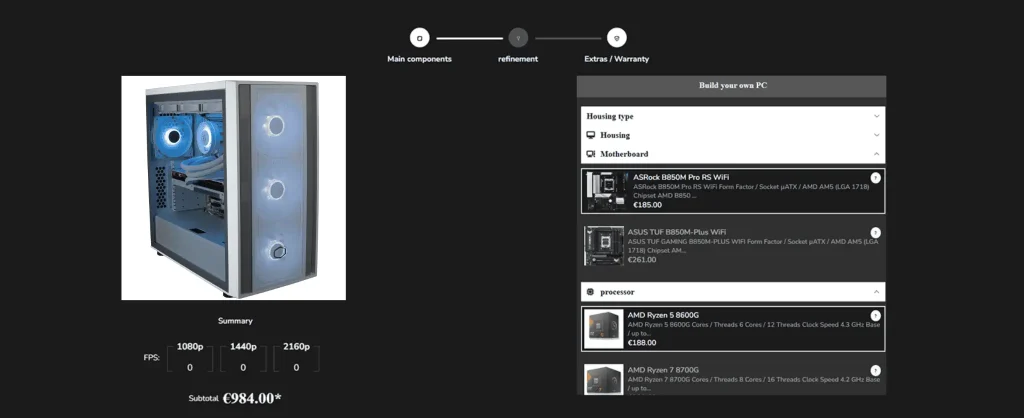
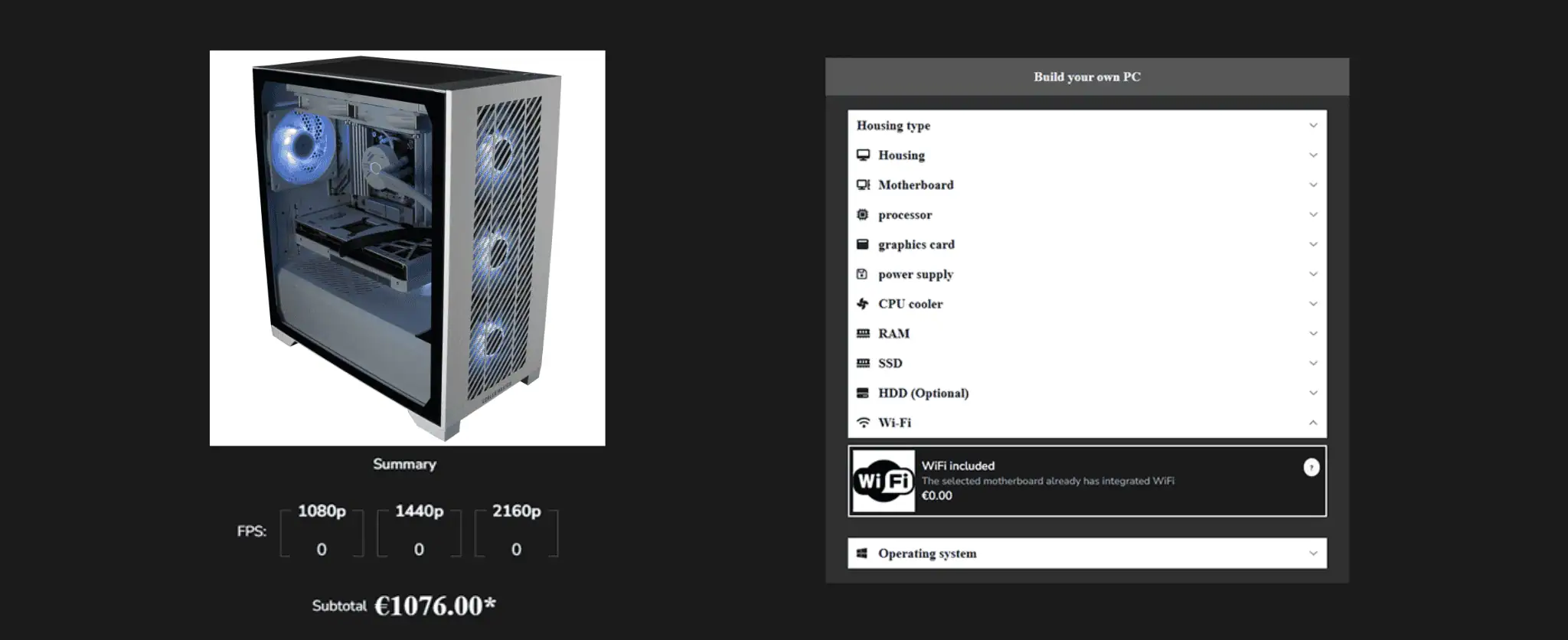
Online Product Configurator for Shopify: Design Your Own PC

In the dynamic eCommerce arena, personalization is key. It can make or break a sale. Over 70% of gamers now prefer building their own desktops instead of buying pre-built ones. They want performance, style, operations, everything tailored to them. This is where online product configurator stands out. These are web tools that let users design and customize their ideal PC right on a website. 

With expert Shopify development services, businesses can add these configurators to their online stores. A Shopify product configurator app offers real-time pricing, compatibility checks, and interactive previews, ensuring a smooth and transparent experience.

In this blog, we’ll break down how custom product builder works, what are their key features and how they are so useful. Let’s dive in!

How an Online Product Configurator for Shopify Works?

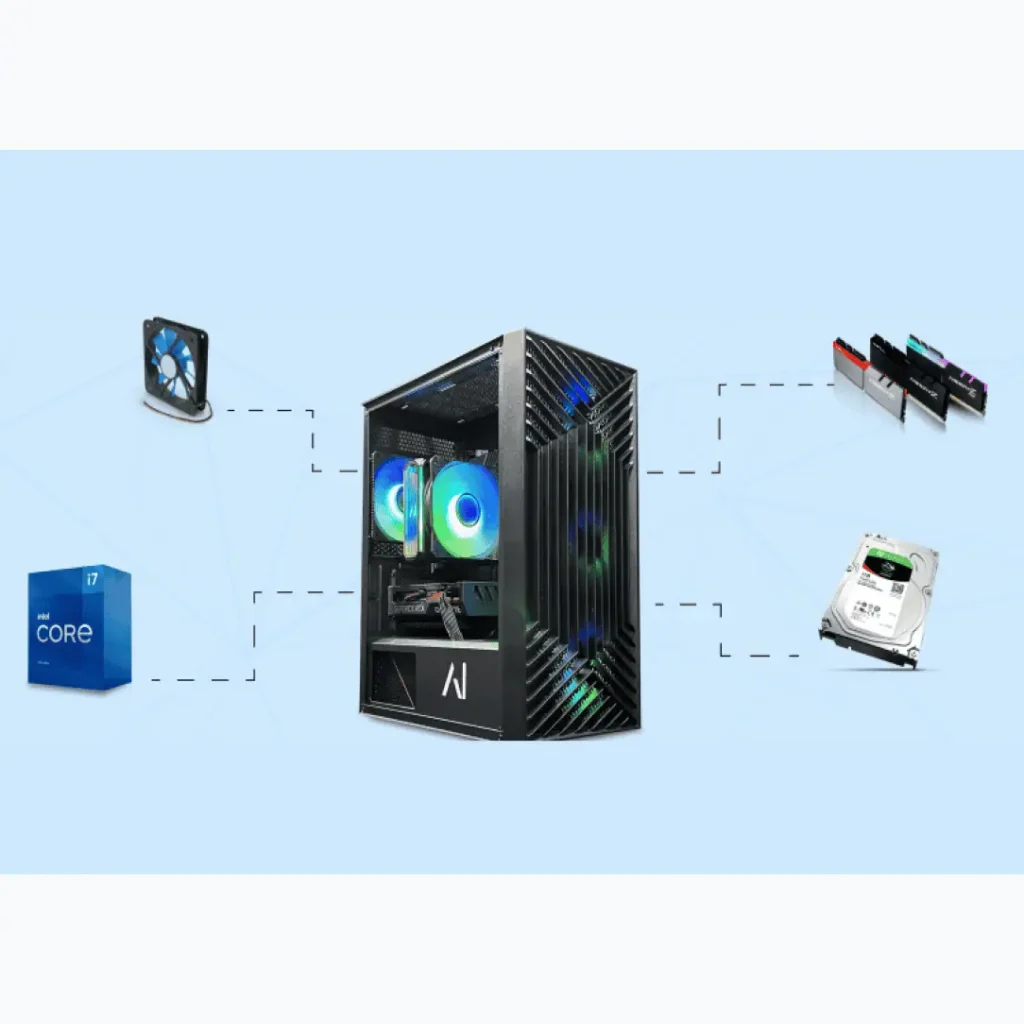
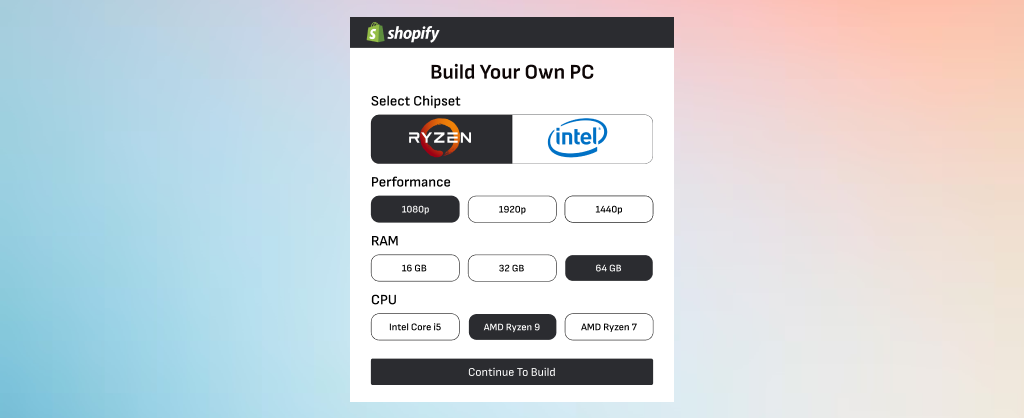
An online product configurator is a tool that allows customers to easily design and customize products on a website. For PCs, this means users can select each component—such as the CPU, GPU, RAM, storage, and cooling system—to create a machine tailored to their needs.

Our Shopify team previously developed a PC configurator for Shopify, and the current project is an enhanced version with additional features for a more personalized experience. Check out how it works in the video below.

For a more detailed look at the initial version of the PC configurator for Shopify, check out our full blog here.

Online Product Configurator for Shopify: Key Features

Our ecommerce experts have developed a Shopify product configurator app that changes the way people build custom PCs. This custom product builder app lets users easily pick and customize every part of their computer—from the CPU and GPU to the RAM and power supply—making sure it fits their needs and budget.

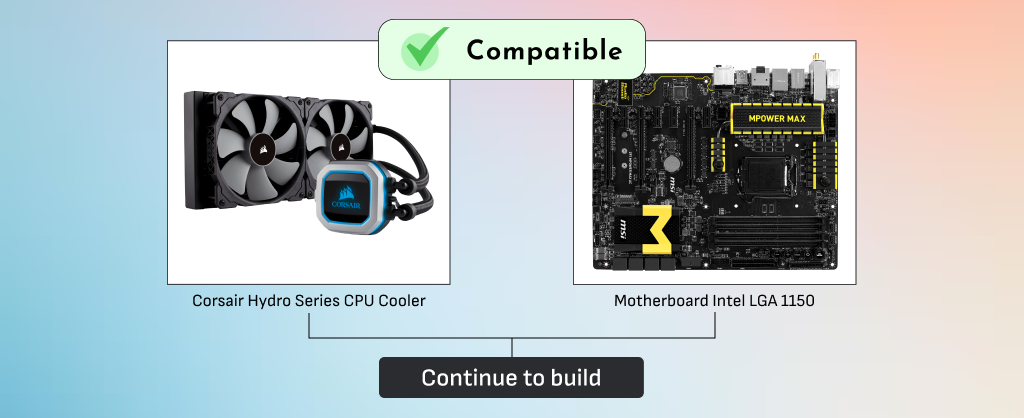
The online product builder app is built to work perfectly with Shopify platform, making it easy for stores to add it to their site. The online product configurator checks that all the parts chosen are compatible, so users don’t have to worry about parts not working together. Plus, it lets users see their custom PC come together in real time, showing instant pricing and ensuring everything works smoothly.

With features like smart filters, product suggestions, and live price updates, the Shopify product configurator app improves the shopping experience for customers and gives store owners more control. Here’s a breakdown of the features that make it user-friendly and scalable:

1. Component Selection & Compatibility

component selection in online product configurator for PC
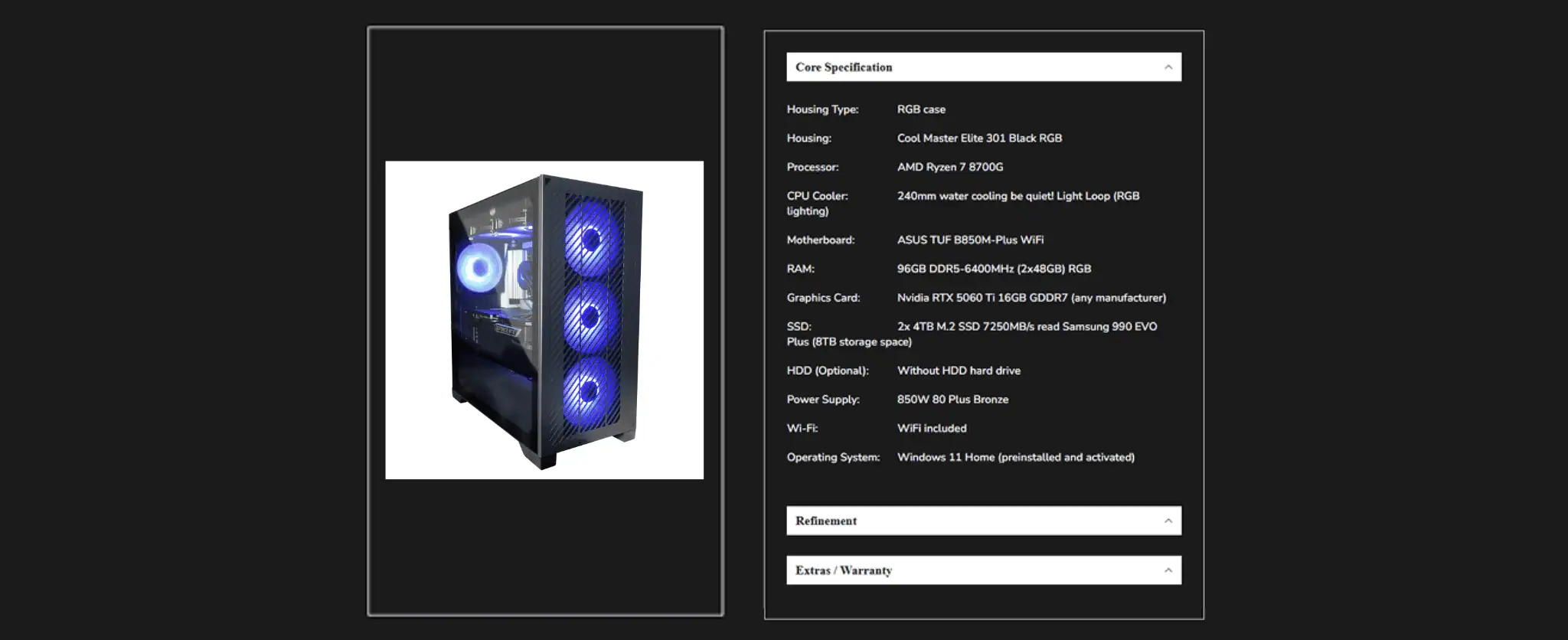
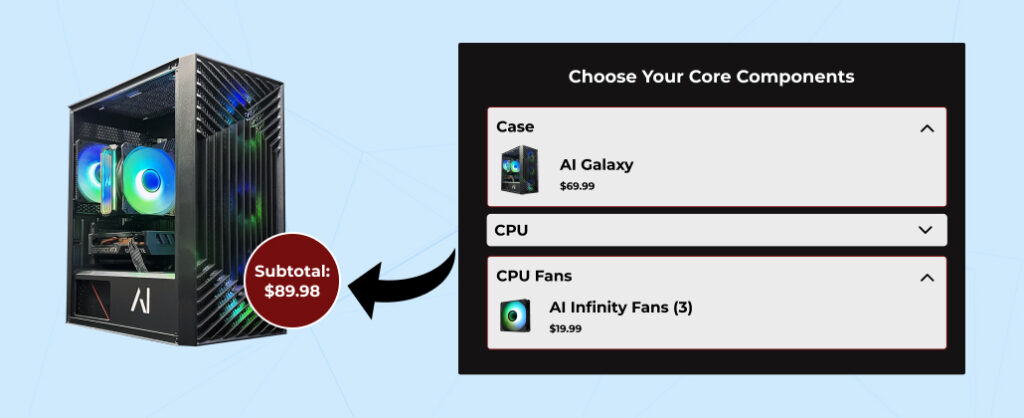
  • Users can select every key component of their Custom product PC builder—case size, CPU, GPU, power supply, and more as per their need and budget.
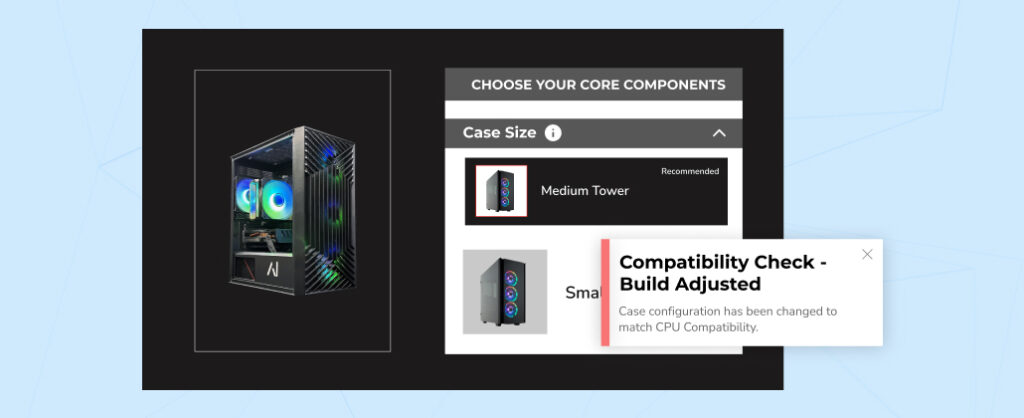
  • The online product configurator follows compatibility logic that ensures users only select components that are compatible with each other. For example, it ensures the GPU wattage matches the power supply.

2. Advanced Customization & Filtering

  • The custom product builder offers multiple options for each component—based on performance, price, and use case (gaming, workstations).
  • Advanced filters and search help narrow down choices by brand, price, and performance.
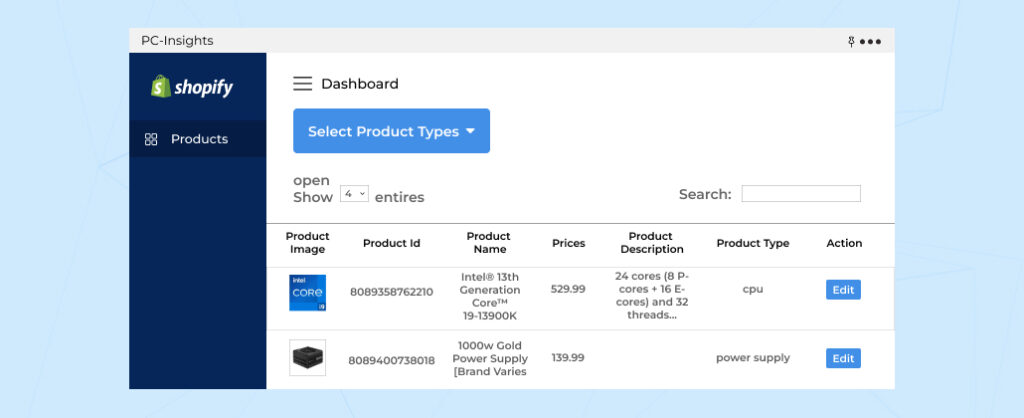
  • Admins can easily add new components, keeping the catalog fresh with market changes.

3. Accessories, Services & Pricing Transparency with Online Product Configurator

Pricing transparency in PC Configurators
  • Users can add accessories from a wide range of options, like keyboards, mice, webcams, and antivirus software.
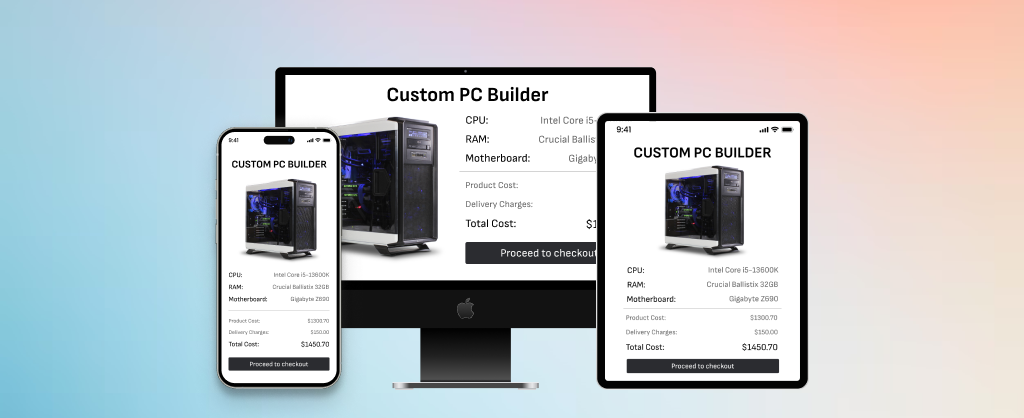
  • PC assembly and packaging fees are calculated automatically. The custom product builder shows the full cost upfront before checkout.

4. Seamless Shopping, Cart, and Checkout

  • Once everything’s selected, the entire build is added to the cart. Checkout is smooth and easy.
  • Real-time price updates keep users informed of their costs during customization.
  • Product pagination ensures smooth browsing even with a large catalog.

5. Information & User Experience Enhancements

Product Summary in Online Product configurator for PC
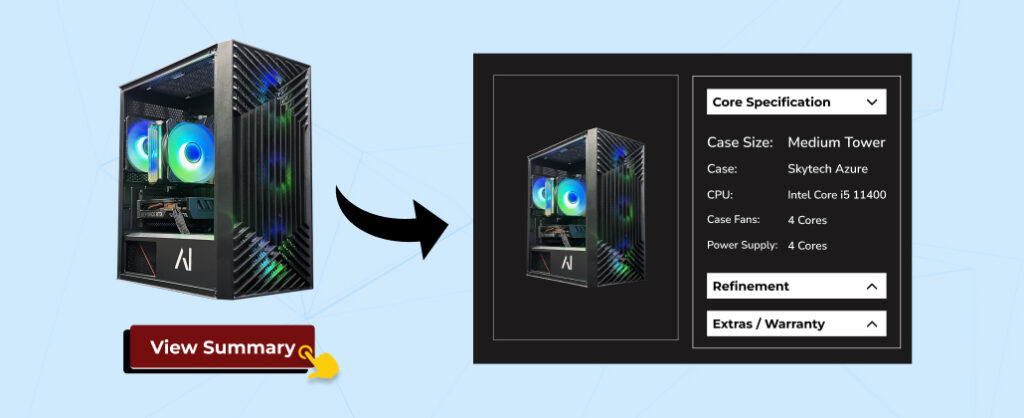
  • The custom product builder provides detailed product info—specs, features, and compatibility in a simple pop-up.
  • Users can share or save their builds by generating a link.
  • Lazy loading and optimized API calls keep everything responsive.

6. Admin Control & Future Integration

  • Admins control the catalog, adding new components or categories from the backend, with real-time integration to Shopify’s product database for dynamic catalog management. 
  • Future iterations can integrate AI recommendations, enabling smarter, personalized suggestions based on user preferences and build history.

Looking to enhance your Shopify store with custom solutions? Hire Shopify app developers to create a tailored, high-performance experience for your customers.

Our Expertise in Custom Online Product Configurators

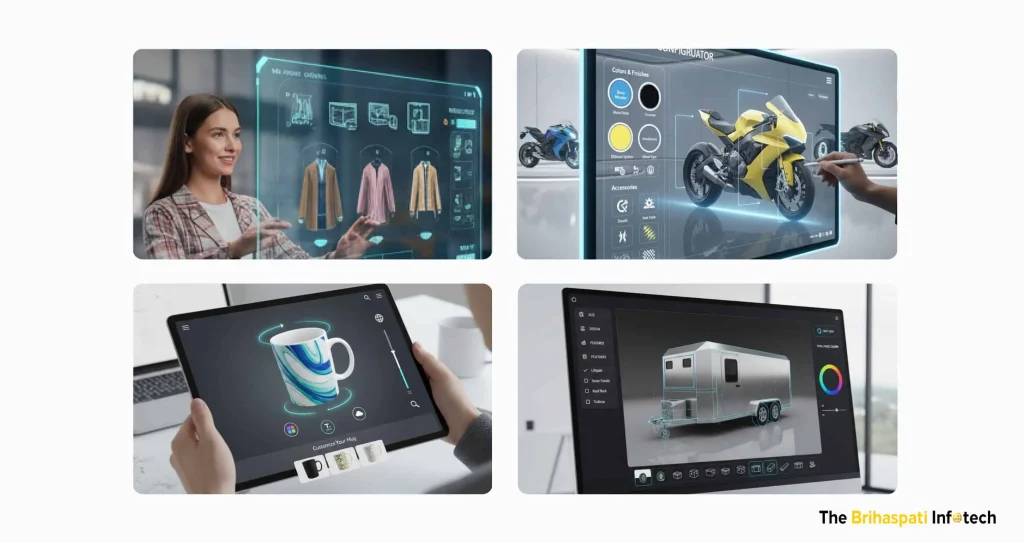
At The Brihaspati Infotech, we don’t just specialize in PC configurators. Over the years, we’ve developed a wide range of custom configurators and product builders for various industries, helping businesses enhance their customer experience with personalized, interactive solutions. Below are some of the configurators we’ve built for other sectors:

Online product configurator applications

1. MotorBike Configurator

We developed an intuitive automobile product configurator that allows customers to customize their ideal motorbike—selecting colors, finishes, accessories, decals, and more. This interactive automobile product configurator helps users design bikes suited to their specific riding style and preferences.

2. Trailer Configurator

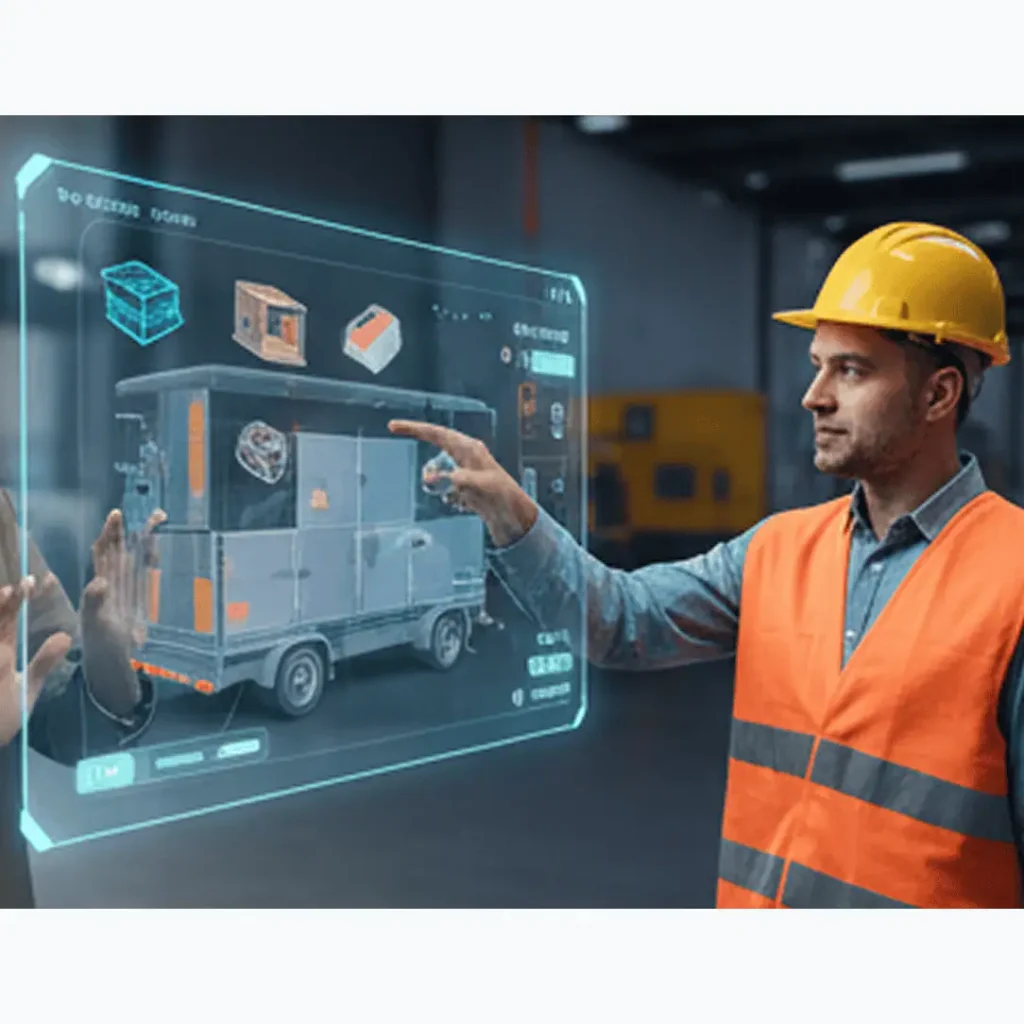
We’ve also developed a 3D car configurator that enables customers to fully customize their trailers, from size and design to features and accessories. This tool provides an interactive, user-friendly experience for customers looking to buy custom trucks and trailers.

See our enterprise-grade implementation for agricultural trailers, sprayers, and attachments in How to Build a 3D Agricultural Configurator.

3. Apparel Configurator

We built a 3D clothing configurator that allows customers to design custom clothing items, from t-shirts to jackets, by selecting fabrics, colors, and personalization options like embroidery or printing.

4. 3D Product Visualizer

We developed a powerful 3D product visualizer for eCommerce stores, enabling customers to interact with products in real time. This visualizer allows users to customize and view products from all angles, improving their decision-making process and boosting conversions.

Each of these configurators is designed with the same focus on user-friendly design and customization flexibility, ensuring your customers have an enjoyable and personalized shopping experience. Want to see more? Get in touch with us for ecommerce development services.

Now that you’ve seen the breadth of our work in the configurator space, whether it’s PCs, cars, trailers, or apparel, our configurators empower businesses to offer highly personalized products.

But we’re not stopping here. As technology evolves, so does the potential for what we can achieve with configurators. In this section, we’ll explore the future trends that will take these projects to the next level, helping businesses stay ahead of the curve and continue to engage customers in innovative ways.

Future trends for PC configurator
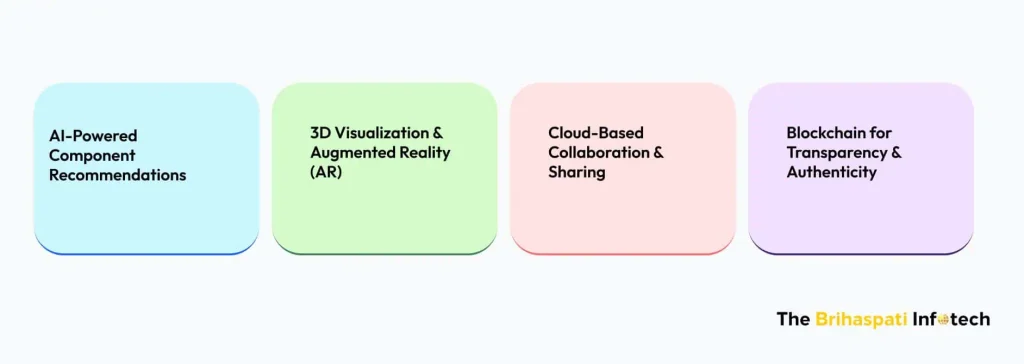
  • AI-Powered Component Recommendations: Product configurator software will use AI to suggest the best components based on your choices, preferences, and usage patterns. Personalized suggestions will make the process easier and improve conversion rates.
  • 3D Visualization & Augmented Reality (AR): 3D visualization and AR will take things to the next level. Users will be able to interact with their custom PC builds in real-time and review components from every angle.
  • Cloud-Based Collaboration & Sharing: Users can collaborate in real-time. Share your build with friends, family, or experts. Get feedback, tweak designs, and make changes before buying. This interactive, social element boosts confidence and makes the whole process more fun.
  • Blockchain for Transparency & Authenticity: With concerns about counterfeit parts, blockchain will verify the authenticity of each component. Users will know exactly where their parts come from, building trust in the product. Transparency will ensure quality and integrity, which builds long-term loyalty.

Looking for Shopify product configurator app? Our expert Shopify development services will help you build cutting-edge solutions designed for your business needs. Let’s talk!

Frequently Asked Questions

What Businesses Benefit from an Online Product Configurator?

PC retailers, eCommerce stores (automobile or apparel), and businesses that sell custom PCs or gaming equipment can all benefit from an online product configurator.
It helps attract more customers, reduces returns, and boosts sales by offering a more personalized shopping experience.
Want a custom product builder for your Shopify store? Hire Shopify app developers to make your store more interactive and help your business grow.


How Does the online product configurator ensure compatibility between components?

The online product configurator checks all your selected parts to make sure they work together.
It uses rules to make sure every component is compatible with the others, so you avoid errors or mismatched parts in the final build.
Looking for Shopify product configurator app? Reach us for expert Shopify development services!

How Much Does It Cost to Build an Online PC Configurator?

The cost of building an online product configurator depends on the following factors:
Customization: Advanced filtering of components, pricing options, or 3D views.
Complexity: AI suggestions, real-time compatibility checks, and detailed product information.
Platform Integration: If you want it to work with platforms like Shopify, that can affect the cost.
Extra Features: Page navigation, sharing your build, or backend admin tools can add to the price.
Need a precise quote for your configurator project? Contact us

How Long Does It Take to Build an Online PC Configurator?

Development of an online product configurator depends on factors like:
The level of customization
The complexity of features
The platform you use (like Shopify)
Time for testing and fixing bugs
On average, building a custom product builder takes about 3 to 4 weeks.
Need a specific timeline for your project? Contact us

Boost Customer Engagement with Online Product Configurator

Implementing a custom online product configurator is not just an enhancement—it’s a transformative solution for businesses seeking to improve customer engagement and drive sales. By offering real-time, personalized customization, your customers can design their perfect PC with ease, ensuring compatibility and meeting their exact specifications. 

Whether you’re in the PC retail industry or offering custom PC builds, our Shopify development services specialize in creating seamless, intuitive online configurators tailored to your business needs. With advanced features like real-time pricing, compatibility checks, and dynamic filtering, your eCommerce store can deliver a unique, high-performance experience that enhances customer loyalty and drives conversions.

Looking to integrate a custom online product configurator into your Shopify store? Contact us today and explore how our Shopify development services can help you create an engaging, efficient, and personalized shopping experience that keeps customers coming back.

Automobile Product Configurator for WordPress: Interactive Personalization

Personalization is changing the game in the automobile and gear world. Customers don’t just want products—they want products that match their style. The personalized vehicle market alone is set to hit $25.7 billion by 2033, illustrating how important it is to give buyers interactive, customizable options. To meet this demand, automobile product configurator has emerged as a powerful tool. It lets users customize their products and see the changes in real time, making the whole experience more fun and engaging.

In line with this trend, our ecommerce experts built a custom WordPress plugin for a client’s motorbike online store. It’s designed to be intuitive and interactive, allowing customers to explore all kinds of personalization options and see exactly how each choice will look. This makes it easier for them to make decisions and speeds up the buying process.

In this blog, we’ll walk you through the key features of our WordPress product configurator and show how businesses can benefit when they hire WordPress developers for custom interactive solutions.

What is an automobile product configurator?

An automobile product configurator is a smart, interactive tool. It lets users customize vehicles and gear the way they want. Colors, finishes, accessories, decals—be it anything. You can visualize all the changes in real time. It’s like a virtual preview of your personalized ride—no surprises, no guessing.

Here’s why it’s essential:

  • Market Trends: People love personalization. Cars, bikes, and gear that reflect their personality and style are in high demand. They give customers a fun, hands-on experience that regular online stores just can’t match.
  • Customer Expectations: These days, shoppers want more than just options. They want a smooth, tailored experience. They want to see their choices instantly and create something that feels uniquely theirs. Skip the interactive tools, and you might lose their attention—and their business.
  • Problems with Traditional Customization: Old-school customization can be a hassle. Static images, brochures, or just trying to visualize the final result. That leads to mistakes, confusion, and unhappy customers. It’s also slow and hard for businesses to scale.

With modern ecommerce personalization tools, businesses can offer engaging, real-time customization. Customers get to experiment, see results instantly, and make confident choices, ultimately driving greater customer satisfaction and loyalty.

What are the Key Features of an Automobile Product Configurator?

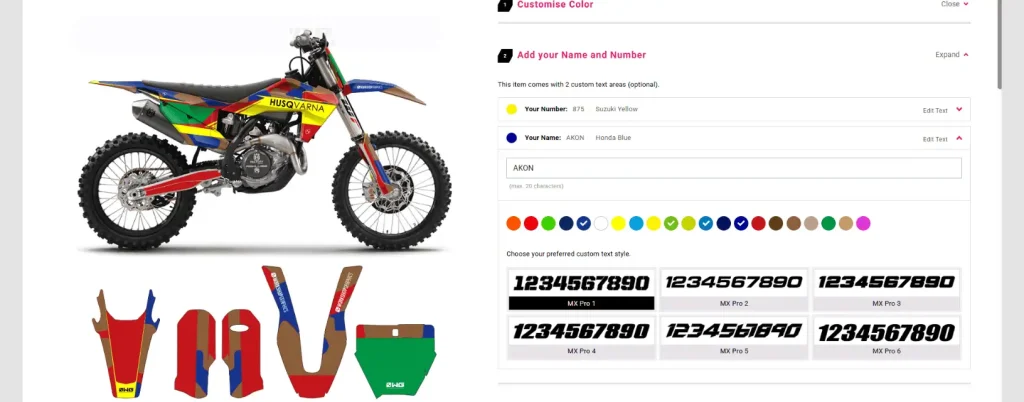
At The Brihaspati Infotech, we built a custom WordPress Automobile product configurator plugin for a bike and gear platform, giving riders the power to design their bikes and accessories in real time. From picking base colors and accent shades to adding custom logos and stickers, everything updates instantly.

It’s a fully personalized shopping journey, allowing riders to take full control of their designs. Every product reflects its unique style and identity. With real-time Visualization and an easy-to-use interface, we completely transformed the online shopping experience—engaging users like never before.

Here’s a breakdown of the key features that make this personalized experience stand out:

1. Real-Time Visualization

  • Riders can experiment with base colors, accent shades, and number board colors. 
  • The preview updates instantly with each selection. 
  • Customers see exactly how each choice affects the final product. This builds confidence in their selections.
  • The configurator operates similarly to a Visual Product Builder, offering instant previews and interactive design options for each vehicle variant.

2. Personalized Rider Identity

Personalized Identity in Automobile Product Configurator
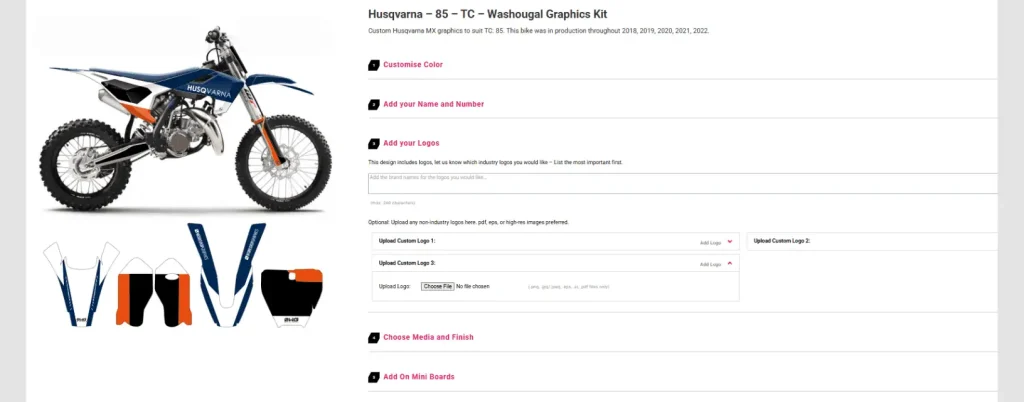
  • The plugin lets riders add their name and racing number to the bike preview.
  • This personal touch strengthens the rider’s bond with the product.
  • Each design is one-of-a-kind.

3. Logos & Stickers Upload

Personal logo and sticker uploads
  • Riders can upload their logos, decals, or any graphic they want.
  • Whether it’s custom branding or personal flair, this feature allows riders to express themselves and make their bike stand out.

4. Optional Add-Ons to Automobile Product Configurator

  • To make things even more personalized, the configurator includes optional add-ons like mini boards, Kiwi Grip frame tape, and different finish types.
  • These options let riders fully tailor their bike to fit their preferences.

5. Customization Notes

  • A dedicated notes field allows riders to leave special requests or instructions.
  • This ensures every detail is captured and executed exactly as envisioned, making for a smoother design process.

6. Mega Menu Navigation of Automobile Product Configurator

Automobile Product Configurator Menu
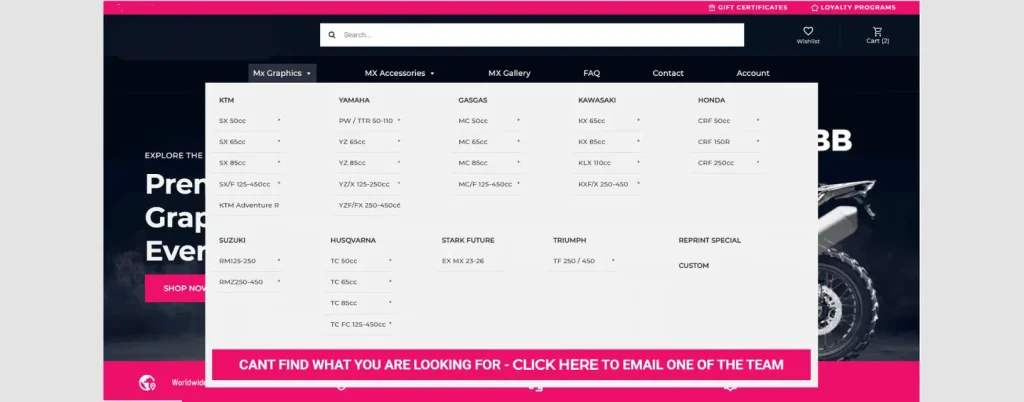
  • The WordPress plugin comes with an intuitive mega menu, making it super easy to browse all customization options. 
  • Riders can quickly find what they’re looking for, making the experience seamless and user-friendly.

7. Visually Engaging Homepage Design of Automobile Product Configurator

  • The homepage has a clean, modern look that grabs attention right away and makes it easy for users to navigate the site.
  • It’s built to keep users engaged and make the whole experience smooth and enjoyable.

Ready to take your online store to the next level with real-time visualization? Hire WordPress developers today and bring your personalized eCommerce platform to life.

How an Automobile Product Configurator Can Boost Your Ecommerce Business?

Implementing an automobile product configurator in your eCommerce platform brings big advantages—for both your customers as well as your business. By offering a personalized, interactive experience, you can drive higher engagement, more sales, and improved customer satisfaction. Let’s take a look at how a real-time visualization can benefit your business and improve the customer journey.

BenefitDescription
Improves User EngagementReal-time updates keep customers engaged, letting them spend more time customizing bikes and connecting with the product.
Eliminates GuessworkInstant visualizations eliminate guessing, enabling faster, confident decisions and happier customers.
Enhances PersonalizationCustom names, logos, and colors make bikes feel personal, boosting satisfaction, loyalty, and connection.
Boosts cross-product salesBrowsing related products like grips and frame tapes boosts visibility and purchase opportunities.
Streamlined ProcessAutomobile Product configurator streamlines personalization, helping customers make confident purchases
Higher Conversion RatesReal-time visualization boosts customer’s confidence, and they make faster decisions.
Competitive AdvantageOffering a customization tool gives you an edge. Customers are more likely to pick your brand.
Real-World MetricsProduct configurator has been proven to increase engagement, drive higher conversion rates, and boost repeat purchases.

How Are Product Configurators Used Across Industries?

Product configurator software isn’t just limited to automobiles. They are increasingly being adopted across various industries to enhance customer experience, boost engagement, and drive sales. Here’s how different sectors can leverage product configurator for their benefit:

E-commerce and Retail

  • Retail industries like fashion, furniture, and accessories use product configurators to offer personalized items. 
  • Customers pick their colors, materials, and design features. This makes shopping feel more personal, leading to higher engagement and more sales.
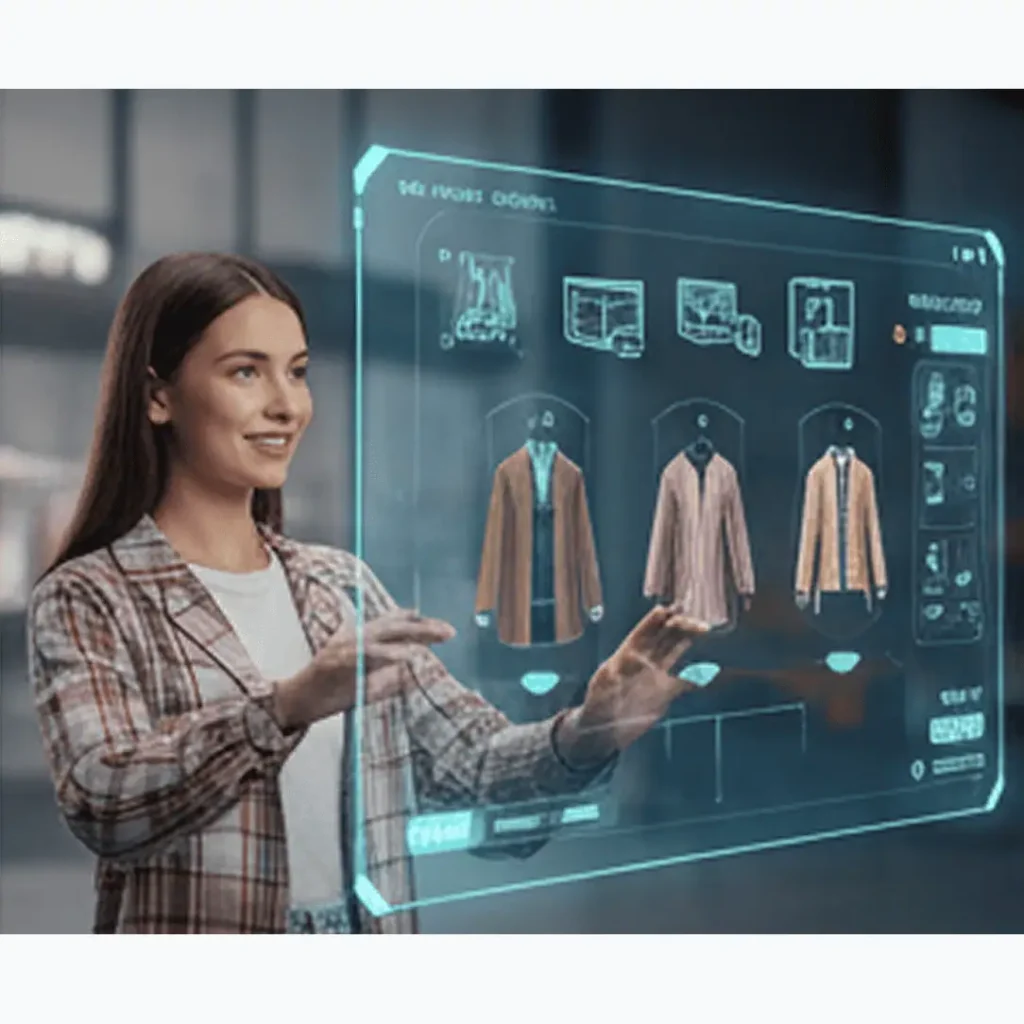
  • For example, 3D configurators in apparel allow real-time garment customization. Shopping online just got more fun and interactive.
Product configurator in apparel ecommerce
Product configurator in Home & Interior design

Home and Interior Design

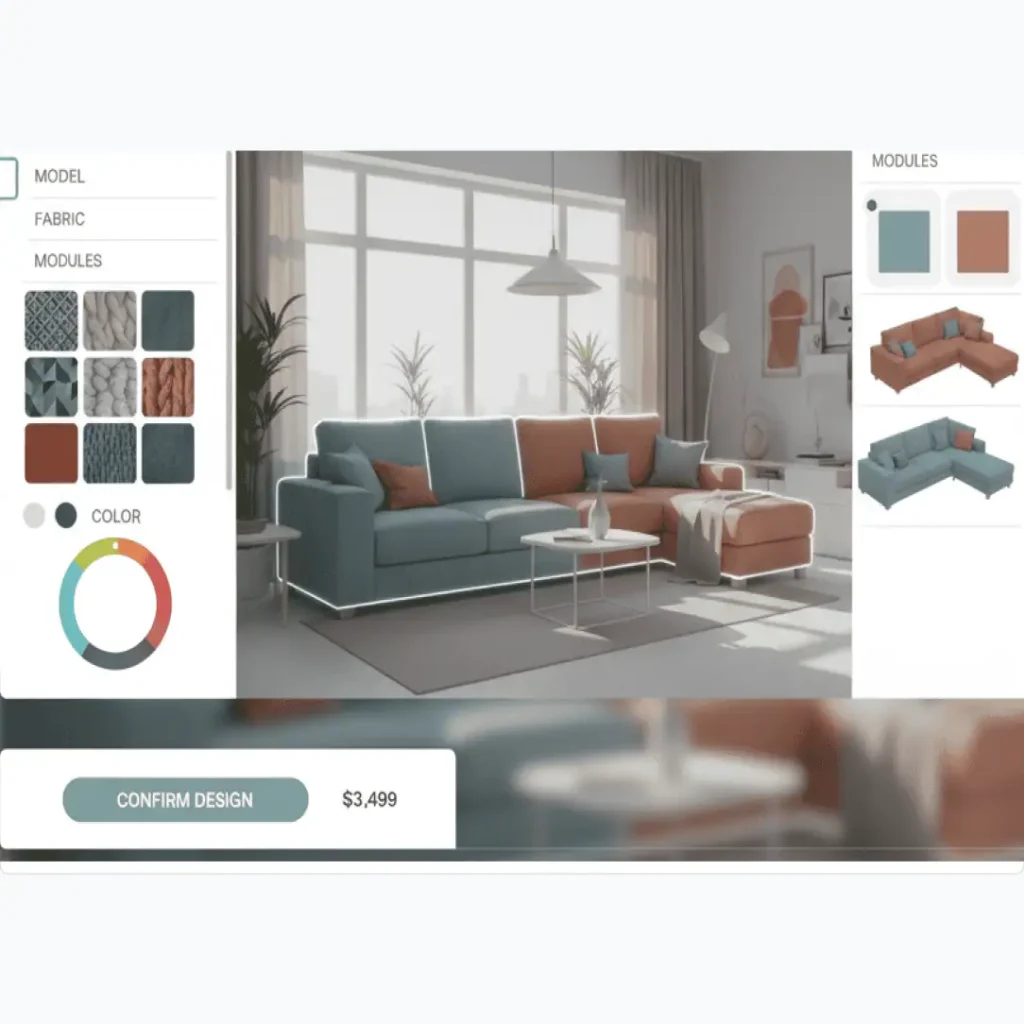
  • Product configurators are also being used in home and interior design, where users can customize home layouts, kitchen setups, or office furniture.
  • Choose your design, color, finish, and materials, and create your personalized interactive space.
  • For instance, the use of a custom wall art design tool that offers personalized map prints.

Manufacturing and Industrial Products

  • In sectors like construction and machinery, product configurators allow clients to customize complex products.
  • You can pick materials, sizes, and parts to match exact needs. This speeds up the process and ensures the product is perfect. 
  • Think of trailer manufacturing—A 3D trailer configurator offers custom-built products, delivered efficiently and accurately.
Product configurator in manufacturing industry
Product configurator in electronics & Technology

Technology and Electronic

  • Tech companies use product configurators to let customers build their own devices—computers, laptops, smartphones.
  • It lets you choose the spare parts or hardware components: processors, memory, and storage. Customers get highly specialized products built just as per their needs. 
  • For example: A PC configurator lets customer configure their custom PC just as per their business requirements.

Implementing a product configurator can transform your customer experience, drive higher engagement, and boost sales. Looking to offer highly customizable products? Partner with an experienced ecommerce development company to help you create an advanced product configurator that enhances your online store and drives long-term growth.

Frequently Asked Questions

How Much Does Custom Automobile Product Configurator Development Cost?

The cost of developing a custom Automobile product configurator depends on a few key factors:
Level of Customization (think color options, design elements, and any special features you want)
Complexity of the Product (more options and features will have more complexity)
Real-Time Visualization (basic rendering vs. high-quality, real-time rendering)
Platform Integration (Magento, WooCommerce, Shopify, etc.)
Additional Features (like logo integration, stickers, or extra add-ons)
Want an exact quote? Schedule a consultation

Can a product configurator be integrated with any e-commerce platform?

Yes. At The Brihaspati Infotech, we 
– Specialize in integrating ecommerce product configurator into leading platforms like Magento, WooCommerce, and Shopify.
– Support both custom-built solutions and third-party integrations.
– Optimize performance to ensure seamless functionality and fast loading times.
– Provide tailored implementation to meet your unique business needs.
Looking to configure a product configurator that works for your store? Partner with our experienced ecommerce development company for tailor-made solutions.

Is a product configurator suitable for industries beyond automobiles?

Yes! Product configurators aren’t just for automobiles. They can be used across many industries like fashion, furniture, home décor, electronics, and even industrial products. If your business wants to offer customized or personalized products, a product configurator is a perfect fit.
Looking to enhance your ecommerce store with personalized shopping experiences? Explore our ecommerce personalization tools to create an interactive, engaging platform that drives customer satisfaction and boosts sales.

How Long Does Custom WordPress Product Configurator Development Take?

The timeline for developing a custom Automobile product configurator depends on the following factors:
Level of Customization 
Number of Product Variants 
Real-Time Visualization and Rendering 
Platform Integration
Testing and Optimization
On average, a custom WordPress product configurator project can take 4 to 6 weeks.
Need a more specific timeline? Contact us

Boosting Sales with Automobile Product Configurator

Adopting an automobile product configurator for your online store isn’t just about adding a feature—it’s about transforming the way customers experience your brand. By offering real-time design customization, you can increase engagement, reduce decision fatigue, and gain valuable insights into customer preferences, all while enhancing your product offerings.

Our ecommerce development company specializes in developing custom product configurator solutions tailored to your specific business needs. Whether it’s for automobiles, bikes, or any other product, we create seamless, interactive experiences that integrate perfectly with your eCommerce platform—be it Magento, WooCommerce, Shopify, or any other.

Ready to elevate your online shopping experience? Contact us and explore how a custom product configurator can boost customer satisfaction, sales, and brand loyalty.


3D Clothing Configurator: Gain Competitive Edge in Apparel E-Commerce

3D Clothing Configurator is redefining online retail. With 82% of online shoppers interacting with 3D product views, immersive and customizable shopping experiences are no longer a luxury—they’re the new standard in e-commerce.

At The Brihaspati Infotech, our ecommerce experts recently built a tailored solution for a leading Abu Dhabi-based brand specializing in customized graduation apparel. The result? A dynamic platform where students can personalize their attire in real time—previewing it in 3D, logging in securely, and checking out with ease (whether buying or renting).

Built with a custom Magento module, this solution delivers a seamless, visually rich experience that goes way beyond traditional online stores. It’s smart eCommerce personalization in action.

In this blog, we’re unpacking the full journey—from development and design to the key features that make this configurator stand out. If you’re a fashion retailer ready to lead, this is a must-read.

What is a 3D Clothing Configurator in E-Commerce?

A 3D clothing configurator is more than just a product preview tool—it’s an interactive experience that lets users personalize apparel in real time using responsive 3D models.

Forget static images. With this kind of configurator, users can tweak everything from fabric and color to fit and design elements, and see the results instantly in a full 3D view. It’s immersive, intuitive, and way more engaging than traditional product pages.

How a 3D Clothing Configurator Works?

A 3D clothing configurator lets customers personalize their apparel in real time. They can choose colors, fabrics, designs and more with interactive live preview.

Key Features of 3D Clothing Configurator

Key FeatureUtility
Real-Time CustomizationEnables shoppers to customize colors, fabrics, sizes, and design features with instant 3D preview updates.
360° Interactive VisualizationCustomers can rotate and zoom to view custom garments from all angles in real-time.
Reduced ReturnsAccurate previews help customers make confident choices, significantly lowering return rates.
Higher Engagement & Conversion RatesInteractive tools keep users on your site longer and increase the likelihood of purchase.
Production-Ready OutputGenerates files ready for manufacturing or printing, streamlining the fulfillment process.

How We Built a Custom 3D Clothing Configurator?

At The Brihaspati Infotech, we built a custom Magento website for a UAE-based brand that specializes in personalized convocation caps, jackets and gowns.

The highlight? A feature-rich 3D clothing configurator that lets students design their own attire in real time—picking colors, adding custom text, and selecting styles, all through an immersive, interactive interface.

This wasn’t just another online store. It was a fully personalized shopping experience that took their brand offering to the next level.

Here’s how we brought the whole vision to life—from concept to code.

Development Steps of 3D Clothing Configurator

1. Custom Magento Development for 3D Clothing Configurator

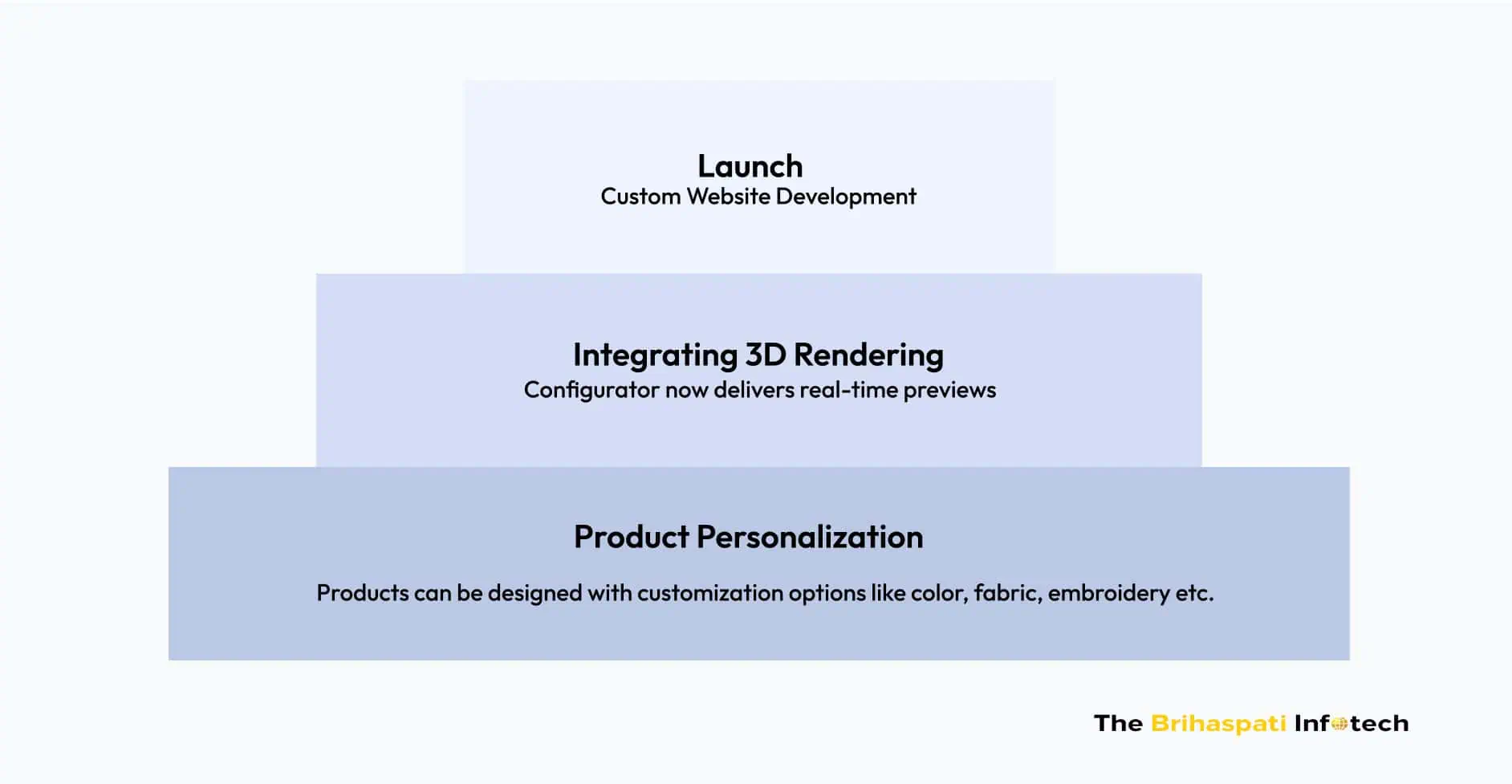
We started by diving deep into the client’s requirements—personalization was the goal. Students needed the ability to design their own jackets, caps, and gowns. Here’s how we made it happen.

  • Mapped the student journey: From login to customization to checkout.
  • Defined key customization options: Color, fabric, embroidery and more.
  • We added 3D rendering. Students can see their designs come to life with every change.
  • A dedicated Magento module was developed by our Magento development experts to manage all customization logic. It was integrated directly with Magento’s product system.

2. Integrating 3D Rendering & Creating an Immersive Product Page

Next up, we plugged in a 3D rendering engine. The configurator now delivers real-time previews

  • Students can watch their jackets, caps, or gowns evolve instantly as they tweak their design.
  • As students select names, logos, or embroidery, their designs change in real-time for instant feedback.
  • Added zoom and rotation controls for full inspection of their creation. Every angle is covered.
  • The configurator has a snapshot feature. It captures the final design and include it with the order—guaranteeing everything’s spot-on before order is confirmed.

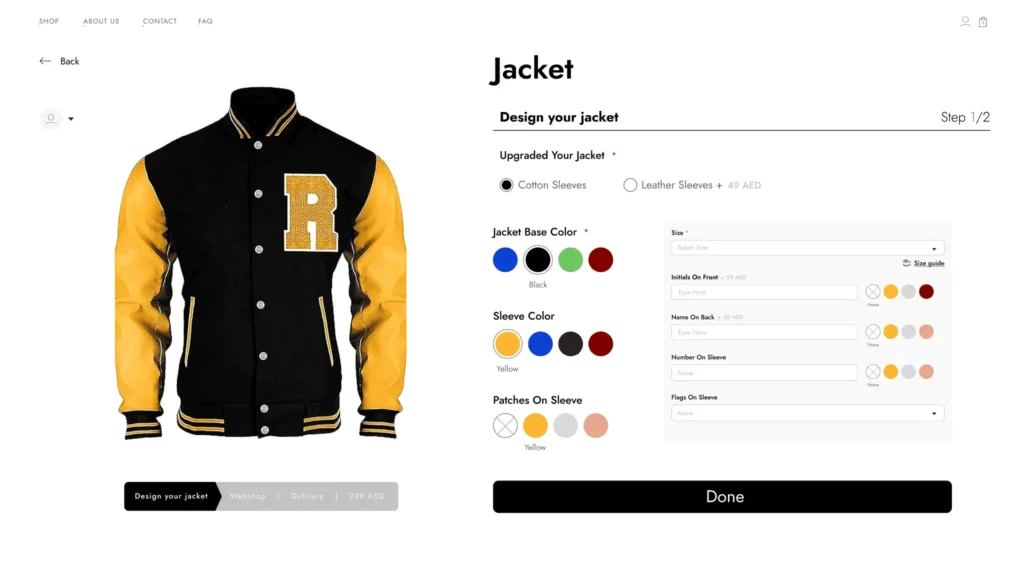
3. Jacket Configuration: Personalize Every Detail

Students can craft their own fashion masterpiece. Here’s what they can style:

configuration options for Jacket
  • Base Colour: Students choose their base color as per their choice.
  • Sleeve Colour: Custom sleeve colors for a unique look.
  • Initials on Front: To make it personal, students can add initials at the front. 
  • Patches on Sleeves: Custom patches can be added on the sleeves. 
  • Sleeve Fabric: Cotton for classic. Leather for bold. Students can choose their vibe.
  • Name on Sleeve: Added personalization with name on sleeve.
  • Flag on Sleeve: Flag can be added to the sleeve.
  • Size: Students can pick their perfect fit.

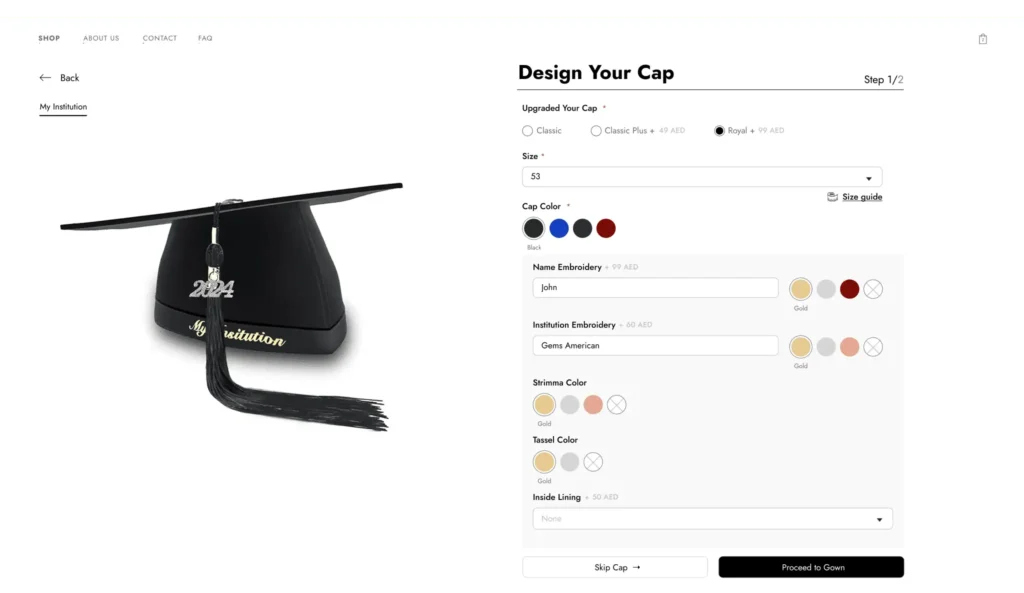
4. Designing Caps

With our configurator, students can tweak every detail of their cap. Here’s what they can change:

3D online cap designing
  • Name Embroidery: Add their name to the cap. 
  • Institution Embroidery: Add their institution name.
  • Inside Lining: Custom inside lining. 
  • Year Pin: Mark the occasion with custom year pin.
  • Button Colour 
  • Strimma Colour: Add unique braid color. 
  • Tassel Colour: Pick the tassel color that pops.
  • Cap Type : Classic, Classic Plus, or Royal.
  • Cap Colour: Choose a cap color that defines them.
  • Size: Perfect fit. Every time.

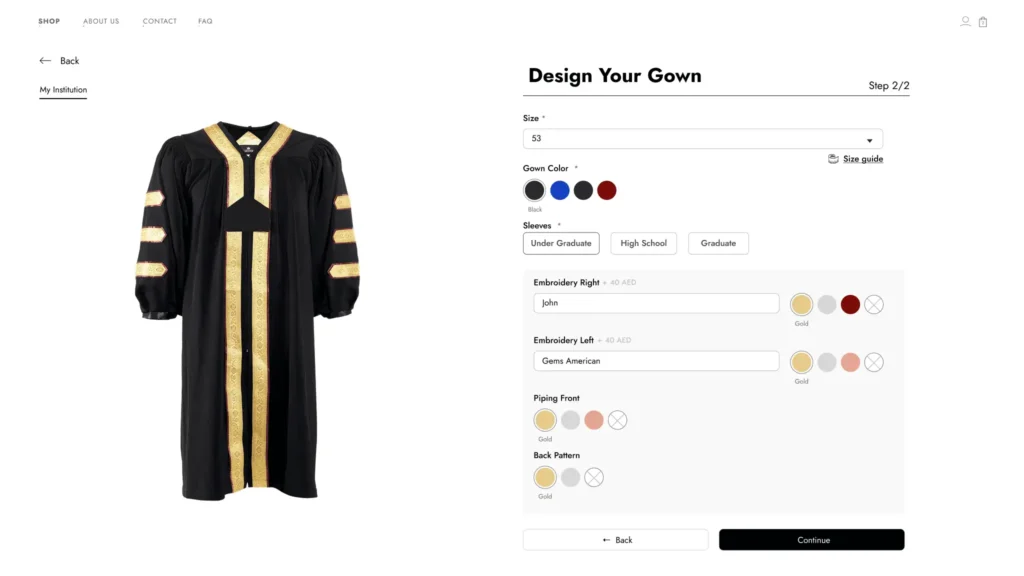
5. Gown Customization

With our configurator, students can personalize every inch of the gown. Embroidery, piping, sleeve types—Be it any. Here’s are the options:

Gown online 3D customizer
  • Gown Colour: Pick the perfect color for them.
  • Embroidery (Right): Add custom embroidery.
  • Embroidery (Left): Personalize message on left.
  • Piping Front: Students can add color to make the front pop.
  • Back Pattern
  • Button Colour
  • Sleeve Type: Classic or modern sleeves as per choice

Not limited to one niche! We build custom product configurators across industries. Explore our Visual Frame Builder, which lets users preview products in real time.

3D Clothing Configurator Development: Challenges & Their Solutions

Creating a dynamic, fully customized 3D clothing experience involved solving key technical and UX challenges—from real-time rendering to institution-level access restrictions.

Here’s how we addressed them:

1. Real-Time 3D Rendering Across Devices

  • Problem: Ensuring seamless 3D configurator development across mobile and desktop was a key challenge.
  • Solution: By integrating a high-performance rendering engine into our Magento 3D product configurator, we achieved a smooth, responsive experience. Optimization techniques like asset compression and lazy-loading kept it lightning fast—without sacrificing visual fidelity.

2. Performance Optimization for 3D Models

  • Problem: Handling the complex 3D models and keeping them responsive without compromising on quality.
  • Solution: We optimized 3D assets using techniques like texture compression, level-of-detail (LOD) models, and efficient memory management to ensure smooth interaction across devices.

3. Magento Integration with 3D Product Logic

  • Problem: Magento’s native product structure wasn’t built to support dynamic 3D visualization tied to multiple configurable options.
  • Solution: We engineered a custom module that bridged Magento’s attribute system with the apparel 3D configurator, allowing user selections (like color, sash type, and embroidery) to instantly reflect in the 3D view while remaining fully manageable through the admin panel.

Custom 3D clothing configurators are becoming the new standard. Don’t let your brand fall behind—Hire Magento developers and deliver an experience your customers won’t forget.

Transforming Your E-commerce Business: Benefits of 3D Clothing Configurator

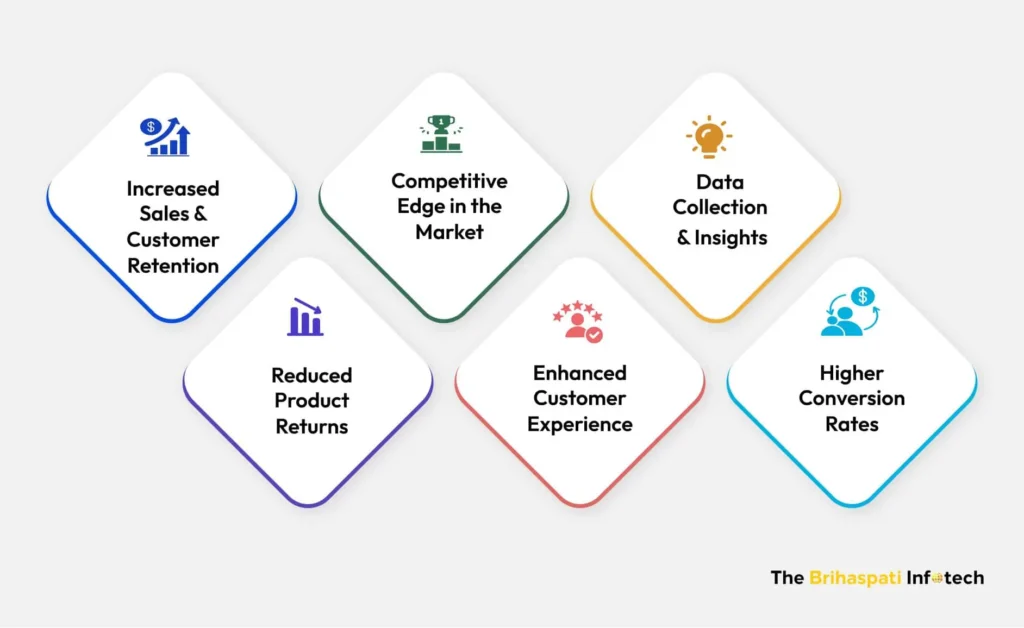
3D clothing configurators aren’t just an upgrade in user experience — they’re a strategic advantage that touches every part of an e-commerce business. Here’s how they deliver real impact:

3D Clothing Configurator Benefits
  • Increased Sales and Customer Retention: A 3D Clothing Configurator increases sales by providing customized products and encourages repeat business through interactive, personalized shopping experiences.
  • Competitive Edge in the Market: Apparel 3D configurator gives your store a modern, interactive edge that most competitors can’t match.
  • Data Collection and Insights: Product configurator software gathers key customer preferences, helping businesses optimize inventory and marketing strategies with data-backed insights.
  • Reducing Product Returns: Accurate 3D visuals and size recommendations reduce mismatches, keeping return rates low and improving your bottom line.
  • Enhanced Customer Experience: The interactive process makes shopping more engaging, ensuring happier customers.
  • Higher Conversion Rates: Real-time customization builds confidence driving higher conversion rates and more completed purchases.

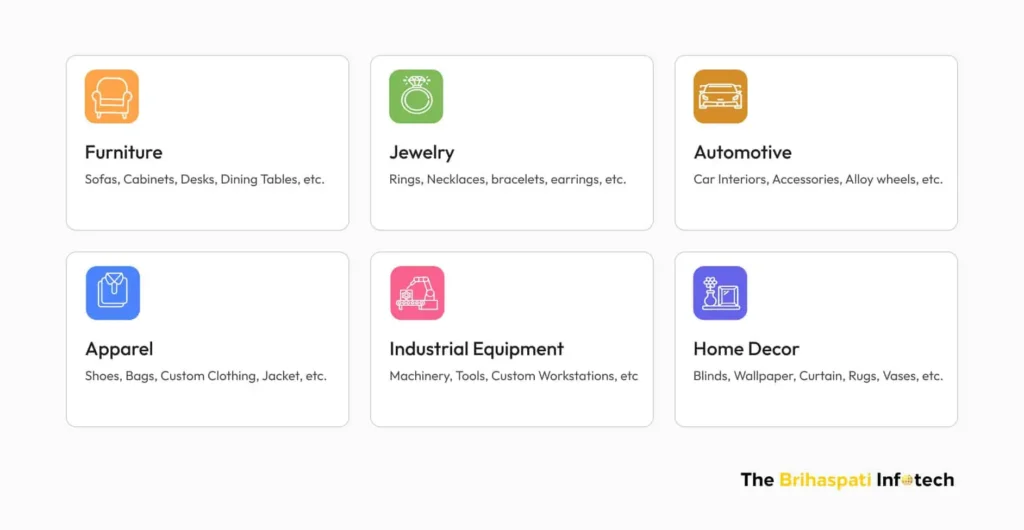
Industries That Can Thrive with 3D Online Configurators

From fashion to furniture, several industries can greatly benefit from 3D online configurators by offering immersive, personalized shopping experiences that drive engagement and sales.

Industries That Can Thrive with 3D Online Configurators

Looking to bring 3D online configurators to your industry? Whether you’re in fashion, furniture, or manufacturing, our team can help you build a tailored 3D customizer that fits your product complexity and audience needs. Let’s Talk

Frequently Asked Questions

Can a 3D clothing configurator be integrated with any e-commerce platform?

Yes. At The Brihaspati Infotech, we
1. Specialize in integrating apparel 3D configurators into leading platforms like Magento, WooCommerce, and Shopify.
2. Support both custom-built solution or a third-party integration.
3. Optimize performance, ensures seamless functionality and fast performance
4. Tailored Implementation for your unique business needs.
Curious how a 3D clothing configurator could work for your products? Let’s talk.

How Much Does Custom 3D Clothing Configurator Development Cost?

The cost of developing a custom 3D clothing configurator depends on various factors:
1. Level of Customization (e.g., color, text, fabric, fit options)
2. Number of Product Variants (more variants will have more complexity)
3. 3D Model Complexity (basic models vs. high-detail, animated models)
4. Platform Integration (Magento, Shopify, WooCommerce, etc.).
Schedule a consultation with our team to get a tailored estimate.

How Long Does Custom 3D Clothing Configurator Development Take?

The timeline depends on several key factors:
1. Level of Product Customization
2. Number of SKUs / Product Variants
3. 3D Model Preparation
4. E-Commerce Platform Integration
On average, a custom apparel 3D configurator project can take 3 to 6 months, covering stages such as planning, modeling, integration, testing, and launch.
Contact us to receive a customized project timeline tailored to your specific goals.

Does a 3D Clothing Configurator work on mobile devices?

Yes, apparel 3D configurators are optimized for seamless use on both mobile and desktop devices.
We also offer mobile app development services to ensure your 3D clothing configurator works flawlessly on all platforms. 
Contact us to get started!

Which industries benefit most from 3D online configurators?

Industries such as apparel, footwear, furniture, jewelry, automotive, and home décor thrive with 3D configurator development.

Embracing 3D Online Configurators for E-Commerce Success

Adopting a 3D online configurator isn’t just a tech upgrade, it’s a game-changing move that reshapes how customers interact with your brand. It boosts engagement, reduces returns, and gives you real-time insights into what your buyers actually want.

At The Brihaspati Infotech, we specialize in developing bespoke 3D clothing configurator solutions tailored to your business goals and workflow. No off-the-shelf shortcuts—just solutions that fit like a glove.

Whether it’s real-time fabric previews, personalized embroidery, or dynamic size options, we ensure smooth, high-performance integration with platforms like Magento, Shopify, BigCommerce, and more.

Want to take your online store to the next level? Let’s talk. A 3D configurator might just be the edge your brand needs.

Build Custom Wall Art Design Tool for Shopify POD Stores: A Step-by-Step Guide

Personalized wall art isn’t just a passing trend—it’s an untapped business opportunity for eCommerce stores. With the wall art market projected to hit $88.66 billion by 2032, adding a travel map generator to your online retail store helps offering custom travel prints.    

After delivering our successful custom map printing plugin, we built a high-conversion wall art customizer for a retail client. Our Shopify developers created the custom wall art design tool that enables POD stores to offer custom map prints.

Whether you’re new, growing or old in the market, this map designing tool empowers your customers to turn their outdoor adventures into stunning travel posters and wall art. This blog explains the development process, key features and benefits of the Shopify product customizer.

Without any wait, let’s get started.

How Custom Wall Art Design Tool Works? 

Wondering how the tool transforms Strava routes into stunning travel prints? Watch how Shopify product customizer works!

Key Features of Custom Wall Art Design Tool 

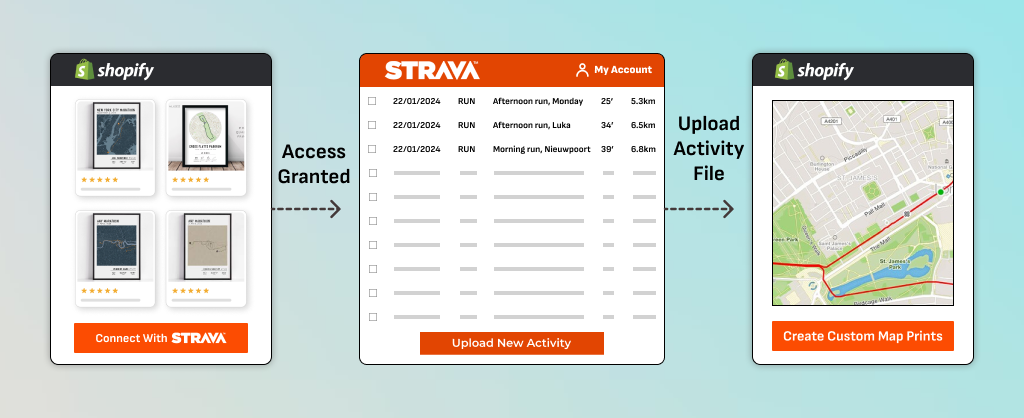
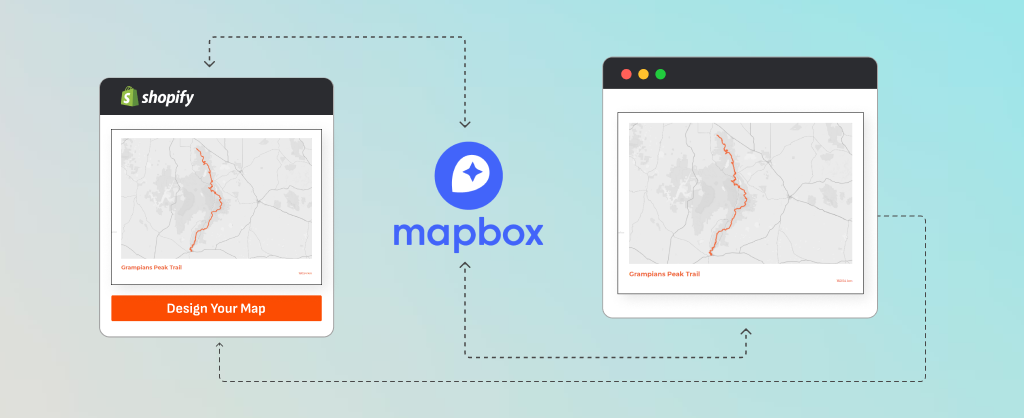
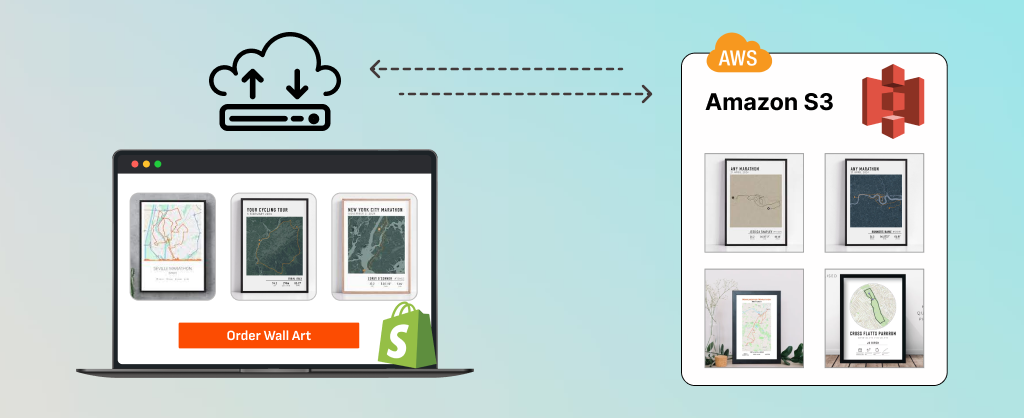
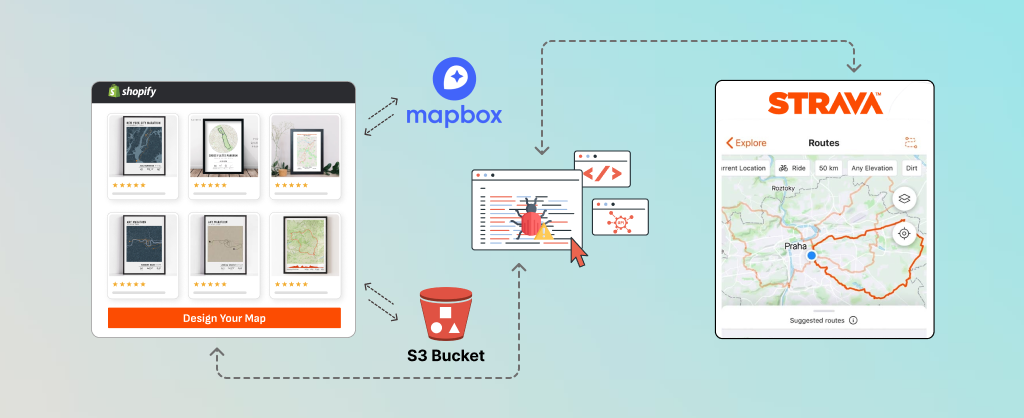
Our custom wall art design tool was made using third-party tools and APIs such as Strava*, Mapbox*, and Amazon S3*. Here are the key features of the tool:

  • Strava Integration: Users can connect their Strava account to fetch their cycling or hiking routes. This real-time route selection results in accurate and personalized map designs.
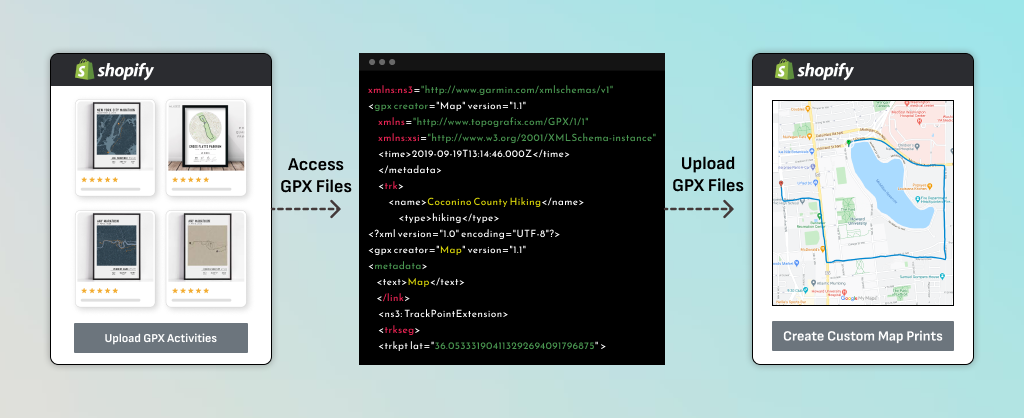
  • GPX File Upload: Users can upload their GPX files to create travel maps with pins based on their chosen route for cycling, hiking, or any outdoor activity. 
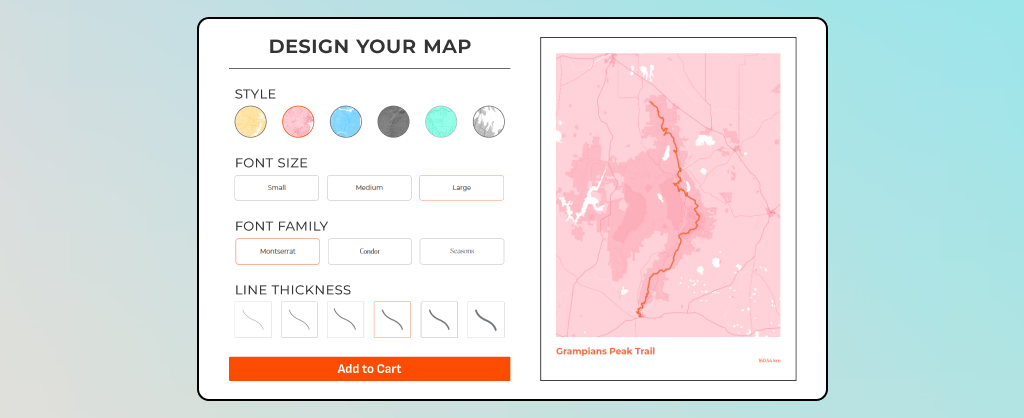
  • Multiple Customization Options: Enhance your travel prints by customizing map colors, orientation, size, style, labels, frames, and other options. 
  • Digital Download Options: Users can download high-resolution digital files to print custom maps. 
  • Print and Ship Option: Users can order printed home decor prints from the print-on-demand wall art store. 

How to Build a Custom Wall Art Design Tool for Shopify? 

At The Brihaspati Infotech, we built a travel map generator for a print-on-demand wall art store. The tool enables users to create cycling maps by connecting their Strava account or uploading GPX files. 

Here are the main steps to develop the Shopify product customization tool: 

 Step 1: Connecting Strava API for Route Data

Connecting Strava API with Shopify

We integrated Strava API to collect real-time route data. It enables users to create custom map prints from their cycling and hiking routes. 

  • Implemented OAuth 2.0 to access activity data stored in the Strava account.
  • Enabled users to connect their Strava account from the Shopify store and authorize access to their activity data.
  • Fetched activity data (route coordinates, distance, elevation) through Strava API endpoints.
  • Ensured secure data transfer between the Shopify store and Strava servers.

Step 2: Uploading GPX Files for Custom Routes

Uploading GPX Files for Custom Routes

We provided users with an alternative option to create cycling maps by uploading GPX file uploads. 

  • Built a file upload feature using Node.js and Multer to handle GPX files. 
  • Validated GPX file formats to ensure compatibility with the map rendering process.
  • Extracted route data (Route, Track & Waypoints) from uploaded GPX files.
  • Stored GPX files temporarily in Amazon S3 for secure processing.

Step 3: Rendering Custom Maps with Mapbox API

Rendering Custom Maps with Mapbox API

We integrated the print-on-demand wall art design tool with Mapbox API to provide custom travel prints.   

  • Connected to Mapbox API to fetch high-quality map data for precise travel routes.
  • Embedded interactive maps on Shopify product pages using Liquid templates.
  • Developed custom features like style switching and pin-drop functionality for enhanced personalization.
  • Enabled real-time previews with JavaScript, allowing users to see their custom maps instantly on Shopify.

Step 4: Storing Custom Maps in Amazon S3

Storing Custom Maps in Amazon S3

We used Amazon S3 buckets to store custom map prints without affecting store performance. 

  • After customization, the tool generates a high-resolution map image using Mapbox Static Images API.
  • The custom map image is then uploaded to Amazon S3 for secure storage and easy retrieval.
  • Implemented access control policies to regulate image access for authorized users.
  • Generated unique URLs for each map to be used in the checkout process on Shopify.

Step 5: Connected the Custom Wall Art Design Tool to Shopify Store

Connected the Custom Wall Art Design Tool to Shopify store

The travel map design tool was embedded directly into the Shopify storefront for a seamless user experience. 

  • Used Liquid templates to embed the tool on Shopify product pages. 
  • Built a custom UI/UX to let users connect their Strava account or upload GPX files.
  • Integrated the tool with Shopify’s cart and checkout process to allow users to add custom travel maps to their orders.

Step 6: Tool Testing and Quality Assurance

Testing the tool

Before deployment, the Shopify product customizer was thoroughly tested to ensure stability, performance, and compatibility.

  • Tested API calls to ensure reliable communication with Strava and Mapbox.
  • Conducted unit tests to validate file uploads, API integrations, and frontend functionalities.
  • Ensured the tool works seamlessly across devices and browsers.
  • Checked for performance issues to avoid delays during image rendering and customization.

Step 7: Deployed the Map Designing Tool

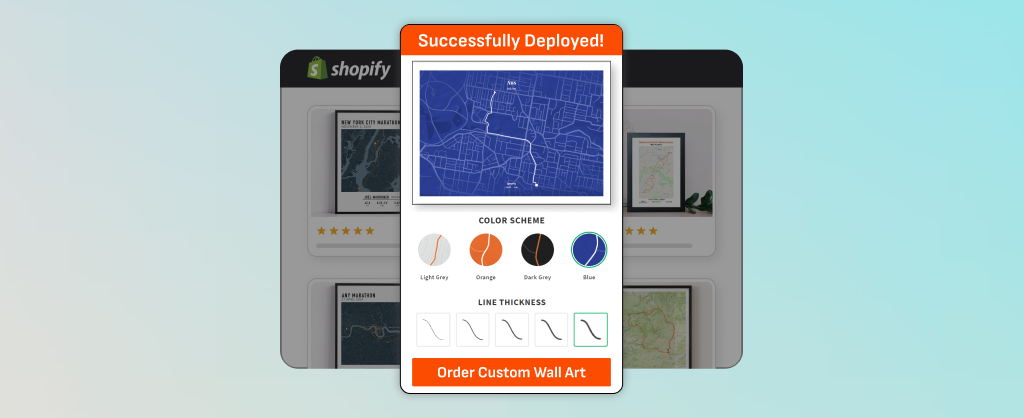
The tool is successfully launched

After clearing all tests, the travel map generator was deployed to the client’s Shopify print-on-demand wall art store.

  • Deployed the backend services on AWS for scalability.
  • Published the private Shopify app through the Shopify Partner Dashboard.
  • Provided post-launch support, including bug fixes and performance monitoring.
  • Suggested future upgrades, such as adding more map styles and introducing premium image options.

Many of the core design concepts used in this Shopify tool were also implemented in our visual frame builder for WooCommerce, focusing on real-time previews, personalization control, and user-friendly design.

How Custom Wall Art Design Tool Benefits Retail Stores?

Benefits of the wall art design tool

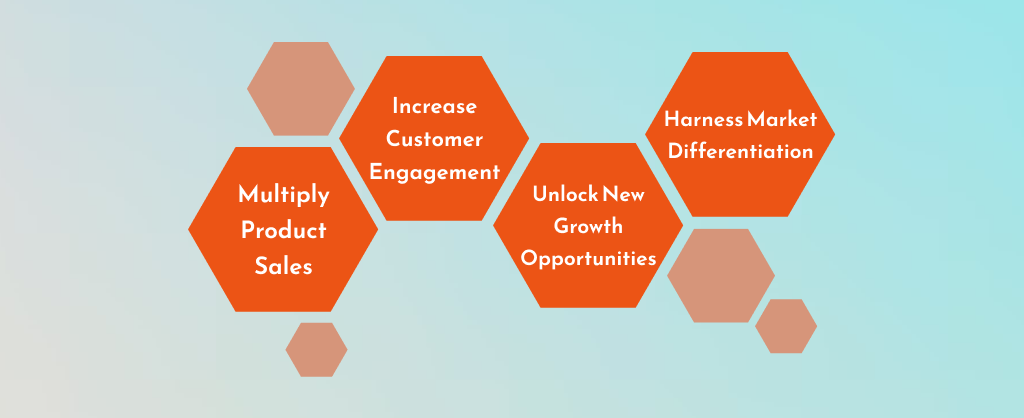
Multiply Product Sales 

Tap into the thriving personalized wall art market. Integrate the travel map generator with your retail store and generate printable travel maps for cyclists, hikers, and adventurers.

Increase Customer Engagement

Shoppers love interactive custom product design tools. With product configurator software, customers can create cycling maps from their adventures. Also, happy customers are more likely to return and recommend your store to others.

Unlock New Growth Opportunities 

Digital products offer more than 85% higher profit margins. The travel map generator tool allows customers to download custom travel prints along with physical maps. Advanced personalization options—such as personalized 3D printed maps on Shopify—help merchants unlock higher AOV and premium pricing.

Harness Market Differentiation 

Most stores sell generic wall art. Custom map prints help you stand out. Appeal to cyclists, hikers, and travelers with unique cycling prints. Offer personalized products that create emotional connections and boost brand loyalty.

Custom Wall Art Design Tool Development Challenges

We created the Shopify product customizer, but it wasn’t without some challenges. Let’s find the development challenges and their solutions. 

1. Integrating Strava API for Real-Time Data Fetching

Ensuring seamless authentication and data fetching from Strava’s API to the tool was critical for us. Managing OAuth 2.0 authentication and handling rate limits remained a priority. However, we implemented token-based authentication and configured API retry mechanisms to handle API rate limits.

2. Handling Large GPX File Uploads

GPX files can contain bulk volume of route data. It can potentially slow down the tool and negatively impact the Shopify store’s performance. We however used Node.js and Multer to effectively secure and store large files. 

3. Storing Custom Map Images

Storing high-resolution custom map images was a primary concern. Thus, we used Amazon S3 buckets to securely store and deliver images without any glitch. Also, we implemented access control policies to ensure that only authorized users can access their custom travel prints.  

Frequently Asked Questions

1. What can I sell using the print-on-demand wall art tool?

The Shopify product customizer helps retail stores sell customized products to travel enthusiasts, cyclists, hikers, and home decor shoppers. Here are some high-demand product ideas: custom wall art prints, personalized travel map posters, city maps, digital map prints, and adventure-themed products.

2. Can you customize the tool to fit my store’s branding?

Yes, the tool can be fully customized to match your retail brand design, colors, and layout. It can be tailored to fit your Shopify theme and offer a seamless shopping experience.

3. How do I integrate the custom wall art design tool with my Shopify store?

Integrating the custom travel posters wall art design tool into your Shopify store involves a few technical steps:

1. Embed the tool to Shopify product pages 
2. Connect the Tool to Shopify’s Cart and Checkout
3. Securely Store Custom Map Images Using Amazon S3 Bucket 
4. Conduct End-to-End Testing 
5. Launch the Tool

Need help with Shopify integration? Our Shopify development company can help with your project.

4. How does the tool handle image storage and security?

We have used Amazon S3 buckets to store high-resolution custom map images. This setup ensures secure and faster delivery of the images when ordered. Also, only authorized users can access the customized travel map prints.

5. How much does a wall art design app cost for Shopify stores?

The cost of developing a wall art design app for Shopify varies based on several factors:
1. Features: Advanced features like Strava integration, GPX uploads, and real-time map customization. 
2. Third-Party APIs: Using APIs like Mapbox for maps and Amazon S3 for image storage. 
3. Custom Requirements: Custom UI/UX design and additional functionalities. 
4. Ongoing Maintenance: Post-launch support, updates, and bug fixes. 

For an accurate estimate, please contact us.  

Disclaimer

We would like to clarify that we have no affiliation, association, or endorsement with third-party tools and APIs including Strava, Mapbox, Amazon S3 or their affiliated companies. Any references made to their products, services, or trademarks is solely for informational purposes and do not imply any endorsement or partnership.

Ready to Start with Custom Wall Art Design Tool?

Personalized wall art market continues to thrive in 2025. Offering custom travel maps on your Shopify store can help you grow and scale. Our custom wall art design app supports real-time map customization, enabling users to access digital and/or physical travel prints.

Add the Shopify product customizer to your retail and boost user engagement, product sales, and repeat customers. Start selling high-demand products with us as your eCommerce development company. We can build and integrate the map designing tool with Shopify, Magento, and other eCommerce platforms.

Contact us and get started. 

7 Essential Features of a Good Custom PC Builder Website

Building a custom PC builder website is more than listing PC parts and supplies online. Today’s customers expect a seamless, interactive experience to build their dream PC online. They want speed, efficiency, and, most importantly, compatibility.

As the demand for personalized tech solutions increases, your Shopify store must stand out with features that enhance user experience and drive conversions. Our expert Shopify developers will walk you through 7 essential features your PC-building website needs to stay ahead in 2025.

1. Custom PC Configurator

Custom PC Configurator

Picture a world where every individual owns a PC, different from others. That’s fascinating and possible with a custom PC configurator for Shopify. Yes, people build their own PC online in a few simple and quick steps. 

A PC configurator is an online tool that enables users to build a personal computer by selecting individual components based on their needs, preferences, and budget. 

What to do:

  • Choose a Base Model: Start by selecting the type of PC you want to build — a gaming rig, workstation, or home office setup.
  • Select Components: Users can select parts, like CPU, GPU, RAM, storage, and motherboard, as per their project needs.  
  • Compatibility Check: An automatic check must run in the background to ensure all selected parts are compatible. 
  • Real-Time Pricing & Visualization: Use Shopify Plus or WooCommerce to provide real-time cost based on the selected components. Integrate 3D visualization software into your PC parts websites for spectacular visuals of the final product. 
  • Checkout & Payment: Create a Shopify one-page checkout for shoppers to review and complete the purchase with available payment and shipping options.

Integrating a PC configurator into your custom PC builder website creates an interactive shopping experience.  

2. Component Compatibility Checker

Compatibility Checker

Establishing compatibility between different components is one of the biggest challenges to build a custom PC online. A component compatibility checker ensures that individual parts selected for a PC build can function together without any problem. 

What to do:

  • Choose a Compatibility Checker Tool: Integrate a tool like BuildMyPC, a free PC parts compatibility checker, into your website. It provides access to a huge database of PC components and their compatibility, ensuring shoppers can build a PC without any mistakes. 
  • Input Product Data: Populate your product listings with up-to-date and detailed specs for accurate compatibility checking. 
  • Automated Compatibility Alerts: Configure the checker to provide real-time alerts when incompatible PC components are selected. 
  • Propose Alternate Suggestions: The checker should recommend alternative components once incompatible components are identified. 
  • Test Compatibility:  Test the checker on various configurations to ensure smooth and accurate functionality.

With a robust compatibility checker, your custom PC builder website will help shoppers’ complete purchases without any costly mistakes.

3. Visualization Tools & 3D Models

Visualization Tools for PC builder website

Build your own PC store with high-quality visuals and interactive 3D tools. They can significantly enhance the experience of building custom PCs online.  

What to do:

  • Use High-Quality Product Images: Showcase each component (e.g., GPU, CPU, etc.) with high-resolution, optimized images. Include detailed views and close-up shots of the product’s features. 
  • 360-Degree Views: Enable shoppers to get 360-degree views of the product so they can inspect it from every angle. 
  • Interactive 3D Models: Integrate 3D visualization tools with your Shopify PC parts website so that shoppers can verify the assembled unit before the final purchase.  
  • Augmented Reality (AR) Visualization: Use Shopify AR and let your shoppers visualize the PC in their own space. 
  • Real-Time Feedback: Ensure the PC configuration software displays real-time feedback, such as visual compatibility checks, during the process. 

Such dynamic, visual features can drive users to engage, interact, and purchase custom PCs with confidence.  

4. Mobile-Optimized Design for Custom PC Builder Website

mobile-friendly PC building website

A mobile-friendly website enables shoppers to build PCs online using any device. This increases high-intent organic traffic from multiple devices, increasing lead conversion rates.   

What to do:

  • Responsive Web Design: Design and build a PC website to fit any screen size such as smartphones, tablets, and desktops.
  • Mobile-Friendly Navigation: Simplify the PC parts website’s navigation for mobile users by using sticky navigation bars or collapsible menus. 
  • Touch-Friendly Interactions: Ensure all interactive elements (buttons, checkboxes, and sliders in the configurator) are large enough and spaced appropriately for touch input.
  • Fast Loading Times: Use Google PageSpeed Insights to monitor and improve the load times of the PC parts website. 
  • Test on Multiple Devices: Regularly test your PC-building website across different browsers and mobile devices (iOS and Android) for a consistent user experience. 

Build your own PC store for mobile users to improve UX and increase the likelihood of converting visitors into customers.

5. Customer Support Integration Via AI Chatbots

AI Chatbots for helping build PCs

Gartner predicts that chatbots and virtual customer assistants (VCAs) will become critical technology components of a service organization’s strategy by 2027. 

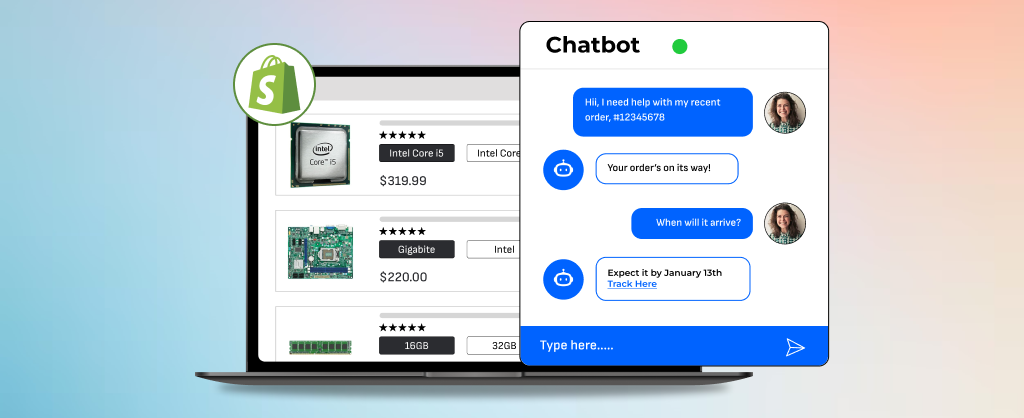
Leverage AI chatbots and provide faster, 24/7 assistance for visitors on your custom PC builder website. The live chat provides immediate, real-time support, guiding customers through the purchasing process.

What to do:

  • Integrate AI Chatbot Software: Use popular platforms like Tidio for seamless integration between the chatbot and your Shopify store. 
  • Set Up Key FAQs and Product Info: Program the chatbot to handle frequently asked questions on compatibility checks, order tracking, and product recommendations.
  • Personalize UX: Configure the chatbot to analyze a customer’s browsing and shopping history to provide suitable responses.
  • Seamless Chatbot-to-Human Handoff: Program the chatbot to recognize when a conversation requires escalation. Use Zendesk’s API to transfer the chat to a live support agent, ensuring no customer query goes unanswered.
  • Monitor and Optimize Chatbot Responses: Use Google Analytics and chatbot logs to monitor user interactions and refine the chatbot’s knowledge base and training programs. 

With AI chatbots, you can provide quick support to users, guiding them through the custom PC-building process. 

Simple & Short Checkout for Custom PC Builder Website

Checkout page

A smooth and secure eCommerce checkout can drive more custom PC builds than a longer, complex checkout process. 

What to do:

  • Streamline Checkout: Club payment, shipping, and order review steps into a single-page, seamless experience for PC builds. 
  • Integrate Gateway with Shopify: Use Shopify’s native integrations (via Shopify Payments API or third-party apps) to connect the payment gateway.  
  • Enable Multiple Payment Methods: Enable customers to choose from various payment methods such as credit/debit cards, Apple Pay, and Google Pay. 
  • Add Fraud Prevention Tools (Optional): Integrate tools like 3D Secure 2 to minimize chargebacks and fraudulent transactions. 
  • Offer Payment Transparency: Use Shopify’s Cart Drawer and let customers access the total costs (including taxes and shipping costs) for transparency. 

Create an optimized checkout for your custom PC builder website, enabling shoppers to place orders, faster — and return for repeat orders.  

7. Detailed Product Information and Reviews

Product page with detailed info

Detailed product specs and customer feedback help build a PC website loved by tech enthusiasts and gamers.

What to do:

  • Add Detailed Specifications: Populate product pages with essential technical details such as CPU socket types, RAM speeds, GPU models, and storage capacity. 
  • Use Structured Data for SEO: Implement Schema Markup for product pages for search engines to understand and rank your product pages high.  
  • Enable Product Reviews & Ratings: Use Shopify’s Product Reviews App or third-party tools to collect feedback, display ratings, and feature UGC. 
  • Include High-Quality Images and Videos: Add multiple images from different angles, along with detailed close-ups of product features. Include video demonstrations where needed.
  • Promote Verified Reviews: Display tags like “Verified Purchase” to ensure authenticity and build SEO value. 

Ensure your PC parts website content is valuable for shoppers to complete the purchase and generate loyal customers.  

Ready to Optimize or Build a Custom PC Builder Website? 

A PC builder website can be integral to your business success. Take the first step by integrating any or all of these essential website features and explore new growth opportunities. 

If you don’t have one, start building a PC website for enhanced user experience and conversions. Need help? Our eCommerce experts are here to assist you in creating or optimizing your website for maximum impact. 

Let’s get started now.

PC Configurator for Shopify: Personalization Tool

This blog was updated on 24th December 2024 to include valuable insights on the potential product upgrades and answers to some compelling questions.

Competing in the crowded electronics market can indeed be challenging. However, offering customers the ability to configure their custom PCs can grant businesses a notable edge over competitors and foster stronger customer loyalty.

Our team of Shopify developers recently had the opportunity to create a custom PC configurator for a well-known gaming PC retailer, enhancing the online shopping experience for their customers.

Do You Need a Shopify Product Configurator?

If you want to offer your customers a broader range of personalized products, a Shopify visual product configurator is the perfect solution for you!

Who Is the Custom Shopify Product Configurator Built For?

Custom Product Distributors

Custom Product Distributors

Personalized Appliance Sellers

Personalized Appliance Sellers

Apparel Industry

Apparel Industry

Sports Goods Sellers

Sports Goods Sellers

Fashion Industry

Fashion Industry

Electronics Industry

Electronics Industry

Benefits of a Custom PC Configurator for Shopify

In an age where customers crave personalization, not a one-size-fits-all solution. Let’s explore the advantages of implementing a PC configurator for Shopify store:

PC Configurator for Shopify Benefits

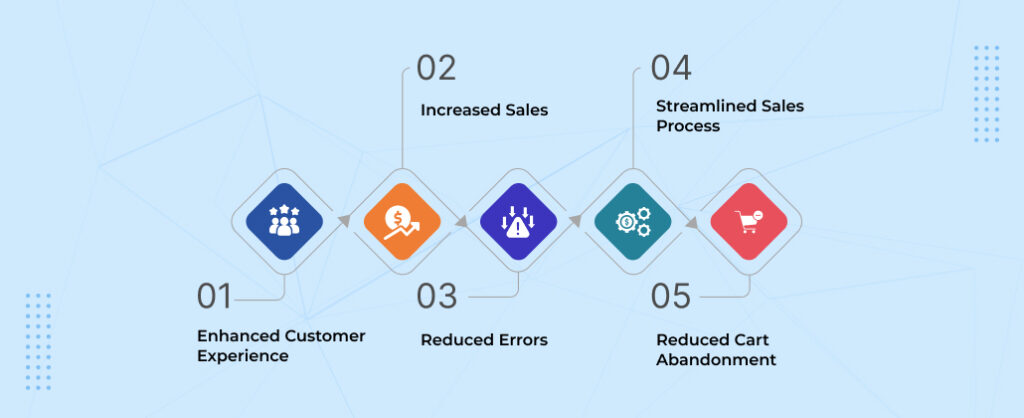
  • Enhanced Customer Experience: Imagine letting customers design custom built pc, selecting components that perfectly match their needs. This personalization fosters builds brand loyalty.
  • Increased Sales: By offering a wider range of customizable options, you cater to a broader customer base. This targeted approach leads to happier customers and increased sales.
  • Reduced Errors: Pre-built options can sometimes have compatibility issues. An automized method for custom built pc further eliminates human error & ensures a functional, frustration-free build.
  • Streamlined Sales Process: With product configurator software, customers can configure a custom pc & add it to their cart with a click. This subsequently reduces friction & streamlines the buying journey, leading to faster conversions.
  • Reduced Cart Abandonment: Customers overwhelmed by pre-built options are likelier to abandon their carts. Configurators basically keep customers engaged & reduce cart abandonment rates.

Our Case Study of a Custom PC Configurator for Shopify

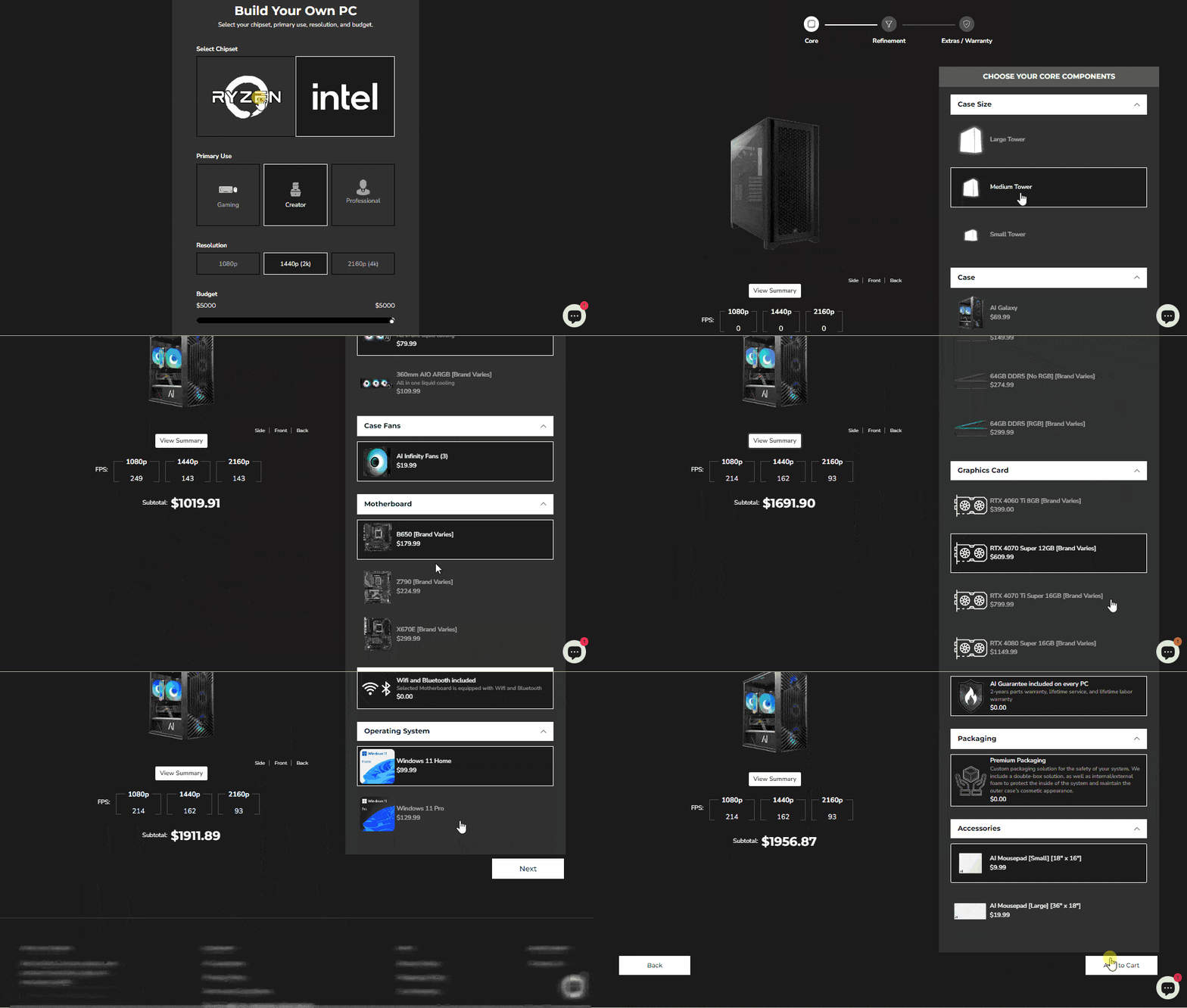
A leading gaming PC brand reached out to us for a custom gaming PC configurator for their Shopify website. Consequently, our team of Shopify experts developed a PC configuration tool, enabling customers to build their customized gaming machines.

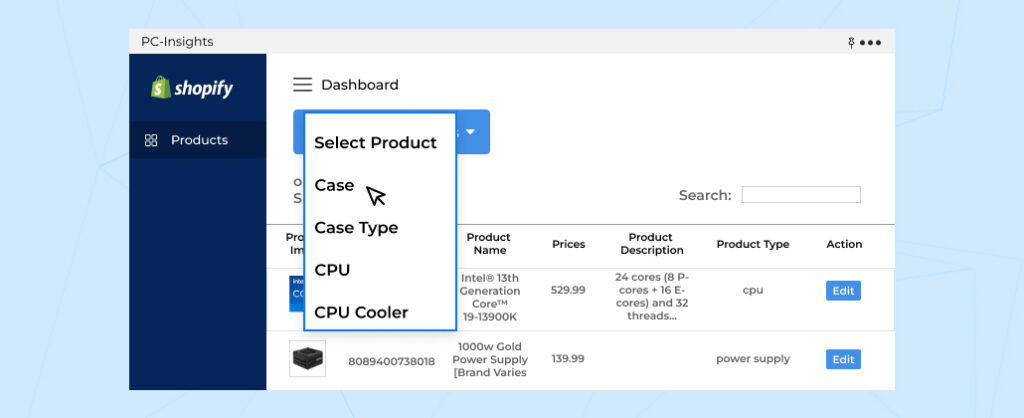
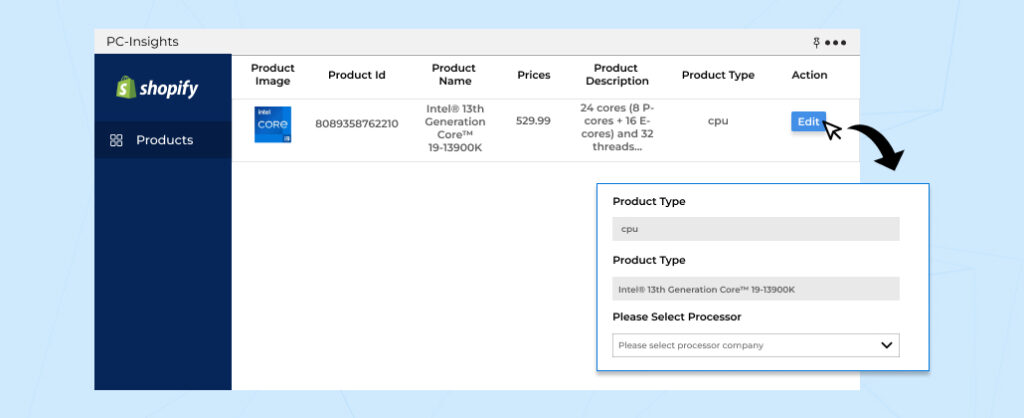
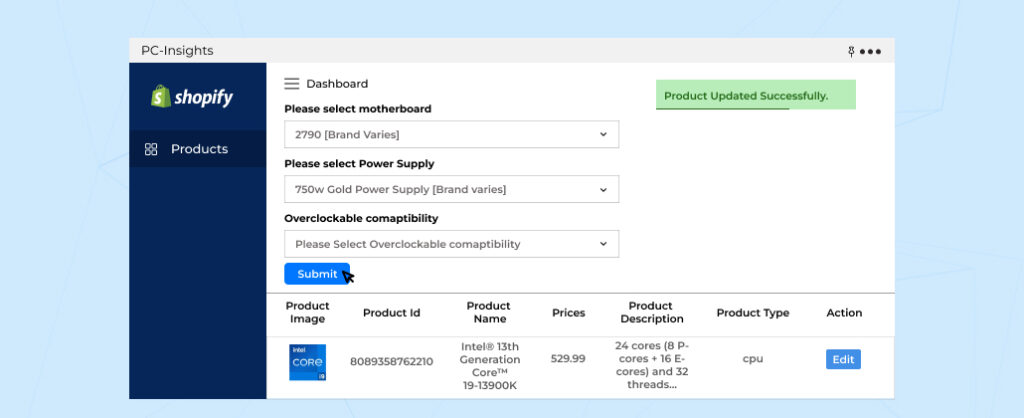
Additionally, we designed a custom Shopify app that allows the owner to manage products seamlessly from the backend. Below are the features of the solution we created:

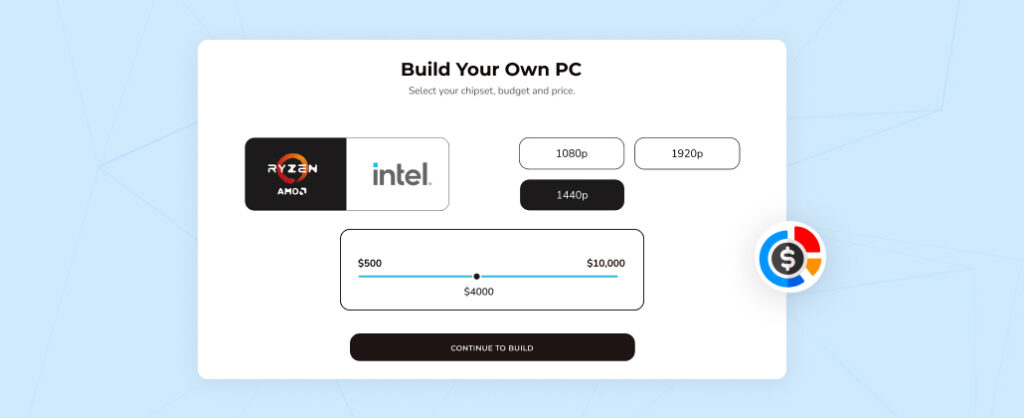
Configuration from Scratch Based on Your Budget

Configuration from Scratch

Enable your customers to configure a custom built PC from scratch by selecting the desired chipset, primary use, and resolution. Most importantly, you can design your gaming PC within your budget limits from the custom gaming PC configurator.

Easily Track Price Subtotal as You Add Components

Subtotal: product configurator for Shopify

Uncertain about the actual prices of the PC components you’re considering? With the best custom PC builder, you’ll see the latest prices of each component, along with the subtotal price of your custom build as you select each component to configure a custom pc.

Visible Product Summary Provided on the Fly

Product summary: product configurator for Shopify

A custom gaming PC configurator assists you by providing a step-by-step product summary clarifying any doubts about the dependencies of PC components with ease, ensuring the purchase of the right components while you configure a custom PC.

Auto Recommendation Helps User Select the Right Component

pc configurator for Shopify- compatibility check

The PC builder will check the compatibility of the selected hardware with the previous selections. The compatibility check popup will be displayed when a user selects an option that is not compatible with the previous option to configure a custom pc. 

Streamlined Admin Dashboard On the custom Shopify App

custom Dashboard admin

The consolidated admin dashboard helps the admin view PC components displayed on the custom PC configuration tool. It displays fields such as product image, product ID, title, product type, and product price details for simplified navigation.

Filter Out Products to Navigate Toward Your Desired Component

Dashboard select product

A Product filter drop-down menu can help the admin find desired products easily without the need to search from the long list manually. The search pattern follows the sequence of core components, refinement category, followed by the extras section.

Edit Components Displayed on the Custom Pc Builder For Shopify

product edit: product configurator for Shopify

Admins can add information related to each product from the admin management panel by clicking on the “Edit” button under the actions section. Hence, this feature enables admins to add new products, upload images, and modify prices for existing options on Shopify computer configurator.

Control What’s Being Displayed on the Custom Pc Builder for Shopify

Product update- product configurator for Shopify

The admin can also easily opt to create a new product to display on the custom PC configurator for Shopify by completing the required fields and clicking the “Submit” button. This action adds the newly added component to the list.

Custom Gaming PC Configurator Demo

Our interactive Shopify computer configurator basically takes the guesswork out of configuring a custom PC, allowing you to design your own gaming PC that perfectly aligns with your needs and budget. Finally let’s have a look at how it functions.

custom pc configurator demo

Challenges of Developing the Custom PC Configurator

Even though our Shopify development company successfully delivered the Custom PC configurator for Shopify. Following are some of the challenges while developing it. 

— Managing Bulk Options for Customizations: Handling numerous custom options posed a challenge. We addressed this by basically treating each option as a separate product.

— Sending Customized Data with Cart: Integrating customized data with the cart also presented a hurdle. We further resolved this by creating configurable products.

— Loading Speed Management: Optimizing loading speed while providing a feature-rich experience was crucial. We implemented strategies to enhance performance.   

Potential Product Upgrades: PC Configurator for Shopify Store Owners

PC configurators have undergone various changes as shoppers’ behavior continues to evolve. We have curated a list of 5 PC configurator upgrades that can potentially improve UX while generating extra sales opportunities.  

1. AI-Powered Recommendations:

Integrate AI features that suggest compatible components based on the customer’s selection. This reduces decision fatigue, ensuring shoppers make more confident purchases.

2. Configurator Presets:

Implement preset configurations for popular options like gaming or video editing. Simplify the buying process and saves shoppers’ time in starting a product search from scratch. 

3. Interactive 3D Models: 

Enable shoppers to view their PC builds in 3D. This immersive user experience increases engagement and helps make informed decisions for lead conversion.

We implemented similar interactive 3D capabilities in our enterprise-grade agricultural machinery configurator, where users visualize complex trailers, sprayers, and attachments in real time with seamless updates. For a full case study on building such a 3D configurator on Shopify Plus, see our guide: How to Build a 3D Agricultural Configurator.

4. Live Chat Integration with Technical Support:

Enable live chat for users to ask questions regarding compatibility, features, and more. This real-time support increases user confidence and reduces friction for closing deals faster.  

5. Cost Breakdown + Payment Options:

Display an in-depth cost breakdown with integrated financing or installment payment options. This transparent pricing encourages users to complete higher-value purchases. 

These custom Shopify development solutions can streamline user experience, generate leads, and drive higher sales conversions. Let us know if you wish to upgrade your PC configurator for Shopify or any other eCommerce website.

Frequently Asked Questions

Can you create Shopify product configurators for different businesses?

Absolutely, our team of Shopify experts can create Shopify visual product configurators for various industries based on unique requirements. All you have to do is reach out to us!

What is the benefit of offering a custom PC configurator for Shopify?

Providing a custom PC configurator enhances the customer experience by allowing them to personalize their PCs according to their preferences, leading to increased satisfaction & brand loyalty.

How can a custom PC configurator for Shopify improve sales?

By offering a wider range of customizable options with a custom gaming pc configurator, businesses can cater to a broader customer base, leading to happier customers by and ultimately increased sales.

How does a custom gaming PC configurator for Shopify reduce cart abandonment rates?

Custom PC configurators provide clarity and control to customers, preventing them from feeling overwhelmed by pre-built options, thus keeping them engaged and reducing cart abandonment rates.

How can I ensure the PC configurator is compatible with new products?

Our Shopify developers map your product inventory to the configurator’s system, ensuring each part is linked to the respective components. We also set up compatibility checks for customers to select parts that work together.

Can I add new components to the configurator as the store inventory grows?

Yes! The PC configurator is built for scalability. Using Shopify Admin, you can easily add, remove, or update components in the configurator. Contact Us if you need help with Shopify.

Is the PC configurator mobile-friendly for shoppers using smartphones?

Absolutely! The PC configurator is fully responsive, meaning it works seamlessly across all devices. Your shoppers can browse and build own custom PCs on any device. This ensures a smooth and consistent shopping experience.

How much does it cost to integrate the PC configurator into my Shopify store?

Typically, a basic integration cost starts from $1,000. However, a fully customized solution with advanced features can cost upto $3,000 or more. We can provide a tailored quote based on your specific project needs.
Contact Us

Conclusion

In conclusion, the implementation of a custom PC configurator for Shopify offers businesses a strategic advantage in the competitive electronics market. By enabling customers to personalize their PCs according to their unique preferences and budget constraints, businesses can altogether foster stronger customer loyalty, and ultimately drive increased sales. 

If you’re seeking a similar solution to enhance your online retail experience, look no further. Our Shopify development company specializes in developing custom product configurators tailored to meet the unique needs of your business.