

 By
By 
- Every day, the client followed the same routine. Repeat the process twenty to thirty times a day, Monday through Friday.
- The Brihaspati Infotech connected the entire sequence in n8n. It starts with the BCI Central API. It ends with tracked outreach through Brevo. Google Sheets holds everything together in between.
- Records moved through in batches, not one by one. Because of this, a single failed record could no longer stall the whole run.
- A separate error-tracking sheet caught anything the workflow couldn’t complete. Nothing went missing, and nothing went out half-finished.
- Lead generation tripled. The automation didn’t sell anything on its own. It simply returned the hours the team needed to sell.
- Brevo tracks every email that goes out. The client can see who opened it and who didn’t, right from Google Sheets. No one has to check manually.
THE PROBLEM
Problem the Was Client Facing
The client provides manpower and workforce services. Their business depends on reaching new construction jobs fast. BCI Central is a construction data platform, now part of Hubexo. Where the selection of the contractor for each approved job is shown. It also holds that contractor’s contact details, including their email.
Every day, client logs in to BCI Central and checks whether there are new approved jobs. For each job, the client needed to identify the selected contractor and send him a personalized email with the required information. It should also be noted that the team members needed to ensure no contractor contacted more than once.
Everything seems easy at first sight, but in reality, the task presented some challenges. Indeed, the client’s employees had to sent emails, on average, twenty to thirty contractors per day. And what is the point of automation if it does not help you save time and deal with more critical tasks?
Speed is crucial when it comes to sales enablement and growth.
Despite the situation where employees were to do this work manually and wasted hundreds of hours per year on such non-critical tasks, it was also, lowering the company’s growth rate as well.
The Brihaspati Infotech didn’t start with a tool or direct automation. It started with a simple question. What does this process actually look like, step by step?
THE CHALLENGE
Why Was This Daily Outreach So Hard to Manage?
Obviously getting the data was never an issue. Rather, we needed to develop a system that could quickly and reliably perform this task.
In General, every day, Monday through Friday, the BCI Central published its list of newly approved jobs and the selected contractors for each. Since, for each of these jobs, the client team had to follow similar procedures:
01
Check BCI Central for new approvals
Had to be done fresh every morning
02
Identify the selected contractor
Required opening and reading each listing
03
Fetch the contractor’s email through BCI
A separate lookup for every contractor
04
Write a custom email for that contractor
Needed light tailoring each time
05
Send the email
Done one contractor at a time
06
Log that the contractor was contacted
Manual entry, easy to forget under pressure
Two of these factors limited the process: Firstly, although each step only took a minute or two, this multiplied by thirty contractors per day monopolized most of a person’s working day. Secondly, no one had an overview of people already emailed.
Therefore, it became apparent that there was no alternative but to make this process fully automated. Building automation in these situation need in-depth idea of each of the process and find solutions to connect the process workflow.
THE DISCOVERY
How Did The Brihaspati Infotech Find the Real Process?
Indeed, It was never about the emails. In contrast, its just a small part of bigger process. Before developing any solution, The Brihaspati Infotech’s team analyzed each step performed by the client.
In Contrast, highlighted process easily automates itself. Its logic is straightforward and requires no complex decision-making. Even more, a machine can clearly define and easily perform every step. Therefore, it was quickly understood that the main time-spender was not the actual sending of the e-mails. Eventually, the process was simple and took almost no time.
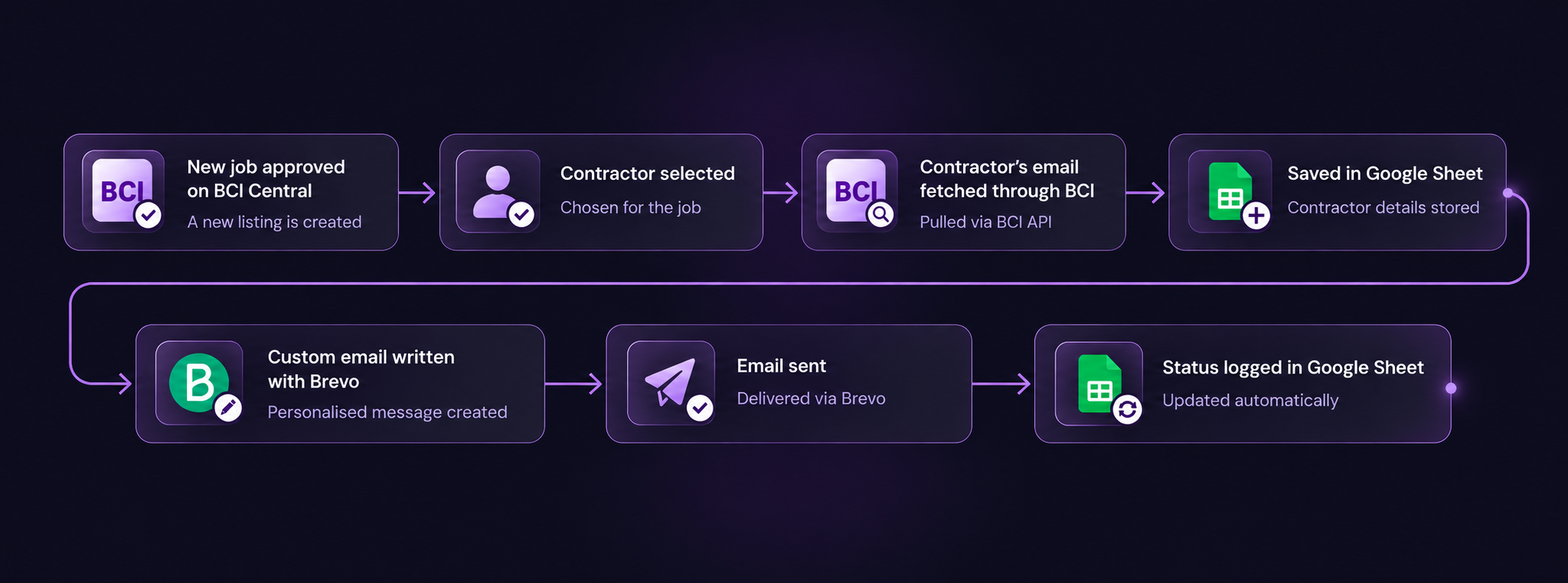
Instead, the client had to first go to the BCI Central, find the appropriate e-mail address of the contacted company, and write the message manually every time. It would be enough to automatically perform only the sending step to significantly reduce the time cost and effort.
Therefore, we found solution as reducing the overall process of getting leads from the BCI Central and sending them to the e-mail with no or minimal human interaction.
THE BUILD
How The Automation Was Build ?
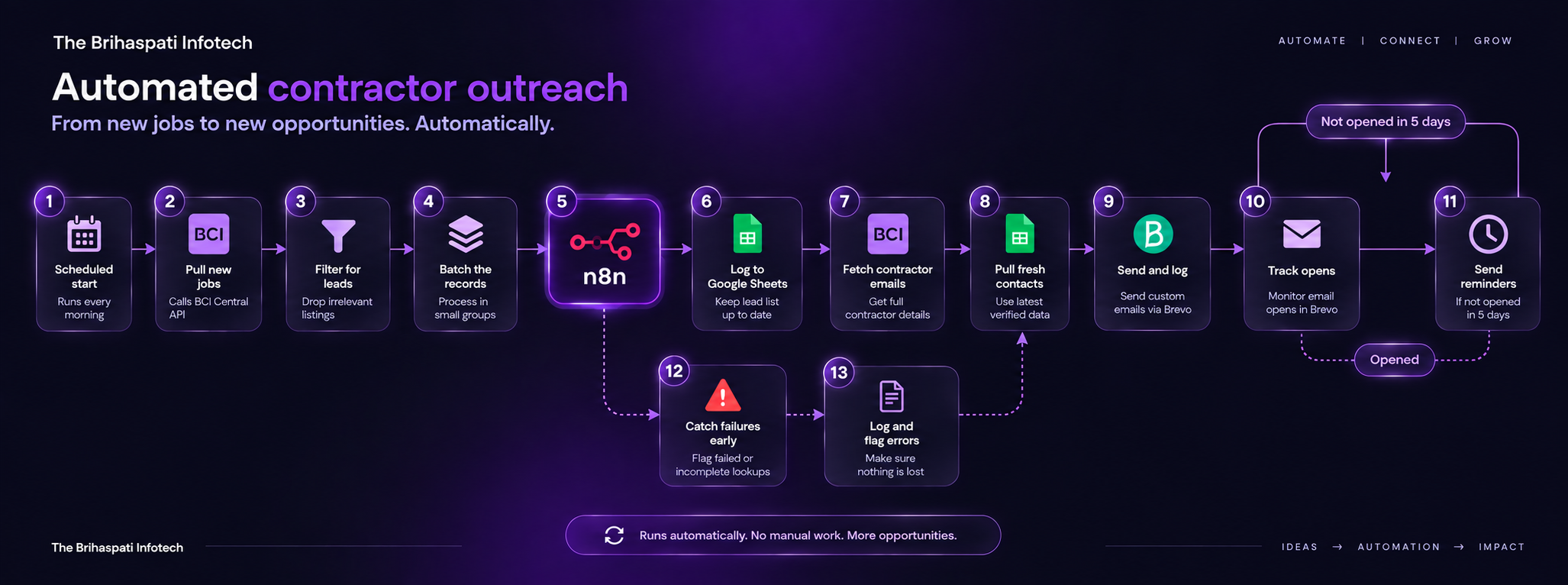
The Brihaspati Infotech built the workflow in n8n. n8n is an open-source workflow automation tool which orchestrates APIs, connecting spreadsheets and email services.
To enumerate it was critical for one specific reason: The client’s existing tools already performed their tasks successfully. However, the team used n8n to connect and synchronize the existing tools, allowing the information to flow between them automatically.
What the workflow does, explained in plain terms:
| Stage | What Happens | Why It Matters |
|---|---|---|
| 1. Scheduled start | The workflow starts on its own each morning | Nobody has to remember to run it |
| 2. Pull new jobs | It calls the BCI Central API for newly approved jobs | Replaces the daily manual check |
| 3. Filter for leads | Irrelevant listings are dropped early | Keeps the data clean and relevant |
| 4. Batch the records | Contractors move through in small groups | Keeps API calls within limits, and one failure can’t stop the run |
| 5. Log to Google Sheets | A weekly lead list is kept up to date | Gives the team one clear place to check progress |
| 6. Fetch contractor emails | It calls BCI Central again for full contractor details | Pulls each contractor’s email automatically |
| 7. Catch failures early | Failed or incomplete lookups are flagged | Nothing gets lost or sent with missing data |
| 8. Pull fresh contacts | The updated email list is pulled from Sheets | Outreach always uses the latest verified data |
| 9. Send and log | Brevo sends a custom email to each contractor, and Sheets marks it “contacted” | No contractor gets emailed twice |
| 10. Track opens | Brevo tracks whether each contractor opened their email, and Sheets shows this next to their name | The client can see who’s engaging, without checking Brevo directly |
| 11. Send reminders | If a contractor hasn’t opened their email after five days, a reminder goes out automatically through Brevo | No lead goes cold just because the first email got buried |
Three decisions mattered most:
01
Batch processing
Records moved in small groups, not all at once. Therefore, this kept requests within limits and stopped one bad record from breaking the whole run.
02
Google Sheets as the tracking layer
Simple, but effective. Straightaway their team could open a sheet and see exactly what happened, with no new login or dashboard to learn.
03
Brevo for sending
Brevo sent each custom email and reported back whether they delivered it. That status fed straight into the tracking sheet.
In other words, the client no longer had to check BCI Central manually, fetch the emails one by one, write and send out each pitch, and remind the contractors about the missed opportunities.
SAFETY NET
What Happens if Something Goes Wrong?
Trust in an automation comes from its visibility, and not just only from speed of execution.
In short: Real-life data can be unpredictable. For this case, a contractor’s email can fail to load, a contact details can be missing, an API call may return an odd value. In a daily run on weekdays, such kind of occurrences are not unusual.
Therefore two things needed prevention: a record should not vanish without a trace, and a single occurrence should not bring the whole process to a halt. To handle this, The Brihaspati Infotech created an additional sheet to host error tracking, redirecting anything the process failed to deliver there instead of dropping it or passing it on as faulty.

Processed successfully
No action needed. The email goes out as normal

Needs attention
Logged in the error sheet for a quick manual check
In this way, the client only needs to check one sheet instead of the entire process, and faulty records do not reach the outreach, potentially damaging a valuable relationship with an email that did not go through. In case of records encounter issue, it will save the fetched details in the different sheet and give error confirmation to the client through mail right away. So nothing will go lost or unnoticed.
THE RESULTS
What Results Did the Client Actually See?
The automation did not generate leads by itself. Instead, it created conditions for the team to do so.
| Before | After | |
|---|---|---|
| The daily routine | Check listings, fetch each contractor’s email, write and send a custom pitch, log it. Repeat thirty times a day. | Records arrive, get filtered, and get matched with a fetched email automatically. Brevo sends the custom email and logs it. |
| Team’s role | Full manual work, every step, every contractor | Reviewing only the records the workflow couldn’t finish |
Henceforth, it is important to stress that the automation did not invent new sources of leads. It only helped to get rid of mundane tasks that previously occupied the team’s time and attention.
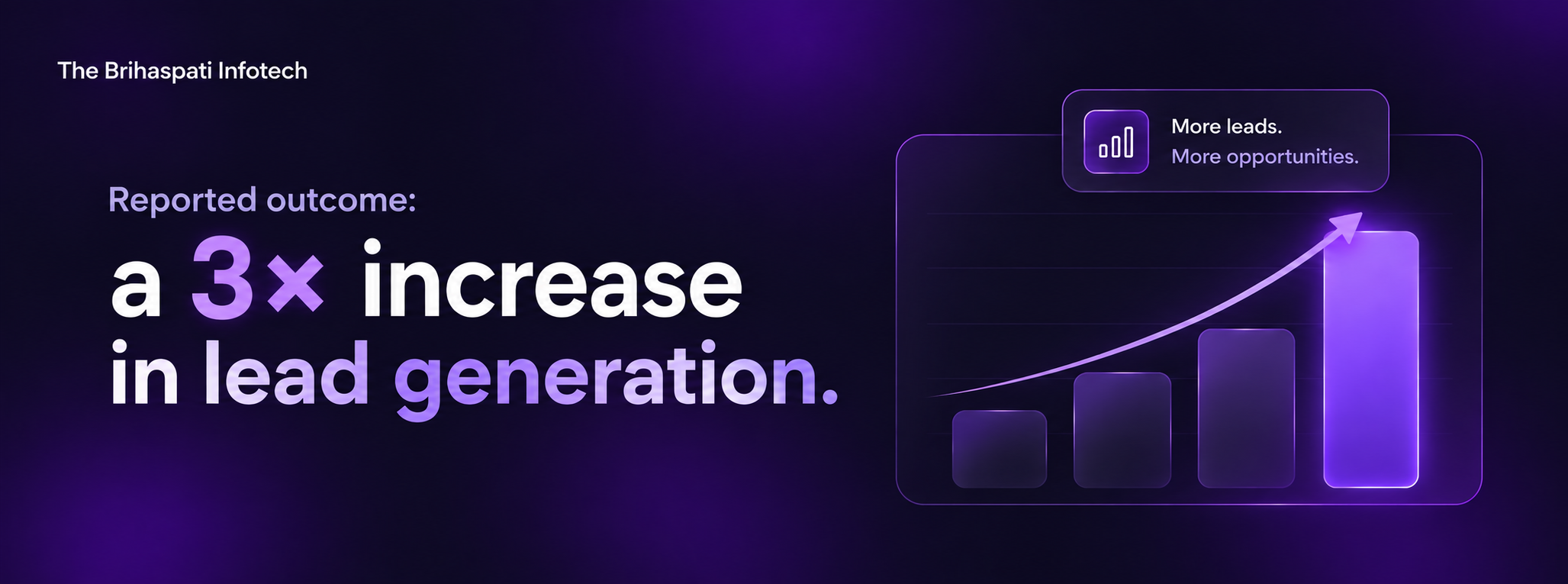
Since, the leads came from places the team already knew about. They appeared because the team now had more time and attention to dedicate to prospecting. For most companies that use lead automation, this is the principal advantage.The campaign illustrated another advantage. The team re-gained their evenings. Time for hobbies or leisure activities.
Speed is an engineering challenge. A better work/life balance is the real result.
THE TAKEAWAY
What Does This Case Study Teach About Automation?
While automating individual processes would certainly improve day-to-day operations, the real value came from chaining them together into a greater system.
Moreover, the automated processes that we chained together include extracting job details from BCI Central, filtering leads, batching records, extracting emails of contractors, storing the data in Google Sheets, error-checking, and sending personalized emails via Brevo. Automating something as simple as lead filtering would have saved maybe 30 minutes. But together, they eliminated an entire daily task for the team.
The example, above was indicative of a common issue that The Brihaspati Infotech deals with daily. Hence, when a company approaches The Brihaspati Infotech, the real issue they have to solve, is always visible at first glance.
| What the Client Said | What Was Actually True |
|---|---|
| “We’re sending too many emails manually.” | Everything before those emails, like checking listings and fetching contacts, could be automated too. |
In most cases, the task they hire for tends to take up a minuscule amount of time. The underlying processes needed to complete it comprise a series of steps that eat up the majority of the time. And this is where the experts at The Brihaspati Infotech intervene.
FREE TOOL
How Can The Brihaspati Infotech Help Your Business?
The Brihaspati Infotech begins its process by understanding the core of the business. Therefore, every business has one process that could be automated. In short, the one that silently consumes hours of people’s hard work without anyone questioning it because they have always done it that way. That is a process that is ideal for automation.
In General, The Brihaspati Infotech first studies the process and looks for repetition in it. Likewise, something that takes up a lot of time in hours per week or even days can potentially be automated entirely, such as in this case. So, If your team wastes hours upon hours on repetitive work, whether they are manually transferring data between systems or doing outreach work every single day.
Jovian, The Brihaspati Infotech’s AI assistant, can help your business to map out potential opportunities and identify the solutions from AI automations to AI system solutions. Everything with in 60 seconds. Turn your repetitive business process into AI automated with The Brihaspti Infotech and boost up your business opportunity growth today.
Disclaimer: References to third-party products or companies are informational and do not imply affiliation, association, endorsement or partnership.