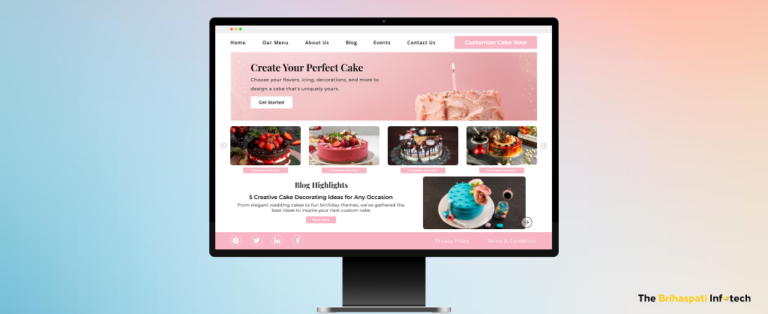
Create a Bakery Website: A Step-by-Step Guide for Bakers

Create a bakery website or risk being invisible in today’s hyper-connected retail market. With 76% of mobile users searching online before visiting a store, local bakeries can struggle to survive without a professional website.  

Whether starting small or looking to scale your bakery business, our expert React.JS developers can help build a high-performing, dynamic website.

So, how to go about it? Scroll down and read the blog to uncover 8 actionable steps to create a bakery website, plus expert tips to amplify your online presence.

Let’s dive in. 

How to Create a Bakery Website in 8 Steps?

Just like baking a cake, creating a bakery website involves a series of steps in the right sequence. So, while you have a lot to bake, our website development company can help you build a professional website to serve your local and growing market.

Here’re the main steps leading to a good bakery website.

8 Steps to Create a Bakery Website

Step 1: Choose a Domain Name

As a bakery owner, you want an ideal location for your shop, right? That’s what a domain name is to your bakery when it goes online. It’s the digital address of your bakery. 

Key Tips for Domain Name:

  • Keep it Short, Simple Yet Memorable: A name like CustomCakeCreations.com is relatable and easy to remember. 
  • Reflect Your Brand: Include your bakery’s name or any USP. E.g., TheVeganBakery.com.
  • Use Relevant Keywords: Terms like “bakery” or “cakes” can drive user experience and SEO value.
  • Select the Right Extension: Use the industry-trusted extensions such as .com or .net. But options like. shop or. bakery can make your domain unique.
  • Check Availability: Use tools like GoDaddy to determine its availability. If unclaimed, secure it immediately. 

Step 2: Define Your Bakery Business Goals 

The foundation of a great bakery website begins with setting your business goals. Be clear about your expectations from the bakery website.

Key Questions to Ask:  

  • What’s Your Purpose? Decide if your website aims to expand market reach, showcase your bakery products, or generate custom orders.  
  • Who’s Your Audience? Determine your target market — local customers, event planners, or big corporates.
  • Do you have any Specialty? Highlight your bakery’s unique offerings such as custom cakes, butter cookies, or artisanal bread.
  • What are your future plans? What do you intend to do after creating a bakery website? Building a bakery web app/mobile app or joining marketplaces like Uber Eats. 

Step 3: Choose the Right Bakery Website Builder

Finding the perfect bakery website builder is essential to build your online presence. 

Popular Options: 

  • DIY Platforms: Use bakery website builders like Wix for quick and affordable website creation. 
  • eCommerce Platforms: Streamline online orders and inventory management with Shopify, Magento, or other CMSs.
  • Custom Bakery Website Builders: WordPress with WooCommerce supports customizations like cake builders or API integrations.  Consider fully custom-built solutions for unique project needs. 
  • Scalable Solutions: Choose a bakery website builder that supports your future plans such as running mobile apps, loyalty programs, or subscription services. 

Step 4: Add Food Menu & Gallery

Everything centers around your bakery’s menu and gallery. A survey claims up to 90% of online buyers consider photo quality critical to purchase. 

How to Design a Compelling Food Menu:

  • Visually Appealing Layout: Use professional and Instagrammable photos to make them irresistible.
  • Descriptive Names: Use descriptive, appealing names for goods (e.g., “Double Chocolate Lava Cake”).
  • Include Details: Mention important details like sizes, flavors, and customization options. Include key ingredients, especially for items like gluten-free or vegan products.
  • Organize by Categories: Organize the main menu into clear sections like “Cakes,” “Pastries,” “Breads,” and “Beverages”. 
  • Transparent Pricing: Showcase clear pricing to build an honest and transparent connection.
  • Special Offers: Add seasonal promotions or bundle deals to drive more sales. 

Step 5:  Add Cake Personalization Tools

Nearly 90% of consumers are likely to shop from brands offering personalized shopping experiences. Enable cake design app and make your bakery site stand out in the market.

Essential Features: 

  • Custom Cake Builder: Let users choose cake flavors, sizes, toppings, and decorations.
  • Photo Upload Feature: Enable customers to upload personal images for cakes with photo printing.
  • Real-Time Pricing Updates: Display the real-time cost during cake customization.  
  • Order Preview: A visual summary of the custom cake orders before checkout.
  • Special Requests Section: Include a text box for customers to add unique requests or preferences.

Step 6: Set Up eCommerce Tools

Transform your bakery website into a revenue-generating platform with the right eCommerce integrations such as 3rd party apps and tools.

Key eCommerce Features:

  • Online Ordering System for Bakery: Implement order delivery or pickup through your website.
  • Payment Gateway: Add secure payment methods like credit cards, digital wallets, or “Pay Later” options.
  • Flexible Shipping Options: Include local delivery, in-store pickup, or national shipping.
  • Subscription Services: Generate recurring orders with weekly, monthly, or annual subscriptions. 
  • Inventory Management: Use tools like QuickBooks for real-time stock updates. 

Step 7: Optimize for Mobile and SEO

Responsive bakery website design is non-negotiable. Non-mobile friendly sites can hurt your business growth with over 50% less likely to engage with such business. 

Best Practices: 

  • Mobile Responsiveness: Ensure your site functions consistently across all devices. 
  • Local SEO: Optimize your site for local searches with Google My Business.
  • Speed Optimization: Reduce page load times to under 3 seconds and keep users engaged.  
  • Clear Navigation: Make menus, categories, and buttons intuitive for mobile users.
  • SEO Optimization: Use metadata, alt tags, and internal links to improve SEO value. 

Step 8: Test & Launch Your Bakery Website

Test your bakery website before it goes live.

The To-Do List Includes

  • User Testing: Test the site’s usability by navigating as a customer, from casual browsing to cart checkout.  
  • Functional Testing: Verify that all features, like forms, payment gateways, and customization tools, work. 
  • Cross-Browser Testing: Ensure compatibility with browsers like Chrome, Safari, and Firefox.
  • Promote the Launch: Announce your website through email campaigns and social media ads.

Let’s build a website that’s as delectable as your bakery treats.

How Much Does It Cost to Create a Bakery Website? 

The cost of bakery website development depends on its complexity, features, and custom requirements. Here’s what you can expect:  

Basic Bakery WebsiteFeature-Rich Bakery WebsiteCustom Bakery Website
FeaturesStandard Pages (Home, Menu, About, Contact Us)
Online Ordering Form 
Static Gallery
Advanced eCommerce Functionalities (Payment Gateways, Order Tracking, etc.)
SEO Optimization 
Mobile-Responsive Design
Custom Cake Design Builders 
Loyalty Programs 
3rd Party API Integrations 
Scalable Interface
Estimated CostStarting from $3,000$6,000–$8,000$10,000+

Additional Costs: 

  • Domain and Hosting: $10–$50/month.
  • Maintenance and Updates: $500–$2,000/year.
  • Marketing & SEO: $1,000–$5,000/month, depending on your strategy.

Request a custom quote

Beginner-Friendly Marketing Tips for Bakery Websites

Created a bakery website? Great. Next, leverage the power of social media platforms to market your bakery website in the local market.

Actionable Tips to Drive Social Media Leads: 

  • Set Up Social Media Stores: Create an Instagram Shop and Facebook Store linked to your bakery website. 
  • Post Scroll-Stopping Visual Content: Share high-quality photos, BTS clips, baking tutorials, video testimonials, and more. 
  • Use Paid Ads: Run targeted Facebook and Instagram ads campaigns to connect with local customers. 
  • Engage Regularly: Run online polls/contests, respond to comments/DMs, and announce giveaways. 
  • Influencer Marketing: Collaborate with food bloggers or local influencers to expand your reach.

What to Do After You Create a Bakery Website?

Bakery website development is the 1st step to build your digital presence. We have curated three more solutions to help your bakery grow and succeed. Let’s find out more.

Build Bakery Web App to Boost Local Sales

Build a Bakery Web App.

A bakery web app adds to your business’s online success. It enables shoppers to order cakes, pastries, and other bakery goods, anytime, anywhere.

Actionable Steps:

  • Use your Website Framework: Reuse your bakery website design and backend logic.
  • Focus on Essential Features: Start with core features like online ordering, secure payments, and branch selection. 
  • Choose Scalable Technologies: Use frameworks like React.js for a dynamic front-end and Laravel for a robust back end.
  • Responsive Design: Ensure your bakery app works seamlessly across devices with responsive design.
  • Integrate with Backend Systems: Sync with your CRM and inventory to streamline operations.

Let’s build a custom bakery web app for your business!

Build Mobile App for Your Bakery’s Wider Reach

Mobile app development for bakery

Running a mobile app for bakery is no longer an option. It’s essential to expand your market reach and provide convenient shopping experience. Here’s how you can seamlessly transition from a bakery website to a mobile app:

Actionable Steps:

  1. Use Your Website Framework: Leverage your existing bakery website design and backend logic.
  2. Focus on Core Functionalities: Include must-haves like ordering, payments, and notifications, then expand with loyalty programs or subscription services.
  3. Choose the Right Development Approach: Cross-platform frameworks such as React Native help build apps for Android and iOS devices. 
  4. Integrate with Your Website: Sync with your backend for consistent inventory, orders, and payments.

Let’s build your bakery’s mobile app!

Automate Backend Operations with Bakery Management Software

Automate bakery's backend operation after creating bakery website

As per McKinsey study, automation can reduce operational costs by up to 30%. Streamline your bakery operations with automation tools that save your time and boost business efficiency.

Actionable Steps:

  • Manage Store Inventory: Track inventory in real-time to avoid shortages or wastage.
  • Simplify Order Processing: Use bakery order management software or tools to manage incoming orders. 
  • Enhance Customer Engagement: Send automatic notifications to customers about new deals, seasonal specials, or restocked items. 
  • Integrate POS: Integrate in-store POS with your website and app for consistent data across all platforms.

Let’s automate your bakery operations and save time and money! 

Frequently Asked Questions

1. What pages should be included while creating a bakery website?

Essential web pages for your bakery website include

1. Home
2. About
3. Menu
4. Contact Us
5. Gallery
6. Online Ordering
7. Recipe blogs

You can continue adding additional pages as and when required.

2. How much does it cost to create a bakery website?

Our bakery website development (menu, contact form, and static pages) starting from $3,000. However, a feature-rich eCommerce website can cost up to $8,000 or more.  Custom features like cake personalization tools or delivery tracking can further increase the budget.
Contact us and get a custom quote.

3. How much time does it take to create a bakery website?

A basic website takes anywhere between 4-6 weeks. However, a feature-rich website with advanced functionalities can take upto 2-3 months. The timeline depends on various factors, including the project scope, complexity, and custom requirements. 
Contact us and request a project timeline.

4. What if my budget is limited for bakery website development?

We recommend starting small and scaling your website as your business grows.
1. Consider MVP development with essential features like a menu, contact form, and online ordering.
2. Use WordPress with WooCommerce or Wix for basic functionality.
3. Add custom features like payment gateways in phases as your budget allows.
We can also build a bakery website in your budget. Contact us and get started.

Ready to Create a Bakery Website?

Creating a bakery website can be your ticket to growth. From showcasing bakery products to accepting custom cake orders, there are many growth possibilities. However, it doesn’t end here. It is just the beginning as you can explore bakery web and mobile app solutions to expand.   

Whether you’re a home baker, running a small bakery, or own a large chain. Our WordPress developers can help you build a bakery website, web & mobile app, and other software solutions.  

Ready to take the first step? Schedule a call and start your journey to create a bakery website and other solutions. 

How to Succeed in Self-Publishing Children’s Books Online?

The self-publishing market is booming with children’s books leading the way. Popular platforms like Amazon KDP have made self-publishing children’s books easier for independent authors and small publishers.

As per the industry projections, the self-publishing service market is likely to grow at a CAGR of 4.73%, 38.71 billion by 2031. The figures are fancy, but writing a good children’s book story doesn’t guarantee your market success. You require the right marketing tools and strategies to grow your publishing business online.

Partner with seasoned eCommerce developers like us and start your journey to become a successful publisher. This blog provides five actionable strategies to grow your publishing business online — big or small.

Let’s dive in.

Challenges in Self-Publishing Children’s Books Business

Challenges in Children's Book Self-Publishing Business

Self-publishing books is riddled with obstacles. Here are the common challenges children’s book publishers and independent authors often face. 

1. Intense Competition

Thousands of children’s books are published every day. Standing out is difficult without a compelling story, unique themes, and effective digital marketing strategies.

2. Expensive Illustrations 

Illustrations are essential for children’s books, but they come at a heavy price tag. Self-publishing a children’s book with illustrations​ can cost extra, from $500 to $5000. Add to that editing ($300–$1,500), formatting ($100–$500), and marketing ($200–$1,000). The overall expense could go beyond reach for new authors and small-scale publishers.

3. Lack of Marketing Expertise

Most children’s book publishers aren’t marketers. They don’t know how to market books online on social media, via SEO, or paid ads. Poor marketing leads to low digital visibility and limited book sales.

4. Regulatory Compliance

Book publishing companies must comply with copyright laws and create child-appropriate content. Neglecting these can lead to costly legal disputes.

5. Alternative Digital Options

Many readers are switching to digital options. Don’t just stick hard copies. Introduce digital formats, audiobooks, or personalized storybooks to meet changing customer preferences.  

Self-Publish Children’s Books with 5 Strategies

Self-publishing children’s books is a great opportunity. However, independent authors must implement these five actionable strategies to achieve market success.

1. Leverage Print-on-Demand Services

POD Services for Children's books

You don’t need a traditional book publisher to reach your readers anymore. Print-on-demand services let you publish books quickly, affordably, and hassle-free.

Here’s how to do it:  

  • Consider Platforms: Create books with popular services like Kindle Direct PublishingIngramSpark, and Blurb.
  • Integrate Seamlessly: Connect print-on-demand tools like Printful to your online store for automatic printing and shipping.
  • Include Multiple Formats: Provide diverse readers with paperback, hardcover, and digital options. 
  • Simplify Order Management: Handle orders, inventory, and fulfillment from one easy-to-use dashboard.

2. Create Book Subscription Models

Create Book Subscription service for books

Subscription models ensure recurring revenue and customer loyalty. Introduce age-specific book subscription plans to expand your market reach.

Here’s how to do it:  

  • Set Up a Subscription Tool: Use WooCommerce Subscriptions, Shopify apps, or custom-built systems for recurring billing.
  • Personalize Plans: Offer themed subscriptions for holidays, birthdays, or other age-based milestones. 
  • Automate Operations: Enable automatic renewals, notifications, and print-on-demand fulfillment.
  • Add Customer Loyalty Features: Build a rewards program where subscribers earn points for referrals, renewals, and repeat purchases.
  • Test for Scalability: Optimize for seamless checkout and mobile responsiveness to handle growth.

3. Expand & Invest in Digital Formats

Diversify book formats

Globally, there will be over 1.2 billion eBook readers by 2027 and 1.8 bn audiobook listeners by 2029. Diversify and tap into the booming market.   Digital formats help independent authors grow their fanbase and earn extra.

Here’s how to do it: 

  • Add eBooks: Complement physical copies with eBooks to reach tech-savvy readers.
  • Offer Audiobooks: Expand your market and let people listen to your books on the go. 
  • Create Order Bundles: Combine digital and physical versions and attract a bigger market.

4. Self-Publishing Children’s Books with Marketing Strategy

Marketing Strategy for promoting children's books

Publishing a book is just the start—getting it into readers’ hands is what matters. A strong marketing plan helps turn your books into bestsellers.  

Here is how to do it: 

  • Use Targeted Ads: Run ads on Google and Facebook to reach parents and gift buyers.
  • Start Email Campaigns: Promote your book with tailored email outreach campaigns.
  • Collaborate with Influencers: Partner with parenting bloggers and educators to make your book popular online.
  • Track Performance: Use tools like Google Analytics to optimize campaigns for better conversions and performance. 

5. Integrate Personalized Storybook Tool

Implement Personalized Storybook Tool

Wonderbly has sold over 8 million children’s personalized storybooks, reinforcing the power of customization. Add a personalized storybook tool to your website to drive repeat purchases and generate revenue. 

Here’s how to do it: 

  • Enable Custom Features: Let shoppers personalize their experience using names, characters, and dedications in their books.
  • Build a Personalized Store: Create a personalized storybook store for an intuitive user experience.
  • Test and Launch: Ensure seamless functionality, mobile compatibility, and smooth checkout flows.

Benefits of Self-Publishing Children’s Books Online

Benefits of Self-Publishing Children’s Books Online

1. Creative Freedom

Retain control over your content, illustrations, and pricing without interference from traditional book publishers.

2. Higher Royalties

Earn up to 70% in royalties on platforms like Amazon KDP, compared to 10-15% with traditional book publishers.

3. Faster Time-to-Market

Self-publishing children’s books enables you to roll out in weeks instead of months or years.

4. Scalability

Expand your reach globally using online book publishing platforms like Amazon KDP with minimal investment. 

5. Enhanced User Engagement

Use tools like WordPress book preview software and let your customers create unique stories, driving effective user engagement to generate revenue. 

Frequently Asked Questions

1. How much does it cost to self-publish a children’s book?

The cost varies based on various factors such as book illustrations, editing, and marketing services. A simple self-published children’s book can cost you upto $3,000. However, premium features like personalization may increase the cost.
Contact us and request a custom quote.

2. Which is the best platform for self-publishing children’s books online?

The best platform to self-publish children’s books depends on your goals, target audience, and technical expertise.

Here are some popular options: 
1. Amazon KDP: Easy to use and affordable; ideal for global reach.
2. IngramSpark: Great for high-quality prints and distributing books globally. 
3. Shopify: Perfect for authors who want to sell directly from their websites.
4. Lulu: Flexibility with book formats and high-quality printing.

Choose what’s right for you. Or you can hire Shopify developers to build or grow your bookstore online.

3. Can I self-publish children’s books without technical expertise?

Yes, platforms like Amazon KDP are user-friendly. For advanced features like personalization, you can hire eCommerce developers like us. We work with book publishers like you to craft tailored web solutions to drive favorable business outcomes.

4. How can you help self-publishing businesses for children’s books grow?

Here’s how we can support your book publishing business:
1. Create custom, high-performing websites tailored to your book publishing needs. 
2. Integrate personalized storybook tools into your website. 
3. Integrate print-on-demand services with your website.
4. Plan and implement revenue-driven website marketing strategies such as SEO, paid ads, and email marketing. 
5. Ongoing support and maintenance for your book publishing website or online store. 

Whether to build or scale a book publishing business, we’re here to help. Contact us and discuss your business goals.

Ready to Start Self-Publishing Children’s Books Online? 

Self-publishing is a lucrative opportunity for independent authors. While there are market challenges, we have shared 5 proven ways to monetize your children’s book website or eCommerce store. 

Implement these proven strategies and watch your book publishing business thrive online.  If you are looking for custom solutions to build or grow your book publishing business, our Shopify development company can help. 

Contact us and start your journey to earn success in publishing your books.

Build Custom Wall Art Design Tool for Shopify POD Stores: A Step-by-Step Guide

Personalized wall art isn’t just a passing trend—it’s an untapped business opportunity for eCommerce stores. With the wall art market projected to hit $88.66 billion by 2032, adding a travel map generator to your online retail store helps offering custom travel prints.    

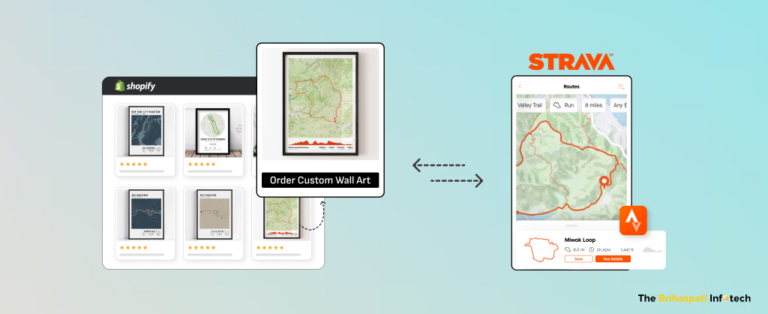
After delivering our successful custom map printing plugin, we built a high-conversion wall art customizer for a retail client. Our Shopify developers created the custom wall art design tool that enables POD stores to offer custom map prints.

Whether you’re new, growing or old in the market, this map designing tool empowers your customers to turn their outdoor adventures into stunning travel posters and wall art. This blog explains the development process, key features and benefits of the Shopify product customizer.

Without any wait, let’s get started.

How Custom Wall Art Design Tool Works? 

Wondering how the tool transforms Strava routes into stunning travel prints? Watch how Shopify product customizer works!

Key Features of Custom Wall Art Design Tool 

Our custom wall art design tool was made using third-party tools and APIs such as Strava*, Mapbox*, and Amazon S3*. Here are the key features of the tool:

  • Strava Integration: Users can connect their Strava account to fetch their cycling or hiking routes. This real-time route selection results in accurate and personalized map designs.
  • GPX File Upload: Users can upload their GPX files to create travel maps with pins based on their chosen route for cycling, hiking, or any outdoor activity. 
  • Multiple Customization Options: Enhance your travel prints by customizing map colors, orientation, size, style, labels, frames, and other options. 
  • Digital Download Options: Users can download high-resolution digital files to print custom maps. 
  • Print and Ship Option: Users can order printed home decor prints from the print-on-demand wall art store. 

How to Build a Custom Wall Art Design Tool for Shopify? 

At The Brihaspati Infotech, we built a travel map generator for a print-on-demand wall art store. The tool enables users to create cycling maps by connecting their Strava account or uploading GPX files. 

Here are the main steps to develop the Shopify product customization tool: 

 Step 1: Connecting Strava API for Route Data

Connecting Strava API with Shopify

We integrated Strava API to collect real-time route data. It enables users to create custom map prints from their cycling and hiking routes. 

  • Implemented OAuth 2.0 to access activity data stored in the Strava account.
  • Enabled users to connect their Strava account from the Shopify store and authorize access to their activity data.
  • Fetched activity data (route coordinates, distance, elevation) through Strava API endpoints.
  • Ensured secure data transfer between the Shopify store and Strava servers.

Step 2: Uploading GPX Files for Custom Routes

Uploading GPX Files for Custom Routes

We provided users with an alternative option to create cycling maps by uploading GPX file uploads. 

  • Built a file upload feature using Node.js and Multer to handle GPX files. 
  • Validated GPX file formats to ensure compatibility with the map rendering process.
  • Extracted route data (Route, Track & Waypoints) from uploaded GPX files.
  • Stored GPX files temporarily in Amazon S3 for secure processing.

Step 3: Rendering Custom Maps with Mapbox API

Rendering Custom Maps with Mapbox API

We integrated the print-on-demand wall art design tool with Mapbox API to provide custom travel prints.   

  • Connected to Mapbox API to fetch high-quality map data for precise travel routes.
  • Embedded interactive maps on Shopify product pages using Liquid templates.
  • Developed custom features like style switching and pin-drop functionality for enhanced personalization.
  • Enabled real-time previews with JavaScript, allowing users to see their custom maps instantly on Shopify.

Step 4: Storing Custom Maps in Amazon S3

Storing Custom Maps in Amazon S3

We used Amazon S3 buckets to store custom map prints without affecting store performance. 

  • After customization, the tool generates a high-resolution map image using Mapbox Static Images API.
  • The custom map image is then uploaded to Amazon S3 for secure storage and easy retrieval.
  • Implemented access control policies to regulate image access for authorized users.
  • Generated unique URLs for each map to be used in the checkout process on Shopify.

Step 5: Connected the Custom Wall Art Design Tool to Shopify Store

Connected the Custom Wall Art Design Tool to Shopify store

The travel map design tool was embedded directly into the Shopify storefront for a seamless user experience. 

  • Used Liquid templates to embed the tool on Shopify product pages. 
  • Built a custom UI/UX to let users connect their Strava account or upload GPX files.
  • Integrated the tool with Shopify’s cart and checkout process to allow users to add custom travel maps to their orders.

Step 6: Tool Testing and Quality Assurance

Testing the tool

Before deployment, the Shopify product customizer was thoroughly tested to ensure stability, performance, and compatibility.

  • Tested API calls to ensure reliable communication with Strava and Mapbox.
  • Conducted unit tests to validate file uploads, API integrations, and frontend functionalities.
  • Ensured the tool works seamlessly across devices and browsers.
  • Checked for performance issues to avoid delays during image rendering and customization.

Step 7: Deployed the Map Designing Tool

The tool is successfully launched

After clearing all tests, the travel map generator was deployed to the client’s Shopify print-on-demand wall art store.

  • Deployed the backend services on AWS for scalability.
  • Published the private Shopify app through the Shopify Partner Dashboard.
  • Provided post-launch support, including bug fixes and performance monitoring.
  • Suggested future upgrades, such as adding more map styles and introducing premium image options.

Many of the core design concepts used in this Shopify tool were also implemented in our visual frame builder for WooCommerce, focusing on real-time previews, personalization control, and user-friendly design.

How Custom Wall Art Design Tool Benefits Retail Stores?

Benefits of the wall art design tool

Multiply Product Sales 

Tap into the thriving personalized wall art market. Integrate the travel map generator with your retail store and generate printable travel maps for cyclists, hikers, and adventurers.

Increase Customer Engagement

Shoppers love interactive custom product design tools. With product configurator software, customers can create cycling maps from their adventures. Also, happy customers are more likely to return and recommend your store to others.

Unlock New Growth Opportunities 

Digital products offer more than 85% higher profit margins. The travel map generator tool allows customers to download custom travel prints along with physical maps. Advanced personalization options—such as personalized 3D printed maps on Shopify—help merchants unlock higher AOV and premium pricing.

Harness Market Differentiation 

Most stores sell generic wall art. Custom map prints help you stand out. Appeal to cyclists, hikers, and travelers with unique cycling prints. Offer personalized products that create emotional connections and boost brand loyalty.

Custom Wall Art Design Tool Development Challenges

We created the Shopify product customizer, but it wasn’t without some challenges. Let’s find the development challenges and their solutions. 

1. Integrating Strava API for Real-Time Data Fetching

Ensuring seamless authentication and data fetching from Strava’s API to the tool was critical for us. Managing OAuth 2.0 authentication and handling rate limits remained a priority. However, we implemented token-based authentication and configured API retry mechanisms to handle API rate limits.

2. Handling Large GPX File Uploads

GPX files can contain bulk volume of route data. It can potentially slow down the tool and negatively impact the Shopify store’s performance. We however used Node.js and Multer to effectively secure and store large files. 

3. Storing Custom Map Images

Storing high-resolution custom map images was a primary concern. Thus, we used Amazon S3 buckets to securely store and deliver images without any glitch. Also, we implemented access control policies to ensure that only authorized users can access their custom travel prints.  

Frequently Asked Questions

1. What can I sell using the print-on-demand wall art tool?

The Shopify product customizer helps retail stores sell customized products to travel enthusiasts, cyclists, hikers, and home decor shoppers. Here are some high-demand product ideas: custom wall art prints, personalized travel map posters, city maps, digital map prints, and adventure-themed products.

2. Can you customize the tool to fit my store’s branding?

Yes, the tool can be fully customized to match your retail brand design, colors, and layout. It can be tailored to fit your Shopify theme and offer a seamless shopping experience.

3. How do I integrate the custom wall art design tool with my Shopify store?

Integrating the custom travel posters wall art design tool into your Shopify store involves a few technical steps:

1. Embed the tool to Shopify product pages 
2. Connect the Tool to Shopify’s Cart and Checkout
3. Securely Store Custom Map Images Using Amazon S3 Bucket 
4. Conduct End-to-End Testing 
5. Launch the Tool

Need help with Shopify integration? Our Shopify development company can help with your project.

4. How does the tool handle image storage and security?

We have used Amazon S3 buckets to store high-resolution custom map images. This setup ensures secure and faster delivery of the images when ordered. Also, only authorized users can access the customized travel map prints.

5. How much does a wall art design app cost for Shopify stores?

The cost of developing a wall art design app for Shopify varies based on several factors:
1. Features: Advanced features like Strava integration, GPX uploads, and real-time map customization. 
2. Third-Party APIs: Using APIs like Mapbox for maps and Amazon S3 for image storage. 
3. Custom Requirements: Custom UI/UX design and additional functionalities. 
4. Ongoing Maintenance: Post-launch support, updates, and bug fixes. 

For an accurate estimate, please contact us.  

Disclaimer

We would like to clarify that we have no affiliation, association, or endorsement with third-party tools and APIs including Strava, Mapbox, Amazon S3 or their affiliated companies. Any references made to their products, services, or trademarks is solely for informational purposes and do not imply any endorsement or partnership.

Ready to Start with Custom Wall Art Design Tool?

Personalized wall art market continues to thrive in 2025. Offering custom travel maps on your Shopify store can help you grow and scale. Our custom wall art design app supports real-time map customization, enabling users to access digital and/or physical travel prints.

Add the Shopify product customizer to your retail and boost user engagement, product sales, and repeat customers. Start selling high-demand products with us as your eCommerce development company. We can build and integrate the map designing tool with Shopify, Magento, and other eCommerce platforms.

Contact us and get started. 

Starting a Print-On-Demand Business in 2025? Learn 5 Ways to Scale Faster

Starting a print-on-demand business without a solid plan is like shooting in the dark. You need the right strategies to make it profitable in 2025. With the global POD market expected to surpass $30 billion by 2030, there’s a huge opportunity—if you’re ready to grab it.

In this blog, our eCommerce developers will share 5 actionable strategies to grow your POD store, guide you through popular niches, in-demand products, and three eCommerce platforms.

Ready to take your POD business to the next level? Let’s dive in!

Don’t Just Start a Print-On-Demand Business — Grow it With These 5 Strategies

A successful POD business depends on how much you sell, right? However, you must identify early trends and capitalize on emerging technologies driving customers to place custom orders. Let’s determine 5 strategies to scale your POD business for success, 2025.

1. Product Personalization

People’s love for custom products doesn’t seem to be dying. 

custom map plugin for POD stores

Studies suggest that 36% of consumers expect personalization and 48% are willing to wait longer for customized items. 

What to do?  

  • Integrate Product Customization Tools: Use plugins like a custom map WordPress plugin to let users design city maps or custom WordPress Book Preview software to let shoppers create personalized storybooks as gifts for their loved ones. 
  • Charge a Fee: Charge a reasonable fee for customization as a value-added feature and increase your profit margins.
  • Create a POD store: Use WooCommerce, Shopify, or Wix to build a personalized store designed for long-term growth and success. For example, Shopify merchants can offer advanced personalization experiences like 3D printable terrain models, allowing customers to turn real locations or routes into premium, customized products.

2. Augmented Reality (AR)

AR has been revolutionizing eCommerce ever since its inception. 

configure products before placing custom orders

With nearly 1.7 billion active mobile AR users projected worldwide in 2024, there’s so much you can do to create a future-ready shopping experience for driving conversion and growth. 

What to do? 

  • Integrate Virtual Try-Ons: Let customers preview apparel, home decor, or accessories in actual space to build trust and increase conversions.
  • Develop Custom Product Visualizers: Add tools like a PC configurator for Shopify to allow users to design custom products virtually. This gives shoppers complete control over their purchases.
  • Develop AR Visualizers: Enable customers to personalize and view products like wall art within their spaces, creating a highly engaging shopping experience.

3. Starting a Print-On-Demand Business Powered by AI

There’s no escape from AI; it is everywhere. 

AI image enhancer for starting POD business

AI will drive nearly 40% of print-on-demand services by 2024, enabling customers to get custom products faster.  

What to do? 

  • Faster Product Design: Use AI-image enhancer to optimize product images for better customer trust and higher conversion rates
  • Sync Your POD Store: Platforms like Printify update products, pricing, and inventory across your store in real-time. 
  • Personalized Marketing: AI tools like Klaviyo analyze customer browsing and purchase history to recommend relevant products to your shoppers.
  • AI-Driven Customer Support: AI chatbots handle common customer queries, reducing response times and improving satisfaction.

4. Multi-Platform Selling 

Who shops only in physical stores anymore? Reach your customers where they are by selling your POD products across multiple touchpoints — website (e.g. Shopify), online marketplaces (e.g. Amazon), social media sites (e.g. Instagram), and retail stores. 

Sell products across multiple platforms for POD business success

Multi-channel shoppers have a 30% higher lifetime value, maximizing customer loyalty and business revenue. 

What to do? 

  • Start with Social Media Shops: Use Instagram and TikTok’s built-in shop features to let customers buy directly from your posts and videos. 
  • Diversify with Marketplaces: Expand to platforms like Amazon Handmade to reach niche audiences looking for personalized or creative products.
  • Streamline with Automation Tools: Use tools like Shopify to effectively manage POD stores: sync inventory, automate posting, and manage orders across platforms. 

5. Integrate 3D Printing 

3D printing has been game-changing in customizing products. Such is the power that even popular brands like Adidas rolled out 3D-printed sneakers (called the Climamog)  for casual wear. 

3D printing for starting POD business

With the global market for 3D printing products and services projected to exceed $37 billion by 2026, retailers have plenty of business growth opportunities.  

  • Expand Product Catalog: Add 3D-printed items like custom phone stands, jewelry, or home decor to increase high-margin sales.
  • Accelerate Prototyping: Validate new product ideas with 3D printing tools, allowing faster launches. 
  • Partner with 3D Printing Services: Work with platforms like Shapeways or Sculpteo for seamless production without upfront equipment costs.

Top 7 Industry Niches for Starting a Print-On-Demand Business

Choosing the right industry niche is crucial for POD success. While some niches remain evergreen, others have recently surged in popularity, offering fresh opportunities. Here are some highly profitable niches for starting a POD business in 2025:

Industry Niches for Starting a Print-On-Demand Business

1. Sporting Events 

Global sports events like the 2025 FIFA Club World Cup enjoy insane popularity. They present a perfect opportunity to create products that celebrate team spirit, fan loyalty, and global competition.

Top POD Products:

  • Apparel: T-shirts, jerseys, and hoodies with team-inspired designs.
  • Accessories: Caps, scarves, and tote bags with national flags.
  • Memorabilia: Posters, mugs, and stickers celebrating teams and players.

Pro Tip:  Create limited-edition products associated with specific events to capitalize on the burning excitement.

2. Fitness and Wellness

People are growing health-conscious more than ever. Whether gym at home, practice yoga, or follow any other wellness regime. Fitness gear and supplies will have always adequate buyers.  

Top POD Products:

  • Gym wear: Custom leggings, tank tops, and sweatshirts.
  • Accessories: Water bottles, gym bags, and yoga mats with calming colors and patterns. 
  • Journals: Meditation and fitness trackers with inspirational themes.

Pro Tip:  Use motivational designs for gym-goers and soothing patterns or inspirational texts for yoga lovers.

3. Travelers 

Travelers love personalized products that evoke wanderlust or preserve memories. With the travel accessories market projected to surpass $50 billion in 2024, this niche presents a lucrative opportunity for POD businesses.

Top POD Products:

  • Apparel: T-shirts and hoodies with travel quotes or iconic landmarks.
  • Accessories: Travel journals, passport covers, and tote bags.
  • Wall art: Custom city maps, posters, and bucket-list-themed wall art prints.
  • For niches such as wall art, travel prints or framed decor, using a Visual Frame Builder can significantly raise engagement — letting buyers see exactly how custom art will look before ordering.

Pro Tip:  Add customizable options for map designs, such as specific countries, cities, or routes.

4. Gamers and Tech Enthusiasts

The gaming industry is massive, and gamers love exclusive, hobby-themed merchandise. This includes casual players, e-sports fans, and tech enthusiasts who love flaunting unique products.

Top POD Products:

  • Apparel: T-shirts, hoodies, and hats with gaming memes or popular game references.
  • Accessories: Mousepads, desk mats, and phone cases with bold graphics.
  • Decor: Posters and wall art with retro gaming or e-sports themes.

Pro Tip:  Roll out products aligned with the trending themes. 

5. Pet Lovers

Pet ownership is booming. With pet spending projected to grow by 7% annually through 2030, it creates endless opportunities for pet-focused businesses.

Top POD Products:

  • Pet accessories: Bandanas, collars, and leashes.
  • Owner apparel: T-shirts and hoodies with fun pet slogans or custom pet portraits.
  • Home decor: Throw pillows, mugs, and wall art featuring pet breeds.

Pro Tip: Explore customizable options, such as pet portraits and wearables.

6. Eco-Conscious Shoppers

Do you know that 73% of millennials are willing to pay extra for sustainable brands? This sustainability-driven consumer behavior has resulted in the emergence of many successful print-on-demand stores​, particularly in the eco-friendly product niche. 

Top POD Products:

  • Reusable items: Tote bags, water bottles, and coffee mugs with eco-friendly slogans.
  • Organic apparel: T-shirts and caps made from sustainable materials.
  • Stationery: Nature-themed journals and planners.

Pro Tip:  Cut above the rest with nature-inspired designs to resonate with socially responsible audiences.

7. Hobbyists and Crafters

The DIY and crafting community continues to grow, with hobbyists seeking products that reflect their passions.

Top POD Products:

  • Apparel: Aprons and T-shirts with unorthodox sayings or designs.
  • Accessories: Mugs, tote bags, and earthen pots. 
  • Decor: Wall art and knitted throw pillows with creative art forms. 

Pro Tip: Collaborate with local communities (e.g., knitting or gardening forums) to design print-on-demand products they’ll love.

Comparing eCommerce Platforms to Start Print-On-Demand Business: WooCommerce vs. Shopify vs. Wix

Selecting the right platform is crucial for building successful print-on-demand stores. Here’s a detailed comparison of WooCommerce, Shopify, and Wix—the three leading platforms in the industry.

Overview: 

WooCommerce 

WooCommerce is a popular WordPress plugin that lets you build a fully functional eCommerce store in a few clicks. It’s a free and highly flexible platform for tech-savvy entrepreneurs.

Shopify 

Shopify is a feature-rich eCommerce platform known for its simplicity and scalability. It’s the go-to platform for beginners and established businesses alike.

Wix

Wix is a website builder with drag-and-drop features. It’s beginner-friendly and suitable for smaller POD stores.

FeaturesWooCommerceShopifyWix
Ease of UseThough easy to use, it requires a learning curve.Quick Setup: No technical expertise required.Easiest with drag-and-drop features.
CustomizationHighly CustomizationModerate CustomizationLimited Customization
POD IntegrationSupports POD tools like Printful, Printify, and custom-built solutions.Seamlessly integrates with Printful, Printify, and other POD services.Integrates with POD platforms like Printful and Modalyst.
ScalabilityHighly Scalable, powered by advanced features.Supports multi-channel selling for extended market reach.Limited for Large-scale businesses.
SEOGreat for SEO as it has full access to WordPress SEO tools.Good for SEO with various built-in tools and features.Basic SEO features; may not work for long-term growth.
SecurityRequires maintenance for security, updates, and backups.Fully hosted with SSL included.Managed by Wix.
Ideal forBusinesses that prioritize customization and scalability without spending in excess.Beginners and those with scalability in mind and willingness to invest every month.Hobbyists and small businesses with little to no technical expertise.
Cost 100% Free Plugin but premium extensions, themes, and hosting may cost extra.Plans start at $29/month, with additional fees for premium themes, apps, etc.Plans start at $23/month, including hosting, SSL, and a free domain for the first year.

Determine what’s right for your POD business model or consult eCommerce developers like us to guide you through.

Frequently Asked Questions

What is a print-on-demand business?

A Print-On-Demand (POD) business allows you to sell custom-made products like apparel, mugs, or home decor without holding inventory.
Products are printed and shipped only when a customer places an order. It is a low-risk and cost-efficient business model. Simply upload your designs, connect with a POD supplier, and start selling on platforms like Shopify, WooCommerce, or Etsy.

Is starting a print-on-demand business profitable?

Yes, POD businesses can be highly profitable with meticulous strategies. Industry reports are promising with Print On Demand Market projected to reach $48.4 billion during the 2024-2032 period.
However, the competition has increased due to its low-risk business model. You can make money by choosing the right niche, unique designs, and pricing strategies.

What are the best print-on-demand business ideas?

We have curated some successful print-on-demand business ideas that align with popular markets. Consider these ideas:
Custom Apparel: T-shirts, hoodies, and hats with trendy or personalized designs.
Home Decor: Custom map posters, throw pillows, and wall art for travelers or decor enthusiasts.
Pet Products: Personalized pet collars, bandanas, and mugs featuring pet portraits.
Fitness Gear: Gym wear, water bottles, and yoga mats with motivational themes.
Travel Accessories: Passport covers, tote bags, and luggage tags with unique designs.

Choose an idea and start your journey to build a successful POD store today.

Which platform is best for a print-on-demand business model?

Let’s share the popular platforms for building successful POD stores: 

Shopify: Best for beginners due to its ease of use and seamless integrations with POD apps like Printify and Printful.
WooCommerce: Ideal for tech-savvy and cost-conscious entrepreneurs who need scalability.
Wix: Great for hobbyists or small businesses with limited customization needs.
Etsy: Perfect for niche products and small-scale businesses. 

For a fully customized POD store, WooCommerce is a great option. Whereas Shopify offers simplicity and robust tools for creating a scalable POD store online. 

Who can start a print-on-demand business?

Anyone can start a POD business, regardless of experience or background.

It’s especially suitable for:
Creative Individuals: Designers, artists, or photographers. 
Entrepreneurs: Business-minded individuals looking for a low-risk eCommerce model.
Hobbyists: People passionate about specific niches (e.g., fitness, pets, travel).
Side Hustlers: Professionals seeking additional income without major time commitments.
All you need is a niche, creativity, and the right tools to turn your simple ideas into a successful print-on-demand store.  

How to Start a Print-On-Demand (POD) Business?

Starting a Print-On-Demand business is a great option to achieve eCommerce success.
Here’s a step-by-step guide to help you launch your POD store successfully:
1. Choose Your Niche
2. Select Your POD Products
3. Pick the Right E-Commerce Platform
4. Partner with a POD Provider
5. Design and List Your Products
6. Set Up and Market Your POD Store

Need help? Our eCommerce developers are just a call away. Contact Us.

Can I integrate print-on-demand with existing e-commerce stores?

Yes, you can integrate Print-On-Demand (POD) services with popular e-commerce platforms such as WooCommerce and Shopify. 

Most POD providers offer apps or plugins that connect directly to your store, simplifying the integration. Here’s how to integrate POD with your eCommerce platform: 

1: Choose a POD provider that aligns with your product offerings (e.g., Printful for Shopify) 
2: Install the provider’s app or plugin on your e-commerce platform.
3: Configure your product catalog by uploading designs and prices. 
4: Test the POD integration to ensure smooth order processing and fulfillment.
5: Optimize and market your POD products for conversion. 

Hire Shopify developers and integrate POD with your eCommerce store. 

Starting a Print-On-Demand Business? Let’s Make It Profitable

Starting a print-on-demand business in 2025 offers incredible opportunities for entrepreneurs to grow. From product personalization to integrating with AR and AI-driven tools, you can drive your POD store to conversion and success. 

Whether you want to optimize or build successful print-on-demand stores, you can rely on our eCommerce development company for top-tier business solutions. We have 14+ years of experience in building profit-driven POD and dropshipping stores across multiple industry verticals.

Contact us and get started.

7 Essential Features of a Good Custom PC Builder Website

Building a custom PC builder website is more than listing PC parts and supplies online. Today’s customers expect a seamless, interactive experience to build their dream PC online. They want speed, efficiency, and, most importantly, compatibility.

As the demand for personalized tech solutions increases, your Shopify store must stand out with features that enhance user experience and drive conversions. Our expert Shopify developers will walk you through 7 essential features your PC-building website needs to stay ahead in 2025.

1. Custom PC Configurator

Custom PC Configurator

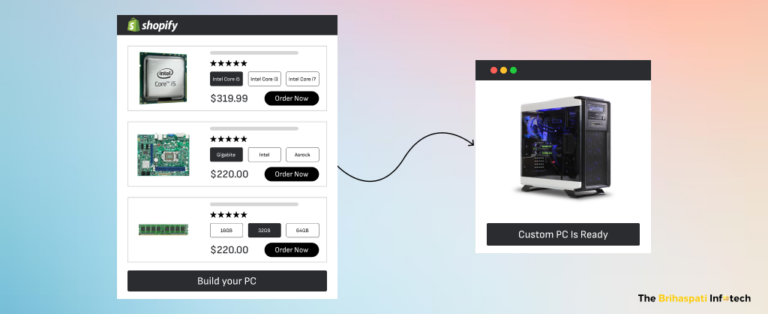
Picture a world where every individual owns a PC, different from others. That’s fascinating and possible with a custom PC configurator for Shopify. Yes, people build their own PC online in a few simple and quick steps. 

A PC configurator is an online tool that enables users to build a personal computer by selecting individual components based on their needs, preferences, and budget. 

What to do:

  • Choose a Base Model: Start by selecting the type of PC you want to build — a gaming rig, workstation, or home office setup.
  • Select Components: Users can select parts, like CPU, GPU, RAM, storage, and motherboard, as per their project needs.  
  • Compatibility Check: An automatic check must run in the background to ensure all selected parts are compatible. 
  • Real-Time Pricing & Visualization: Use Shopify Plus or WooCommerce to provide real-time cost based on the selected components. Integrate 3D visualization software into your PC parts websites for spectacular visuals of the final product. 
  • Checkout & Payment: Create a Shopify one-page checkout for shoppers to review and complete the purchase with available payment and shipping options.

Integrating a PC configurator into your custom PC builder website creates an interactive shopping experience.  

2. Component Compatibility Checker

Compatibility Checker

Establishing compatibility between different components is one of the biggest challenges to build a custom PC online. A component compatibility checker ensures that individual parts selected for a PC build can function together without any problem. 

What to do:

  • Choose a Compatibility Checker Tool: Integrate a tool like BuildMyPC, a free PC parts compatibility checker, into your website. It provides access to a huge database of PC components and their compatibility, ensuring shoppers can build a PC without any mistakes. 
  • Input Product Data: Populate your product listings with up-to-date and detailed specs for accurate compatibility checking. 
  • Automated Compatibility Alerts: Configure the checker to provide real-time alerts when incompatible PC components are selected. 
  • Propose Alternate Suggestions: The checker should recommend alternative components once incompatible components are identified. 
  • Test Compatibility:  Test the checker on various configurations to ensure smooth and accurate functionality.

With a robust compatibility checker, your custom PC builder website will help shoppers’ complete purchases without any costly mistakes.

3. Visualization Tools & 3D Models

Visualization Tools for PC builder website

Build your own PC store with high-quality visuals and interactive 3D tools. They can significantly enhance the experience of building custom PCs online.  

What to do:

  • Use High-Quality Product Images: Showcase each component (e.g., GPU, CPU, etc.) with high-resolution, optimized images. Include detailed views and close-up shots of the product’s features. 
  • 360-Degree Views: Enable shoppers to get 360-degree views of the product so they can inspect it from every angle. 
  • Interactive 3D Models: Integrate 3D visualization tools with your Shopify PC parts website so that shoppers can verify the assembled unit before the final purchase.  
  • Augmented Reality (AR) Visualization: Use Shopify AR and let your shoppers visualize the PC in their own space. 
  • Real-Time Feedback: Ensure the PC configuration software displays real-time feedback, such as visual compatibility checks, during the process. 

Such dynamic, visual features can drive users to engage, interact, and purchase custom PCs with confidence.  

4. Mobile-Optimized Design for Custom PC Builder Website

mobile-friendly PC building website

A mobile-friendly website enables shoppers to build PCs online using any device. This increases high-intent organic traffic from multiple devices, increasing lead conversion rates.   

What to do:

  • Responsive Web Design: Design and build a PC website to fit any screen size such as smartphones, tablets, and desktops.
  • Mobile-Friendly Navigation: Simplify the PC parts website’s navigation for mobile users by using sticky navigation bars or collapsible menus. 
  • Touch-Friendly Interactions: Ensure all interactive elements (buttons, checkboxes, and sliders in the configurator) are large enough and spaced appropriately for touch input.
  • Fast Loading Times: Use Google PageSpeed Insights to monitor and improve the load times of the PC parts website. 
  • Test on Multiple Devices: Regularly test your PC-building website across different browsers and mobile devices (iOS and Android) for a consistent user experience. 

Build your own PC store for mobile users to improve UX and increase the likelihood of converting visitors into customers.

5. Customer Support Integration Via AI Chatbots

AI Chatbots for helping build PCs

Gartner predicts that chatbots and virtual customer assistants (VCAs) will become critical technology components of a service organization’s strategy by 2027. 

Leverage AI chatbots and provide faster, 24/7 assistance for visitors on your custom PC builder website. The live chat provides immediate, real-time support, guiding customers through the purchasing process.

What to do:

  • Integrate AI Chatbot Software: Use popular platforms like Tidio for seamless integration between the chatbot and your Shopify store. 
  • Set Up Key FAQs and Product Info: Program the chatbot to handle frequently asked questions on compatibility checks, order tracking, and product recommendations.
  • Personalize UX: Configure the chatbot to analyze a customer’s browsing and shopping history to provide suitable responses.
  • Seamless Chatbot-to-Human Handoff: Program the chatbot to recognize when a conversation requires escalation. Use Zendesk’s API to transfer the chat to a live support agent, ensuring no customer query goes unanswered.
  • Monitor and Optimize Chatbot Responses: Use Google Analytics and chatbot logs to monitor user interactions and refine the chatbot’s knowledge base and training programs. 

With AI chatbots, you can provide quick support to users, guiding them through the custom PC-building process. 

Simple & Short Checkout for Custom PC Builder Website

Checkout page

A smooth and secure eCommerce checkout can drive more custom PC builds than a longer, complex checkout process. 

What to do:

  • Streamline Checkout: Club payment, shipping, and order review steps into a single-page, seamless experience for PC builds. 
  • Integrate Gateway with Shopify: Use Shopify’s native integrations (via Shopify Payments API or third-party apps) to connect the payment gateway.  
  • Enable Multiple Payment Methods: Enable customers to choose from various payment methods such as credit/debit cards, Apple Pay, and Google Pay. 
  • Add Fraud Prevention Tools (Optional): Integrate tools like 3D Secure 2 to minimize chargebacks and fraudulent transactions. 
  • Offer Payment Transparency: Use Shopify’s Cart Drawer and let customers access the total costs (including taxes and shipping costs) for transparency. 

Create an optimized checkout for your custom PC builder website, enabling shoppers to place orders, faster — and return for repeat orders.  

7. Detailed Product Information and Reviews

Product page with detailed info

Detailed product specs and customer feedback help build a PC website loved by tech enthusiasts and gamers.

What to do:

  • Add Detailed Specifications: Populate product pages with essential technical details such as CPU socket types, RAM speeds, GPU models, and storage capacity. 
  • Use Structured Data for SEO: Implement Schema Markup for product pages for search engines to understand and rank your product pages high.  
  • Enable Product Reviews & Ratings: Use Shopify’s Product Reviews App or third-party tools to collect feedback, display ratings, and feature UGC. 
  • Include High-Quality Images and Videos: Add multiple images from different angles, along with detailed close-ups of product features. Include video demonstrations where needed.
  • Promote Verified Reviews: Display tags like “Verified Purchase” to ensure authenticity and build SEO value. 

Ensure your PC parts website content is valuable for shoppers to complete the purchase and generate loyal customers.  

Ready to Optimize or Build a Custom PC Builder Website? 

A PC builder website can be integral to your business success. Take the first step by integrating any or all of these essential website features and explore new growth opportunities. 

If you don’t have one, start building a PC website for enhanced user experience and conversions. Need help? Our eCommerce experts are here to assist you in creating or optimizing your website for maximum impact. 

Let’s get started now.

How To Create a Personalized Storybook Store Online? 

Imagine being the hero of your own story. That’s the magic of personalized storybooks. How about leveraging the powerful concept and create a personalized storybook store online?

Companies like Wonderbly* have sold over 3 million books worldwide—you can achieve the same success or even surpass it. Partner with our eCommerce development company and build an online store to boost your personalized storybook business.

Read our blog and learn how a personalized storybook tool can turn an ordinary bookstore into an extraordinary digital success. Let’s dive in.

What Are Personalized Storybooks?

Personalized storybooks turn readers into the heroes of their own stories.

Let’s understand it via Wonderbly’s bestseller, “Lost My Name”. Basically, the book narrates the quest of a child to retrieve letters of her name through magical adventures. Parents can customize their child’s name, character sketch, and even share heartfelt dedications. Thus, people can save it as a cherished keepsake or gift it to young readers.

We applied this concept to build a custom WordPress book preview software for a US-based storybook business. The tool enables easy and quick storybook personalization, enhancing user experience. Following three months of implementation, this website personalization tool boosted custom orders by 25%.

How It Works: 

  • Insert names, custom details, and dedication messages (optional). 
  • Get real-time previews of the storybook. 
  • Choose hardcover, softcover, or e-book version. 

Would you like to build or integrate the personalized storybook tool into your website? Hire WordPress developers and get a custom plugin for your eStore. Also, we can built custom eCommerce solutions for Shopify, WooCommerce, and other platforms.

Get a Custom Quote

Create a Personalized Storybook Store Online: A Step-by-Step Guide for Entrepreneurs

Guide to create a Personalized Storybook Store online

Let’s walk you through the main steps to create a personalized storybook store online:  

Step 1: Define Your Niche to Create a Personalized Storybook Store

Before launching, identify your target audience and the type of books you’ll offer. 

Popular Niches

  • Children’s Books: Fairytale, folklore, and adventurous tales.
  • Special Occasion Books: Books for weddings, birthdays, or anniversaries.
  • Educational Themes: Books that promote kids’ education with fun. 

Let’s assume, you’re targeting young kids (up to 12) and specialize in children’s books. Consider themes such as “jungle adventures” that resonate with young readers.  

Step 2: Define Types of Personalization

Personalizing books include using names and editing characters. Following are some options for consideration: 

  • Add readers’ names. 
  • Enable buyers to choose gender and customize characters. 
  • Include personalized dedications. 
  • Extra personalization such as photo uploads

Recommended Upsell Options:

  • Premium gift-wrapping options.
  • Hardcover book editions or keepsake boxes.

Step 3: Choose Best Website Builder

Choose the best platform to start your online bookstore. Following is a quick comparison of popular platforms:

Feature
Shopify
WooCommerce Custom WordPress Solution
Ease of UseUser-FriendlyRequires basic technical skills
Requires advanced technical expertise
Design Flexibility
Pre-designed themes with limited customizationHighly flexible with themes and pluginsFully Customizable
Website Personalization ToolsIntegrate with apps like Zakeke
Plugins like Customily work
Fully Customizable
Estimated Cost
Starting at $29 +/month  

Free plugin+ hosting ($3.99/month) 

High upfront costs 
Scalability
Ideal for small to medium businessesScalable but depends on hostingIdeal for large or enterprise-level businesses.

Step 4: Integrate Website Personalization Tool

Integrating a personalized storybook tool like ours offers seamless customization experience.

Here’s how to implement:

  • Install the tool or plugin on your e-commerce platform (e.g., Shopify, WooCommerce, or WordPress).
  • Configure the tool to match your store’s personalization options, such as story templates and character sketches.
  • Design an intuitive interface for users to input names, choose characters, and dedications to preview the personalized storybook.
  • Conduct end-to-end testing to ensure seamless functioning and user experience.
  • We can also integrate the tool with print-on-demand services for order fulfillment.

Step 5: Create Bookstore Website Design 

Your storybook website should provide a seamless shopping experience. Moreover, there are many parameters resulting in a user-friendly website design for your bookstore.

Focus on Core Features:

  • Optimize for Mobile Devices: Your site should offer a consistent user experience across all devices. 
  • Product Categorization: Divide books into kids, adults, occasions, or clear themes such as “Kids Favorites” or “Christmas Gifts”. 
  • Basic Search Feature: Create a simple search bar that populates results based on the user’s query.
  • Add Trust Signals: Include video testimonials and customer reviews. 

Step 6: Configure Store Checkout and Fulfillment

A smooth checkout and delivery process is essential for a positive customer experience.

Implement Checkout Features:  

  • Enable shoppers to review custom order before the final payment with customized checkout flow.
  • Integrate multiple payment options like credit cards, PayPal, and digital wallets.
  • Implement real-time shipping calculations and order tracking. 
  • Provide standard and expedited shipping options.

Step 7: Test & Launch Personalized Storybook Store Online 

A glitch-free store fosters user trust and satisfaction. Perform rigorous testing before going live: 

  • Troubleshoot bugs in book previews and personalization features.
  • Fix page load speeds, mobile responsiveness, and cross-browser compatibility.
  • Test different payment methods for safe and secure transactions.
  • Ensure the website uses HTTPS with a valid SSL certificate.

Finally, conduct a beta testing for collecting and implementing valuable feedback.

Step 8: Market Your Personalized Storybook Store

Once your store is live, focus on marketing your personalized storybook store. 

Practical Marketing Solutions: 

  • Share genuine reviews and video testimonials from happy parents. 
  • Run targeted ads on Facebook and Instagram to reach parents and gift buyers such as corporates.  
  • Collaborate with parenting bloggers or YouTube influencers. 
  • Offer free personalized books in exchange of online reviews or social media mentions.
  • Start an email marketing campaign to promote new product launches or discounts.

Step 9. Optimize for Continued Growth

After launch, making continuous improvements is essential to grow your storybook business. Use tools such as Hotjar or Google Analytics to track user behavior browsing the bookstore website design and personalization feature. 

How to Optimize Performance:  

  • Add new story themes or seasonal books.
  • Introduce exclusive books for Thanksgiving, Christmas, or special events.
  • Offer loyalty programs or referral discounts for repeat purchases.
  • Regularly update your storybook tool with custom features based on customer feedback.

How Personalized Storybook Tool Benefits Your Business? 

Personalized Storybook Tool Benefits

Our personalized storybook tool has delivered incredible business results. Following are key benefits that may attract potential business clients: 

  • Enhanced User Experience: Involves shoppers in creating a personalized storybook for a memorable experience.  
  • Efficient Operations: Automation saves time in creating personalized storybooks with maximum accuracy in customizations.
  • Higher Customer Retention: Personalized storybooks create emotional connections. Eventually, resulting in increased repeat purchases. 
  • Scalable: Easily integrates with other e-commerce platforms and can handle growing demand as your business expands.
  • Market Advantage: Having a personalized storybook feature sets your store apart.

Personalized storybooks demonstrate how thoughtful customization can drive engagement and long-term growth. As personalization continues to evolve, businesses can also explore advanced custom product experiences—such as 3D printable terrain models—to expand their offerings and deliver even more memorable, experience-driven products.

How Much Does It Cost to Create a Personalized Storybook Store Online on WordPress?

Creating personalized storybook store on WordPress is cost-effective compared to other platforms. Here’s a breakdown of the typical expenses:

Expenses Estimated Cost 
Domain Name$10-$20/year
Web Hosting $10-$50/month
Web Design $50-$100 (one-time) 
Personalized Storybook Tool $1800–$3600 (depending on features)
Extra Plugins (SEO, Security, etc.)$50–$200/year

The initial investment is low. However, there can be additional charges such as custom API integrations and future upgrades.

Request a tailored business plan.

Frequently Asked Questions

1. Do I need technical skills to create a personalized storybook store online?

Not necessarily. Platforms like Shopify and WooCommerce have easy-to-use tools for beginners.

For a custom website with complex features such as real-time previews, you should consult a professional eCommerce development company like ours. From initial planning to implementation and on-going maintenance, we provide top-tier eCommerce solutions to businesses of all sizes and scales.
Contact us

2. How much does it cost to build an online personalized storybook store?

Generally, a simple storybook store development starts from $3000. However, it can go up to $8000 or more depending on your project needs.
All things considered, we calculate project cost based on many factors such as
1. The choice of platform (Shopify, WooCommerce, or custom website solutions)
2. The personalization features you want
3. The website design
4. Extra plugins and services

Contact us and request an estimated cost for your project.  

3. What are the key features of your storybook website personalization tool? 

Our personalized storybook tool come with following valuable features  
1. Character customization
2. Dedicated Messages
3. Live previews 
4. Print-on-demand options
All in all, these features combine to give a fun and interactive user experience to personalize storybooks. We can also upgrade it as per client requirements.

4. Can you upgrade the personalized storybook tool for my existing online store?

Yes, certainly. We can upgrade our website personalization tool to meet your existing business needs. Here’s what we can do:
1. Add unique features 
2. UI/UX improvements 
3. Platform integrations 
4. Performance optimization

Let us know your specific project needs.

*Disclaimer

We would like to clarify that we have no affiliation, association, or endorsement with Wonderbly or its affiliated companies. Any references made to Wonderbly, its products, services, or trademarks are solely for informational purposes and do not imply any endorsement or partnership.

Ready to Create a Personalized Storybook Store Online? 

Creating a personalized storybook store online is a lucrative business opportunity, especially if you are a beginner. With our custom plugin development services, you can build a profit-driven business that brings magical stories to life. 

Whether you’re a writer, publisher, or a startup, our website personalization tool can accelerate your business growth. So, what are you waiting for? Get started today and bring the power of storytelling to life for your customers with an interesting twist! 

How To Build Cake Design App in 6 Easy Steps

A cake design app can transform any ordinary bakery into extraordinary business success. Imagine your customers can design their dream cakes—choosing flavors, decorations, and delivery times—all from the comfort of their homes. 

A customized cake app simplifies the ordering process, empowering your bakery to stand out in a competitive market. Our React JS developers built one such custom cake-ordering app for a Dubai-based bakery. As a result, the client reported a 35% increase in high-intent organic traffic within 3 months of the app launch.

If you own a bakery or starting as a baker, this blog walks you through the detailed process of building a multi-step custom cake builder, its key features, and its benefits. Without further ado, let’s dive in. 

See the Multi-Step Cake Design App in Action: Our Demo

The cake app transforms the way bakeries manage personalized cake orders. It offers an easy and quick multi-step process for customers to order custom cakes. Look how the cake design app works:

Key Features of Customized Cake Design App

1. Location-Based Branch Selection: Choose the nearest bakery branch for faster delivery or pickup. 

2. Diverse Cake Selection: Browse pre-designed cakes or create a custom cake for your needs.   

3. Custom Cake with Photo Printing: Upload a photo directly from your device to print it on your cake. 

4. Custom Cake with Add-Ons: Personalize cakes by adding decorative objects such as figurines.

5. Flexible Payment Options: Customers can pay using credit cards or opt for the “pay later” option.

6. Multi-Step Customization Process: A step-by-step interface guides users through cake customization.

Building a Custom Cake Design App: Our Case Study

At The Brihaspati Infotech, we collaborated with a bakery client to understand their requirements for different cake options, payment methods, and delivery scheduling. 

The client approached us to build a cake order app. We suggested building a web app to streamline custom cake orders prepared across different branches of the bakery.   

Let’s walk you through the main steps to build the cake order app:

Step 1: Built Scalable Backend with Laravel

Built the cake app backend with Laravel

We built the app backend using Laravel — a robust, secure, and scalable framework. Key functionalities included:

  • Custom Order Management: Stored and managed cake options like flavors, sizes, and toppings for user selection.
  • Branch Selection: Integrated different branch locations to select the nearest bakery for faster delivery.
  • Dynamic Pricing: Calculated real-time pricing based on user-selected options such as photo printing or custom objects.

After that, we created RESTful APIs to manage data flow between the frontend and backend.

Step 2: Designed User-Friendly Frontend with React.JS

Cake App Frontend with React.JS

Our React.JS developers built a visually appealing and functional user interface for the bakery. 

Key features included:

  • Checkboxes: Customers can select cake customization options such as flavors, sizes, and decorations.
  • Photo Printing Feature: Customers can add and preview personal photos on the cake. 
  • Multi-Step Order Flow: The app guided users through customization, scheduling, and payment, ensuring a smooth experience.

Evidently, the simple and intuitive design made cake personalization, faster and more seamless.  

Step 3: Integrated the Frontend with the Backend

Integration of Cake Design App's Frontend and Backend

We connected the React frontend to the Laravel backend using Fetch API. The key integrations included:

  • Real-Time Data Flow: The backend provided dynamic customization options and instantly updated the front end with new selections.
  • Dynamic Pricing: The app displays calculated pricing based on user inputs.
  • Order Processing: Once finalized, customer order details are sent to the backend for processing. 

This ensured a smooth information flow between the app’s user interface and backend systems.

Step 4: Implemented Secure Payment Gateway Options

Implemented payment gateway in the cake web app

For seamless and secure checkout, we implemented the following:

  • Secure Payment Methods: Integrated local payment gateway, MyFatoorah for fast and secure transactions. 
  • Flexible Payment Options: Added a “Pay Later” option for post-order payment flexibility.

It enhances customer trust and ensures smooth transactions.

Step 5: Cake App Tested

App Testing 

Before launching, we rigorously tested the cake order app to ensure flawless working across all functions. Our app testing included 

  • Unit Testing: Verified the accuracy and reliability of individual components, such as Laravel APIs and React features.
  • Integration Testing: Validated smooth communication between the frontend and backend such as pricing and order details. 
  • End-to-End Testing: Tested the user flow—from selecting cake options to placing orders and completing payments—to guarantee a seamless user experience.

Step 6: The Cake Order App Goes Live 

Cake Design App is Live

Once testing was complete, we deployed the app for live application.

  • Backend Deployment: Hosted the Laravel backend on AWS for scalability and high performance.
  • Frontend Deployment: Deployed the React frontend on Netlify for fast load times and enhanced user experiences.

As part of our long-term commitment, we continue to monitor the custom cake ordering app, ensuring seamless functions and a secure user experience. Meanwhile, we are working on some custom app features for future upgrades.

How Is Cake Design App a Must-Have for Bakeries? 

Benefits of Cake Design App

A customized cake app like ours can help bakeries grow and meet evolving market demands. Following are some potential benefits bakeries can experience: 

Increases Business Revenue

Engage shoppers by offering personalized shopping experience. In this case, our cake order app has custom features like photo printing and decorations for generating more revenue.

Elevates Customer Experience 

Our cake order app allows customers to place orders anytime, anywhere. Features like location-based branch selection and scheduling improve customer service.

Saves Valuable Time 

Our cake order management software supports dynamic pricing and secure transactions. Markedly, it reduces dependency on phone or in-store orders.

Improves Scalability

Our cake ordering system can evolve into a mobile app or integrate with social media platforms like Instagram Shop. Bakeries can add new features such as loyalty programs for compounding business growth.

Builds Brand Loyalty 

Our custom cake builder offers a unified, user-friendly experience across all devices. Also, it builds trust and credibility to generate repeat business for your bakery. 

Who Can Benefit from Cake Design App? 

Home Bakers

Home Bakers

Home-based baking businesses can expand their reach with custom orders.

Bakery Businesses

Bakery Businesses

Bakery shops can increase sales with cake customization and online convenience.

Catering Services

Catering Services

Enable bulk orders for special events such as weddings or corporate gatherings. .

Startups

Startups

Budding entrepreneurs can stand out by launching a smart web app.

Frequently Asked Questions 

1. How much does it cost to build a custom cake ordering app?

The actual cost depends on many factors, including the app’s features, functionality, and design complexities. We have built business web apps, starting from $3,000. Contact Us and request an estimated quote.

2. Can this cake order app integrate with my existing website?

Yes, our web app developers can seamlessly integrate the app with your current website. Above all, we can create a standalone solution tailored to your website.

3. Does the app work fine on all devices?

Absolutely. Our responsive, customized cake app works perfectly on smartphones, tablets, and desktops.

4. Can you suggest custom features to scale the cake order app?

Yes, absolutely. There are many useful features for your bakery app, such as 
1. Subscription services 
2. Multi-vendor marketplace
3. Advanced order scheduling 
4. Loyalty and rewards program 
5. Integration with social media 
Would you like to know more? Schedule a 1-to-1 consultation and get personalized solutions for your project. 

5. How long does it take to build a custom cake builder?

Generally, it takes 4 to 6 weeks, depending on the project scope and the client’s custom requirements. For instance, custom features push the development timeline. 
Contact Us and request an estimated project timeline.

Ready to Build Cake Design App for your Bakery?

Our cake ordering app helps shoppers place custom orders in minutes. The app’s simplicity and intuitive design compels shoppers to convert faster for the bakery. Meanwhile, our client reported a notable increase in high-quality organic traffic and customer ratings within 90 days of launch.

Whether you own a bakery or any other retail business, our full-stack web development company can help your business grow with a feature-rich, web app or a custom solution.  

Don’t settle for the ordinary. Cut above the rest with powerful retail apps. Share what’s on your mind and start your journey to scale your business online. 

Personalized Product Recommendation Quiz for Shopify Stores: A Complete Guide

Personalization is key to delivering an extraordinary shopping experience. Nearly 90% of consumers are likely to purchase from brands that provide relevant product recommendations. Our eCommerce experts created a product recommendation quiz for a client’s Shopify store, offering hair care products.

We suggested the hair treatment quiz personalizer after studying the client’s business needs and growth expectations. As a result, our custom Shopify app helps the client enhance user engagement and convert faster for their hair product store.

This blog explores the Shopify app development process, particularly designed to help shoppers find the perfect hair care products tailored to their needs. Without further ado, let’s get started.

Introducing The Hair Care Product Recommendation Quiz for Shopify

At The Brihaspati Infotech, we created a Shopify product recommendation quiz helping store visitors simplify their search for the best hair treatment products. Let’s look at the main steps leading to the discovery of personalized hair care products:

Step 1: Choose The Type of Hair Loss 

The first step enables users to select the type of hair loss they are suffering from. Thus, laying the foundation for the discovery of personalized hair care products for your needs.

Select Hair Loss for Product Recommendation quiz

Step 2: Profiling Users

We created an ideal user profile based on age and earlier hair treatments.

Profiling Users for the quiz

Step 3: Map the Severity of Your Hair Loss, Allergic Reactions & More 

A scoring scale is used to define the severity of their hair loss condition. Also, we ensure users only proceed to the next step if not allergic to Minoxidil as it’s a key component of hair care products.

Map the Severity

Step 4: Study Hair Loss Symptoms and Overall Impact 

This step captures various symptoms and the overall impact of hair loss on the user’s mental and physical health.

Study Hair Loss Symptoms

Step 5: Product Quiz Submission & Personalized Recommendations

After completing the last few steps, the hair treatment survey is submitted. Consequently, users witness a thank you page summarizing your hair loss condition and a personalized list of hair care products for purchase. 

Personalized Product Listing 

Implementation Process for Hair Product Recommendation Quiz for Shopify Stores

Implementation Process for Hair Product Recommendation Quiz

At The Brihaspati Infotech, our Shopify developers worked with the hair care brand to build a product recommendation app for driving user engagement and conversions. 

Here’s an overview of the development process:

1. Survey Creation for Data Collection 

We created a hair treatment quiz app using the Django Python framework. Also, the user data is stored in a MySQL database through the Python backend. 

2. Backend Algorithm Development  

We built an eCommerce product recommendation engine using Python to process customer inputs to generate personalized product recommendations.

2. Shopify Integration via API

We integrated Shopify’s API with the Python quiz application to fetch real-time product data such as descriptions, prices, and images, matching them to the user’s quiz responses.

4. Front-End Development

We built a clean and responsive user interface using HTML, CSS, and JavaScript. Thus, creating a seamless experience for users to complete the quiz.  

6. Testing and Deployment

We tested the hair treatment products recommendation app using Python’s UnitTest and PyTest frameworks. Later, it was deployed on AWS. 

7. Performance Optimization and Monitoring

We optimized the app using caching techniques. Also, we continue to monitor its performance, making improvements based on user feedback.

Benefits of the Personalized Product Recommendation Quiz for Shopify Merchants

Benefits of product recommendation quiz
  1. Enhanced User Experience: Our quiz-based shopping app for Shopify generates a personalized experience, resulting in higher user engagement and customer satisfaction.
  2. Improved Conversion Rates: Personalized recommendations result in higher conversion rates as users are more likely to purchase products that meet their hair care needs.
  3. Increased Brand Loyalty: Customers are likely to make repeat purchases and turn brand loyalists if they receive a personalized shopping experience. 
  4. Data-Driven Insights: The quiz gives insightful information about evolving customer preferences, which can help improve hair care products in the future

Who Can Use the Product Recommendation Quiz?

Product recommendation apps have become a popular solution for eCommerce stores. Let’s discover who can benefit from our Python app development services.

E-commerce Stores

E-commerce Stores

Ecommerce platforms offering multiple products can use the app to improve customer engagement and drive conversions.

Beauty and Cosmetics Stores

Hair & Beauty Stores

Beauty and cosmetics brands can help customers find the right makeup, skincare, or hair care products via the app.

Subscription Businesses

Subscription Businesses

Businesses offering subscription services for items can use the app to offer tailored options based on user preferences.

Health and Wellness Brands

Health & Wellness Brands

Companies selling hair care items can use the app to narrow down products specific to your health and wellness needs.

Implementation Challenges for Product Recommendation Quiz

Implementation Challenges for Product Recommendation Quiz

We successfully created the Shopify product recommendation quiz app. However, it wasn’t without facing any challenges. Let’s discuss a few problems we encountered during the process: 

1. Data Collection from Product Recommendation Quiz

Data security remains our central concern. Collecting and managing sensitive customer data (like hair loss concerns) comes with privacy concerns. However, we ensured compliance with privacy regulations by collecting data with user consent and following GDPR standards.

2. Integration with Shopify’s Backend

Integrating the hair treatment quiz results with Shopify’s product catalog for real-time product recommendations can be complex. However, our integration specialists used Shopify’s APIs to pull product recommendations based on quiz answers.

Frequently Asked Questions

1. How does the hair product quiz work?

The quiz collects user answers and preferences such as hair concerns, symptoms, and treatments. Based on the answers, the system uses an algorithm to match and recommend the most suitable hair care products from your eCommerce store.

2. How is the quiz data used in the Shopify app?

The collected data is processed and analyzed to provide personalized product recommendations. Also, we ensure customer information is securely stored and handled in compliance with privacy regulations.

3. How do I receive product recommendations through the quiz?

We integrate the hair product quiz with Shopify’s product catalog. It leverages user data to pull products that best match their needs, such as specific hair loss concerns and symptoms.

4. Can you customize the hair quiz for my haircare brand?

Yes, absolutely. Our Python app development team closely works with clients, ensuring the hair care quiz matches their business needs and brand preferences.

Let’s work together, call us today!

5. Can you create a hair treatment quiz for any eCommerce store?

Yes, absolutely. We have 14+ years of experience in working with Shopify, Magento, BigCommerce, and other platforms. Contact us and get started.

6. How much does it cost to develop my own personalize hair quiz app?

We provide cost-effective personalized app development services among on the market. However, the cost to develop a personalized hair quiz app for your eCommerce store depends on several factors:
1. Complexity of the quiz
2. Additional features
3. Design or the user interface

For a more accurate estimate, we request scheduling a consultation with our eCommerce developers.

Ready to Personalize Shopping Experience with Product Recommendation Quiz?

Our product recommendation app helps shoppers find the perfect hair care products based on their unique needs.  Faster and more efficient, the custom Shopify app improves the shopping experience and increases conversion rates for our hair products client. 

At The Brihaspati Infotech, our Shopify developers help retail businesses scale new growth opportunities with personalized product recommendation apps. If you are looking for a similar or custom eCommerce recommendation software solution such as ours, we are just a call away to help.

Contact Us

Xbox Controller Configurator for Shopify: Personalize Gaming

In a marketplace where personalization is king, offering your customers the liberty to customize their favorite products can make all the difference. The gaming industry is no different, as gamers now seek the opportunity to customize their accessories.

Our team of expert Shopify developers has developed an Xbox Controller Configurator that allows you to offer an engaging product customization option to your customers & boosting your sales.

Is it Necessary to Use Shopify Visual Product Configurator?

If you are someone offering your customers a wide range of customized products, a Shopify product configurator is the perfect solution for you!

Which Businesses can Benefit from Shopify Product Configurator?

Gaming Accessory Retailers

Gaming Accessory Retailers

Electronics Stores

Electronics Stores

Custom Gift Shops

Custom Gift Shops

Online Marketplaces

Online Marketplaces

Benefits of a Gaming Controller Configurator

A gaming controller configurator provides numerous advantages that can significantly enhance your Shopify store. Following are some of the key benefits:

  • Enhanced Customer Experience: Imagine being able to tweak every detail of your controller. From the color of the buttons to the grip texture, a custom controller builder makes it all possible.
  • Increased Sales: Personalization is a powerful sales driver. Hence, offering a Shopify visual product configurator can attract more customers and increase your average order value.
  • Reduced Errors: With built-in compatibility checks, the configurator ensures that all selected components work perfectly together, minimizing returns and dissatisfaction.

Case Study: Our Custom Controller Builder

A prominent gaming accessory brand approached us to develop a custom Xbox controller configurator for their Shopify website. Our Shopify development company further designed an Xbox customizer that allows you to build your custom PS5 controller.

Visual Customization in the Gaming Controller Configurator

A real-time preview lets customers see their choices come to life. Whether it’s a PS5 custom controller or an Xbox one, they can visualize every detail. This feature is crucial for ensuring that customers are happy with their choices before making a purchase.

Check Compatibility of Products on the Go

No more guesswork. The configurator ensures that every part fits and functions together seamlessly. This feature is also significant for preventing technical issues and ensuring that the final product meets all functional requirements. Hence, automatically by checking compatibility, the configurator simplifies the customization process and gives customers peace of mind.

Streamlined Price Tracking & Easy to Access Checkout

As customers select components, the total price updates in real time. This helps them stay within budget while building their dream controller. Transparent pricing is key to a positive shopping experience, and this feature ensures that there are no surprises at checkout. 

Challenges to Build Shopify Visual Product Configurator

Even though our team of Shopify experts successfully delivered the Xbox controller configurator, there were several challenges along the way:

— Managing Bulk Options for Customizations: Handling numerous customization options was tricky. Each component, from thumbsticks to D-pads, needed to be treated as a separate product.

— Sending Customized Data with Cart: Integrating customized data with the cart also presented a hurdle. We further resolved this by creating configurable products.

— Optimizing Loading Speed: Providing a feature-rich experience while maintaining optimal loading speed was crucial. We implemented strategies to enhance performance.   

Frequently Asked Questions

Can you create a similar Xbox controller configurator for my Shopify store?

Absolutely! Our team of Shopify experts can develop a custom Xbox controller configurator tailored to your needs. Reach out to us to get started on creating a personalized configurator for your Shopify store.

How does the Xbox controller configurator enhance user experience?

The custom controller builder offers a personalized shopping experience, allowing gamers to design controllers that match their preferences.

Can the Shopify visual product configurator handle bulk orders?

Yes, the Xbox controller configurator is designed to manage both individual and bulk orders efficiently.

Is the custom controller builder mobile-friendly?

Absolutely, the tool is optimized for all devices, ensuring a seamless experience while PlayStation controller configuration process.

What customization options are available?

Users can customize colors, buttons, thumbsticks, D-pads, and more with the help of the Xbox Customizer.

Conclusion

A gaming controller configurator is a must-have for Shopify gaming stores, offering gamers the ultimate personalized experience while boosting sales and customer satisfaction. By addressing integration challenges and ensuring a smooth user experience, retailers can significantly enhance their online store’s performance.

Our Shopify development company can help you design and integrate a custom gaming controller configurator for your Shopify store. Whether you want to build custom Xbox controllers or optimize PlayStation controller configurations, we’ve got you covered.

PC Configurator for Shopify: Personalization Tool

This blog was updated on 24th December 2024 to include valuable insights on the potential product upgrades and answers to some compelling questions.

Competing in the crowded electronics market can indeed be challenging. However, offering customers the ability to configure their custom PCs can grant businesses a notable edge over competitors and foster stronger customer loyalty.

Our team of Shopify developers recently had the opportunity to create a custom PC configurator for a well-known gaming PC retailer, enhancing the online shopping experience for their customers.

Do You Need a Shopify Product Configurator?

If you want to offer your customers a broader range of personalized products, a Shopify visual product configurator is the perfect solution for you!

Who Is the Custom Shopify Product Configurator Built For?

Custom Product Distributors

Custom Product Distributors

Personalized Appliance Sellers

Personalized Appliance Sellers

Apparel Industry

Apparel Industry

Sports Goods Sellers

Sports Goods Sellers

Fashion Industry

Fashion Industry

Electronics Industry

Electronics Industry

Benefits of a Custom PC Configurator for Shopify

In an age where customers crave personalization, not a one-size-fits-all solution. Let’s explore the advantages of implementing a PC configurator for Shopify store:

PC Configurator for Shopify Benefits

  • Enhanced Customer Experience: Imagine letting customers design custom built pc, selecting components that perfectly match their needs. This personalization fosters builds brand loyalty.
  • Increased Sales: By offering a wider range of customizable options, you cater to a broader customer base. This targeted approach leads to happier customers and increased sales.
  • Reduced Errors: Pre-built options can sometimes have compatibility issues. An automized method for custom built pc further eliminates human error & ensures a functional, frustration-free build.
  • Streamlined Sales Process: With product configurator software, customers can configure a custom pc & add it to their cart with a click. This subsequently reduces friction & streamlines the buying journey, leading to faster conversions.
  • Reduced Cart Abandonment: Customers overwhelmed by pre-built options are likelier to abandon their carts. Configurators basically keep customers engaged & reduce cart abandonment rates.

Our Case Study of a Custom PC Configurator for Shopify

A leading gaming PC brand reached out to us for a custom gaming PC configurator for their Shopify website. Consequently, our team of Shopify experts developed a PC configuration tool, enabling customers to build their customized gaming machines.

Additionally, we designed a custom Shopify app that allows the owner to manage products seamlessly from the backend. Below are the features of the solution we created:

Configuration from Scratch Based on Your Budget

Configuration from Scratch

Enable your customers to configure a custom built PC from scratch by selecting the desired chipset, primary use, and resolution. Most importantly, you can design your gaming PC within your budget limits from the custom gaming PC configurator.

Easily Track Price Subtotal as You Add Components

Subtotal: product configurator for Shopify

Uncertain about the actual prices of the PC components you’re considering? With the best custom PC builder, you’ll see the latest prices of each component, along with the subtotal price of your custom build as you select each component to configure a custom pc.

Visible Product Summary Provided on the Fly

Product summary: product configurator for Shopify

A custom gaming PC configurator assists you by providing a step-by-step product summary clarifying any doubts about the dependencies of PC components with ease, ensuring the purchase of the right components while you configure a custom PC.

Auto Recommendation Helps User Select the Right Component

pc configurator for Shopify- compatibility check

The PC builder will check the compatibility of the selected hardware with the previous selections. The compatibility check popup will be displayed when a user selects an option that is not compatible with the previous option to configure a custom pc. 

Streamlined Admin Dashboard On the custom Shopify App

custom Dashboard admin

The consolidated admin dashboard helps the admin view PC components displayed on the custom PC configuration tool. It displays fields such as product image, product ID, title, product type, and product price details for simplified navigation.

Filter Out Products to Navigate Toward Your Desired Component

Dashboard select product

A Product filter drop-down menu can help the admin find desired products easily without the need to search from the long list manually. The search pattern follows the sequence of core components, refinement category, followed by the extras section.

Edit Components Displayed on the Custom Pc Builder For Shopify

product edit: product configurator for Shopify

Admins can add information related to each product from the admin management panel by clicking on the “Edit” button under the actions section. Hence, this feature enables admins to add new products, upload images, and modify prices for existing options on Shopify computer configurator.

Control What’s Being Displayed on the Custom Pc Builder for Shopify

Product update- product configurator for Shopify

The admin can also easily opt to create a new product to display on the custom PC configurator for Shopify by completing the required fields and clicking the “Submit” button. This action adds the newly added component to the list.

Custom Gaming PC Configurator Demo

Our interactive Shopify computer configurator basically takes the guesswork out of configuring a custom PC, allowing you to design your own gaming PC that perfectly aligns with your needs and budget. Finally let’s have a look at how it functions.

custom pc configurator demo

Challenges of Developing the Custom PC Configurator

Even though our Shopify development company successfully delivered the Custom PC configurator for Shopify. Following are some of the challenges while developing it. 

— Managing Bulk Options for Customizations: Handling numerous custom options posed a challenge. We addressed this by basically treating each option as a separate product.

— Sending Customized Data with Cart: Integrating customized data with the cart also presented a hurdle. We further resolved this by creating configurable products.

— Loading Speed Management: Optimizing loading speed while providing a feature-rich experience was crucial. We implemented strategies to enhance performance.   

Potential Product Upgrades: PC Configurator for Shopify Store Owners

PC configurators have undergone various changes as shoppers’ behavior continues to evolve. We have curated a list of 5 PC configurator upgrades that can potentially improve UX while generating extra sales opportunities.  

1. AI-Powered Recommendations:

Integrate AI features that suggest compatible components based on the customer’s selection. This reduces decision fatigue, ensuring shoppers make more confident purchases.

2. Configurator Presets:

Implement preset configurations for popular options like gaming or video editing. Simplify the buying process and saves shoppers’ time in starting a product search from scratch. 

3. Interactive 3D Models: 

Enable shoppers to view their PC builds in 3D. This immersive user experience increases engagement and helps make informed decisions for lead conversion.

We implemented similar interactive 3D capabilities in our enterprise-grade agricultural machinery configurator, where users visualize complex trailers, sprayers, and attachments in real time with seamless updates. For a full case study on building such a 3D configurator on Shopify Plus, see our guide: How to Build a 3D Agricultural Configurator.

4. Live Chat Integration with Technical Support:

Enable live chat for users to ask questions regarding compatibility, features, and more. This real-time support increases user confidence and reduces friction for closing deals faster.  

5. Cost Breakdown + Payment Options:

Display an in-depth cost breakdown with integrated financing or installment payment options. This transparent pricing encourages users to complete higher-value purchases. 

These custom Shopify development solutions can streamline user experience, generate leads, and drive higher sales conversions. Let us know if you wish to upgrade your PC configurator for Shopify or any other eCommerce website.

Frequently Asked Questions

Can you create Shopify product configurators for different businesses?

Absolutely, our team of Shopify experts can create Shopify visual product configurators for various industries based on unique requirements. All you have to do is reach out to us!

What is the benefit of offering a custom PC configurator for Shopify?

Providing a custom PC configurator enhances the customer experience by allowing them to personalize their PCs according to their preferences, leading to increased satisfaction & brand loyalty.

How can a custom PC configurator for Shopify improve sales?

By offering a wider range of customizable options with a custom gaming pc configurator, businesses can cater to a broader customer base, leading to happier customers by and ultimately increased sales.

How does a custom gaming PC configurator for Shopify reduce cart abandonment rates?

Custom PC configurators provide clarity and control to customers, preventing them from feeling overwhelmed by pre-built options, thus keeping them engaged and reducing cart abandonment rates.

How can I ensure the PC configurator is compatible with new products?

Our Shopify developers map your product inventory to the configurator’s system, ensuring each part is linked to the respective components. We also set up compatibility checks for customers to select parts that work together.

Can I add new components to the configurator as the store inventory grows?

Yes! The PC configurator is built for scalability. Using Shopify Admin, you can easily add, remove, or update components in the configurator. Contact Us if you need help with Shopify.

Is the PC configurator mobile-friendly for shoppers using smartphones?

Absolutely! The PC configurator is fully responsive, meaning it works seamlessly across all devices. Your shoppers can browse and build own custom PCs on any device. This ensures a smooth and consistent shopping experience.

How much does it cost to integrate the PC configurator into my Shopify store?

Typically, a basic integration cost starts from $1,000. However, a fully customized solution with advanced features can cost upto $3,000 or more. We can provide a tailored quote based on your specific project needs.
Contact Us

Conclusion

In conclusion, the implementation of a custom PC configurator for Shopify offers businesses a strategic advantage in the competitive electronics market. By enabling customers to personalize their PCs according to their unique preferences and budget constraints, businesses can altogether foster stronger customer loyalty, and ultimately drive increased sales. 

If you’re seeking a similar solution to enhance your online retail experience, look no further. Our Shopify development company specializes in developing custom product configurators tailored to meet the unique needs of your business.